
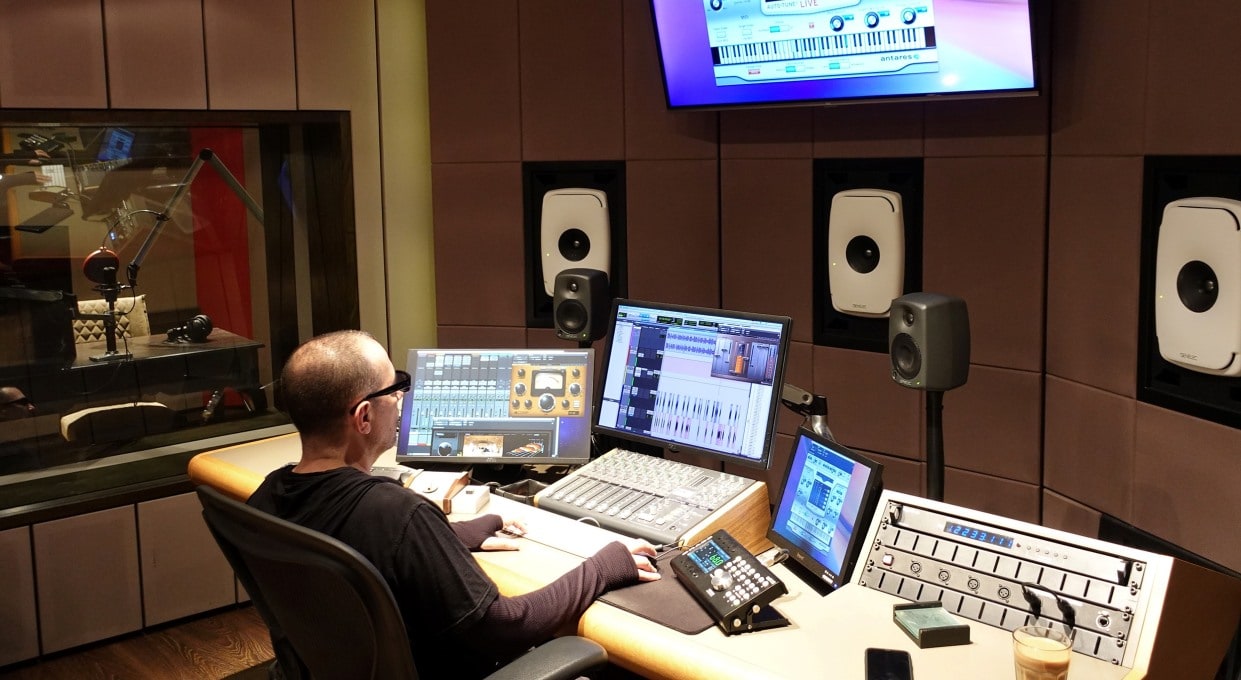
As a newbie in the production world, I had the fantastic opportunity to intern with a renowned pop producer. One of my main tasks was getting hands-on with AutoTune, a whole new world for me!
At first, I wasn’t so sure about it. It kind of felt like we were giving a helping hand to artists who might not always hit those notes perfectly, like we were creating a different kind of reality.
Plus, the AutoTune sometimes added this peculiar, robotic twist to their voice, which I initially thought was a slip-up.
But then, something incredible happened. Cher’s “Believe” hit the charts, and she was using that very same sound – intentionally! And guess what? People simply couldn’t get enough of it.
Suddenly, the ‘super-tuned’ sound became the hottest trend, with artists everywhere embracing it with open arms!
Even if you’re a fan of the unique hard tuning style of Cher and T-Pain, it’s super important as a producer to know your way around tuning tools for those times when you want a more subtle, invisible effect.
Let’s dive into some tips on how to get a natural sound from your tuned vocals using Melodyne and AutoTune. Ready? Let’s go!
Table of Contents
Realtime vs. Graphical – Pro Level

Even top-notch singers can have days where hitting the pitch perfectly seems a bit challenging, despite their fantastic energy and rhythm. This can create a tricky situation for producers.
Do we correct the artist over a few off-key notes that won’t really change the song, and risk losing that brilliant energy, especially in uptempo tracks?
Well, it’s not an either-or situation! Producers can lend a hand and fix these notes after the recording session, guaranteeing the best of everything: the energy, the timing, the rhythm, and a perfect pitch.
Keep in mind, even the best records have their fair share of mistakes, usually because people overlook the advanced features of tools like Melodyne and AutoTune. They have a graphical mode, which is fantastic for precise pitch corrections.
If your goal is to tune a vocal so it sounds as natural as possible, like the singer just had the best day and nailed every note, it’s important to figure out ‘how’ the note is out of tune. The graphical mode can be a real lifesaver here.
Pay attention to the parts of the note that tend to be sharp and the parts that are flat. You’ll often find that phrase endings are usually sharp, while beginnings can be flat.
You can then manually adjust the flat parts by nudging them up, while leaving the well-sung parts as they are. This way, you can strike a balance that sounds just right and natural.
Preserve Inflections
You might find that one of the common little quirks when using Melodyne is the temptation to let the program automatically adjust your notes to match a scale. It seems like a good plan, right?
But here’s the thing, it can get a bit tricky when you’re working with those soulful singers or those talented folks who use R&B or Blues inflections. These artists often use what’s affectionately known as a ‘blue note’.
Not familiar with a ‘blue note’? Well, it’s not usually part of the scale and, while it may seem like a mistake, it’s actually a bent note that adds that special touch of soulfulness to the music.
If you erase it by sticking rigidly to a scale, you might not even spot that it was ever there, because everything might sound just right during playback. But, the vocalist might not be too thrilled.
They might have purposely wanted that little bend to be slightly sharp or flat. By assuming that every note has to be pitch perfect, you might miss out on some of the magic.
The real trick to tuning properly is knowing when to let these minor natural variations shine.
Pitch Drift vs. Modulation
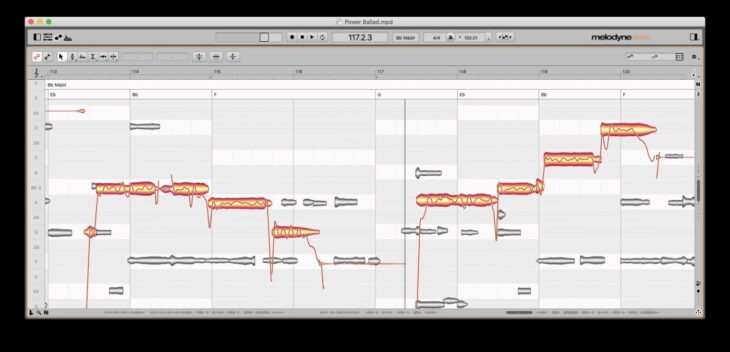
When you hop into graphical mode, you’ll see these cool fluctuating lines that represent the pitch within each note. It might remind you of a vibrato running along the note.
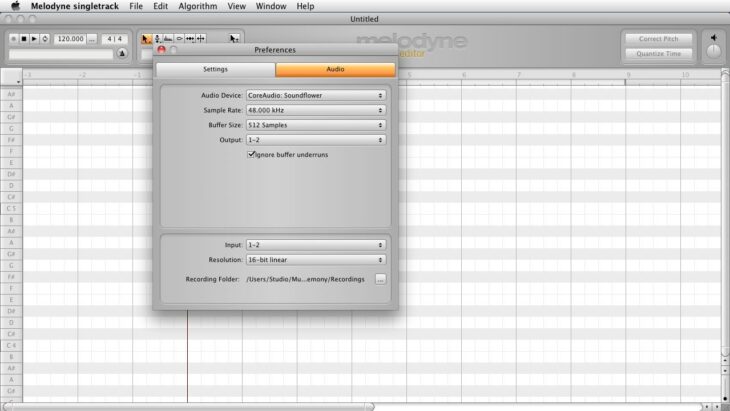
Melodyne is always in this fun graphical mode, ready to show you drift and modulation once you’ve transferred your audio.
Now, if you switch to real-time mode, things get simpler with knobs and scales, and the tuning is displayed right at the heart of the interface. To see pitch drift and modulation, you’ll need to dive into graphical mode and input, or transfer your audio.
Then, you can capture and play around with the vocal piece you want to tune.
To keep things sounding natural, it’s really important to take care of any pitch drift. Even if a note is a smidge sharp or flat, the vibrato, or modulation, might be just right.
But be careful, when you correct the pitch drift, you don’t want to accidentally mess with the vibrato.
Here’s a little secret: sometimes, even when a note looks perfectly tuned, it might sound a bit flat or sharp because of an out-of-tune vibrato. To get a transparent and natural sound in Melodyne, use the pitch tool to first handle pitch drift, then pitch modulation separately.
This way, the final sound will be just as you dreamed it would be.
Make sure to pay extra attention to the end of phrases. That’s where most singers tend to play around with the pitch modulation and might go a bit sharp.
Note Separation
If you’re collaborating with a vocalist who often strays off-key—especially on those long notes or words—tuning might feel a bit like a tightrope walk.
You may even notice that tuning programs can’t always keep up when the pitch variations are just too wild, which can lead to oddly chopped-up words that sound a little… well, off.
But don’t worry! There’s a simple workaround. Try skipping the auto-detect function and taking matters into your own hands.
Cut the word manually whenever you sense a change in the syllables or rhythm, particularly with those pesky long notes. You’ll see an instant pitch shift as soon as you do—it’s like magic, moving to a different part of the scale.
Just remember, tuning might seem tricky, but getting it just right can make all the difference in the world.
Humanization
Melodyne and AutoTune each offer unique versions of humanization. Essentially, these tools preserve some of the artist’s original inflection.
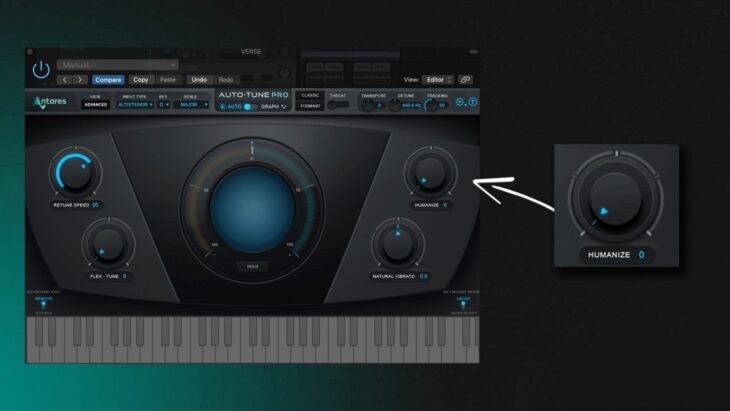
AutoTune has certainly come a long way! It used to be a bit rigid, but now it has these cool features where you can tweak the natural vibrato and humanize knob in real-time or automate it.
Melodyne is a tad more advanced. It’s got this nifty feature, the formant tool. It’s a real standout, especially when you’re dealing with drastic tuning.
Say, for instance, a vocalist hits a note way too sharp, and you have to bring that note down a lot to correct the pitch. But, oh no! This also brings down the tone of the voice, kind of like retiming or re-pitching on a sampler.
But don’t worry, there’s a fix for this! You can crank up the formant tool so that the pitch quality gets a boost. This way, it blends in nicely with the original vocals that came before it.
It’s like an extra layer of fix, but this time it’s specifically for the tone of voice. How cool is that?
Final Thoughts
Making the jump from a synthetic sound to a beautifully sung vocal all comes down to the love and care we put into preserving the good and gently correcting the not-so-good.
As producers, it’s like we’re making a vocal collage, selecting the best words and syllables from performances to create something truly wonderful. We need to apply this same level of dedication when using tools like Melodyne or AutoTune.
It’s all about fine-tuning the singer’s pitch and paying special attention to the vibrato.
Melodyne’s attack and rhythm tools can be a real game-changer for enhancing the vocal sound. Adjusting the attack envelope can help avoid any harshness, and stretching out certain words can create smooth transitions.
This might be particularly helpful for vocalists who could do with a little boost due to breath control or strength issues.
When used with a gentle touch, Melodyne and AutoTune can transform vocals from being pretty darn good (85%) to simply outstanding (99%). The trick is to keep the focus on what really matters: the song, the delivery, the emotion, and the rhythm.
Don’t get hung up on pitch issues during the session. With these tools in your toolkit, you can fix almost anything subtly. The artist will walk away thinking they’ve had a fabulous day in the studio, and that’s the best feeling for us as producers!
