

One of the main reasons I became a music producer was my love for songwriting and using cool gear to transform those songs into album-ready tracks.
When I first started, I would write all the material myself, produce the track, and bring in demo singers to lay down the melody — that was my process for finishing songs.
As I built connections in Los Angeles, I found myself in exciting situations collaborating with other songwriters and artists. That's when I discovered my true passion.
Quick Take
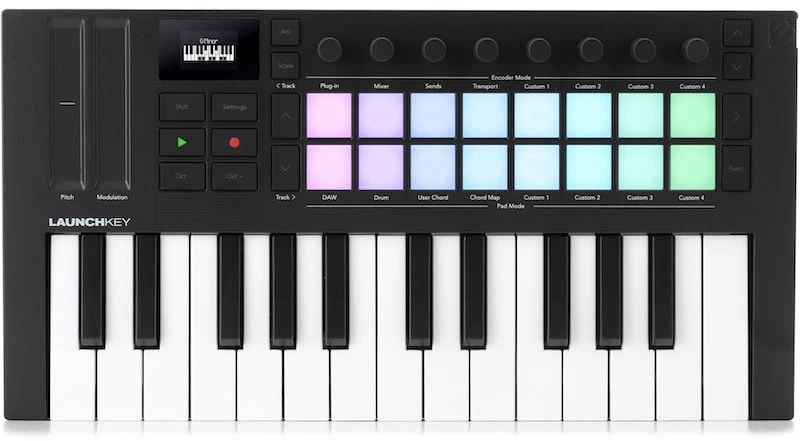
For songwriters and producers who frequently move between studios or apartments writing with different artists, this MIDI keyboard might be your new secret weapon. It has certainly made everything easier for me.
With its responsive keys and professional layout, this Mk4 update elevates an already great keyboard controller.
Here are four reasons why I believe this is a must-have for laptop producers.
Top 4 Reasons It’s a Game-Changer
Reason #1: Touchstrip Controllers
For any of you who make upbeat tracks, especially things that are infused with a lot of synth sounds and keyboards that benefit from real-time performance of both pitch wheel and mod wheel. This might be one of the best controllers on the market.
I bought this Launchkey Mini precisely because it seems to have the perfect layout of all the new things I need when I'm going into songwriter sessions with artists who are looking to make songs.
Yes, many of these are pop songs. Today's pop music is heavily influenced by both urban music and EDM/dance music. To produce these tracks effectively, you need the right tools to create the cool production techniques that the artists and managers often reference from famous celebrity producers.
For example, for those of you that are familiar with the artist/producer Zedd, he's very much a reference that a lot of songwriters and artists use. One of his main tricks is sweeping filters during whole sections of songs, not just synth filters, but he'll actually take the whole track and filter it down making it sound kind of dark and nonexistent and then riding it up so that it opens up until it hits the drop or big chorus moment.
I wanted to do that when I was in a lot of writing sessions, and a lot of times people in the studios or apartments or wherever we were writing had traditional controllers that just had a mod wheel and a pitch wheel, and I always found myself having to draw in automation.
When I saw the Launchkey, I knew immediately that even if I just used it for the touch strips, it would be the perfect controller for me in these types of situations.
A similar trick: You can use the touch strip by assigning filter cutoff frequency to one strip and resonance or volume to the other. This setup is useful when you want to automate a plug-in to cut off the whole track (like Kygo does) or perform a traditional filter sweep on a lead sound or pad sound on a synth. To create this effect, start at the bottom of the touch strip and slowly ride upward.
One side will open up the EQ or brightness and the other side will bring in that kind of resonant saturation that's part of the sound.
Now you can do this with an infinite amount of controllers, so in many ways I also use the touch strip to be a mixer of sorts. I seem to like them even more than using a traditional knob, because sometimes you want to feel like you're raising a fader up on a board and for that a touch strip just feels way more realistic.
Another trick I love on this controller is touch modulation. You can tap the touch strip in different sections and it'll jump to that position. This allows you to create certain rhythms by opening the filter quickly when tapping the top of the touch strip, producing almost a wah-wah effect — which is super cool.
That's practically impossible to achieve on a traditional mod wheel. You can't tap a mod wheel — you either raise it or lower it — so these touch strips offer many different ways to get creative.
Reason #2: Layout
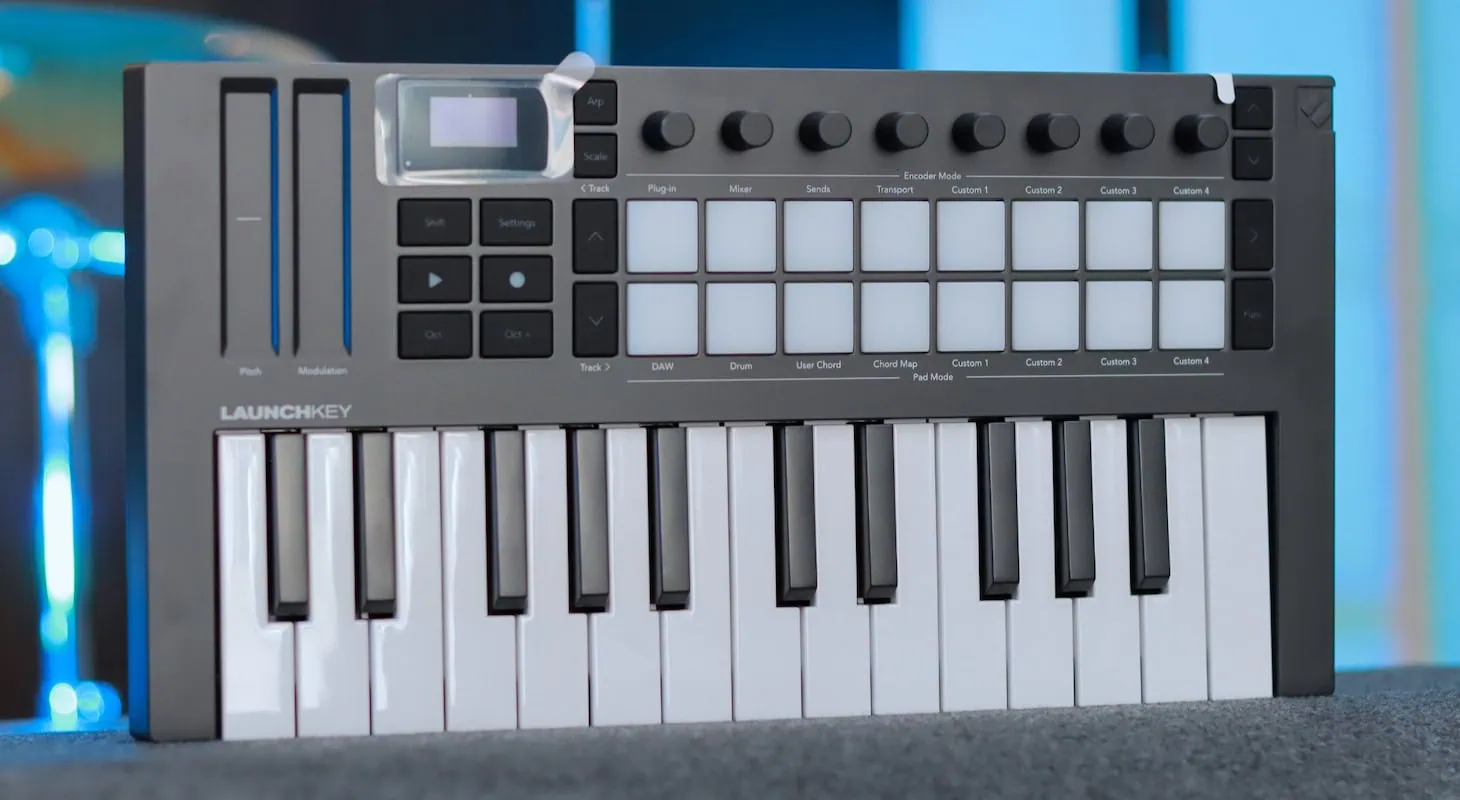
Novation Launchkey Mini 25 MK4 - Closer Look
Another really important feature that made this a no-brainer for me was the intuitive layout. I'm speaking a lot about my experience at songwriter sessions in different studios because I believe that's why this keyboard was designed in this specific way.
Many studios and artists have their own control setups. The issue is that sometimes there are five or six writers or producers in a studio session. Is everyone just going to take turns, pushing others out of the seat to use the keyboard? Now we all have our laptops set up with our little mini controllers.
The challenge is that we don't always know what type of song we're going to write or what the artist wants, so you need a keyboard that has everything — or close to everything — they could possibly ask for.
Think about it: this has drum pads like an Akai MPK (maybe not quite as good, but they're also different, I explain below). It has touch strips for all kinds of electronic work. It has plenty of knobs so you can add different controllers that you don't want the touch strip to interfere with. It also has a five-pin MIDI out so you can trigger any analog keyboard in the room or route that to the main computer system to trigger plug-ins on the main system as well.
Add to that the fact that it has really responsive keys that are very snappy yet feel comfortable to play chords, basslines, or even drum hi-hats. You start seeing that this keyboard has an amazing layout — you don't have to dive into countless features just to get what you want.
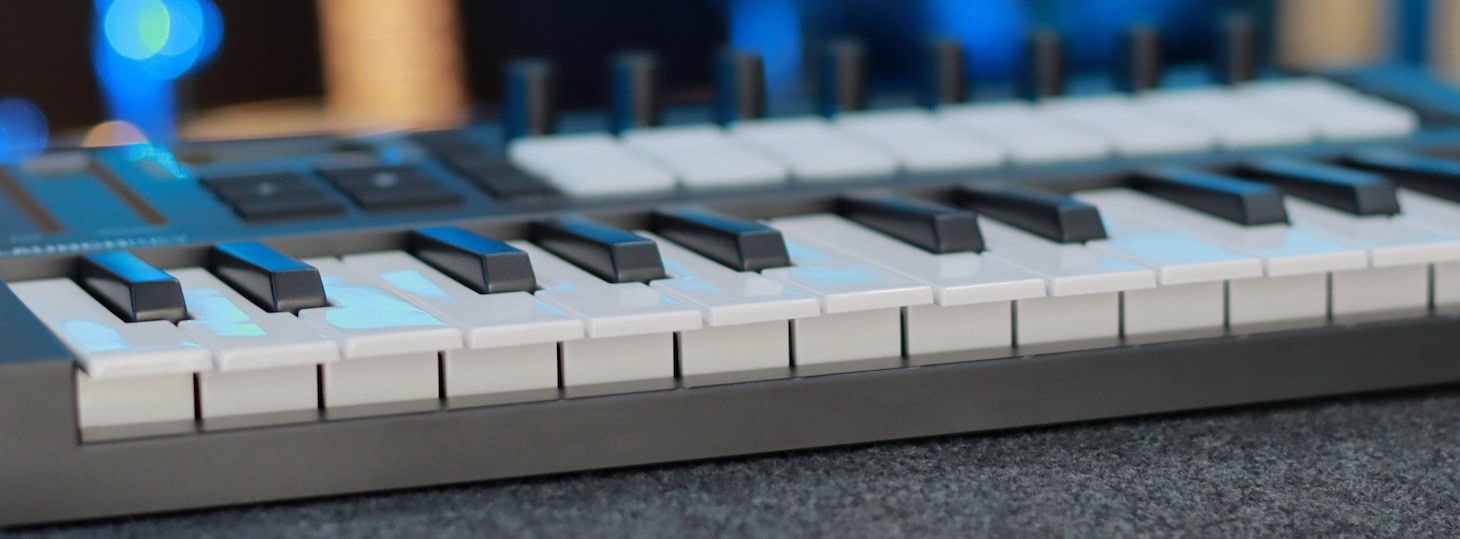
Novation Launchkey Mini 25 MK4 - Keys
You can either pre-program some presets and call them up via your laptop, or when you know what type of song you're writing, you can start adding on different CC controllers and routing the pads, touch strips, and keys to your different plug-ins.
Everything is right in front of you — super clean, nothing's cluttered, and the build quality is just top-notch. It doesn't have that plastic, M-Audio feel to it (sorry M-Audio). It feels like quality.
Reason #3: Backlit Pads
As a devoted MPC user who still considers their pads my favorite, I must admit that AKAI has missed out on the backlit pad and backlit key revolution pioneered by Native Instruments and Ableton. I frequently work on film scores, which led me to purchase the Native Instruments Komplete Kontrol 61 keyboard when it was released specifically for its backlit keys.
Like 99% of film composers worldwide, I rely heavily on Native Instruments' Kontakt software. Kontakt libraries often contain an enormous number of instruments per kit or preset.
For example, when loading ethnic percussion, you might find nearly 88 different instrument groups, each assigned to a single key.
Trust me, by the time you reach key 47 or middle C, you've likely forgotten where everything is located. It becomes overwhelming. Where are the djembes? Where is the shaker? Where is the cowbell? It's anyone's guess.
But imagine if African percussion had yellow lights and low percussion and skin drums had green lights — you'd instantly know that from F and beyond are the shakers, while B and below are the djembes. It's a brilliant concept.
Novation implemented this same idea with their pads. Rather than just illuminating the edges, the entire pad lights up in your desired color.
This feature is particularly valuable when working with drums or launching clips and samples. For instance, red might indicate 808s or aggressive low sounds, while turquoise represents ethereal sounds. Whether in studio sessions or performing live, you'll never trigger the wrong sample because red and turquoise are visually distinct.
Consider the possibilities when slicing samples in Ableton or your preferred sampler. You could assign different colors to kicks, snares, hi-hats, vinyl effects, or small percussion. When programming beats, you'll know exactly what you want to hit, even with unconventionally sliced samples.
No matter how you slice it — no pun intended — colored keys are game-changing, and more color is better. Sometimes the small lights on Native Instruments or AKAI products aren't sufficient, especially when playing in dark venues or live settings.
Reason #4: DAW Integration
As I was explaining, and I'm sure many of you have experienced this, when four or five different producers are creating different parts of a track in one studio, things can get messy.
Sometimes you're trying to navigate to a certain section to show a singer something, and you have to scroll through material to get there. This can be time-consuming. What I love about the Novation Launchkey is that they finally added a proper, well-laid-out transport control.
To me, a transport control isn't good if the play button isn't green and the record button isn't red. No negotiations. I can't stand when keys just have faint pictographs etched into them that vaguely resemble play or record symbols, especially when there are no lights to help you identify them.
Akai really got this right, and so did Arturia when they first came out. Novation was slower to implement this, but with this Mark Four update, they've totally nailed it. The transport is beautiful and logically laid out, with play and record buttons next to each other on the left-hand side.
This makes sense because most keyboard players and producers will be inputting something with their right hand — whether it's a lead, programming a beat, or something else. With these mini keyboards, you rarely use both hands unless you're playing something keyboard-like, such as a pad or piano that requires two hands.
Another thing I love about the new update is all the shortcuts they've created to enhance productivity, like being able to program the pads to open the plug-in window or mix window. I use this a lot because when I'm working with an artist,
I try to look at my laptop screen as little as possible. I might record the artist by pressing record and play on the Novation transport, and if I feel the reverb is too high, I can instantly switch to the mixer window from the Novation pads and use a knob to lower the reverb send.
This would take 7 to 8 times longer if I were messing with the laptop screen — opening windows, going to the mixer page, using the trackpad to lower the reverb send, etc.
It's just so much better on the Novation when you're using tactile sliders and knobs.
Performance Tips
Lastly, for any Ableton users, this is definitely the keyboard you've been waiting for. The integration of this latest update with how it launches clips and interacts with the step sequencer in Live is magnificent.
They've integrated some of their features from their excellent and critically acclaimed Launchpad series into the Launchkey, and it definitely paid off.
On live gigs and studio dates, I've always brought a dedicated Ableton controller for clip launching, but increasingly I've found those controllers — even the Push controller — unused in most sessions. I've realized that having 16 pads or two rows within the Ableton sequence is more than enough.
The way I use these pads: I often trigger and launch a clip, then use the touch strips to automate reverb and delay effects through the knobs, and finally overdub some sort of synth sound or performance using the keys.
Even when I'm in sessions, traveling, or just writing ideas in Ableton, being able to completely stay off your laptop screen really makes this little controller feel like an instrument in itself — and I love that.
Final Word
Yes, there are many companies making small keyboard controllers these days. You could compare their pros and cons endlessly, but my experience has taught me one thing: simpler is usually better.
When creating music and writing songs, the creative process matters more than fiddling with gear. Your equipment should serve you, not become a distraction. I find that a well-designed controller with an economical, uncluttered layout significantly reduces my stress levels.
With everything I need right in front of me, I can easily play musical ideas, navigate through clips, and control the transport functions.
For remote sessions and songwriting collaborations, this keyboard is truly invaluable.
My Verdict
Well-built, thoughtfully laid out, and easy to use in both studio sessions and live setups. It doesn’t do anything crazy — but it does what you need, and that’s exactly why it works so well.
