
I'm not sure if any of you are familiar with the incredible electronic folk artist Imogen Heap, but if you haven't heard of her using the TC Helicon Live, then you're seriously missing out. Check out this old clip of her harmonizing and explaining some of her techniques.
I was lucky enough to catch her live during this tour, and let me tell you, I was completely blown away. Ever since then, I've been on a spree buying vocal effect processors for both my studio and live performances.
I've always been a huge fan of the vocoder, especially after hearing how artists like Daft Punk use it.
Sure, there are tons of plugins out there that can help you process your voice in all sorts of interesting ways, but there's just something about using a standalone unit with a controller that's way more inspiring and delivers higher quality than any software can.
Now, let me share some of my absolute favorite effects processors that I'm currently using.
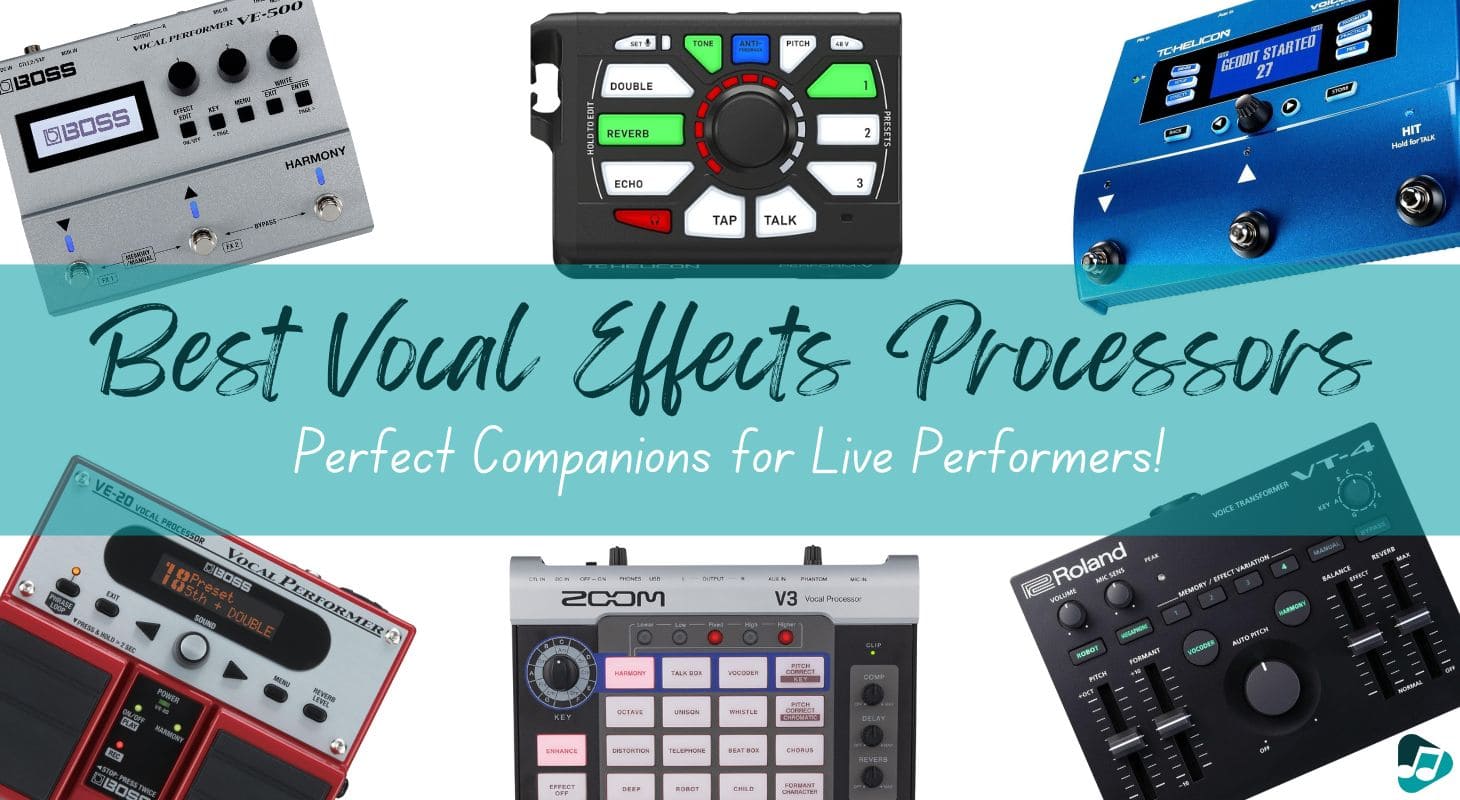
6 Best Vocal Effects Processors for Live Performance
Table of Contents
1. TC-Helicon VoiceLive
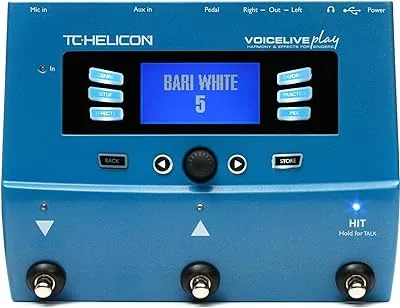
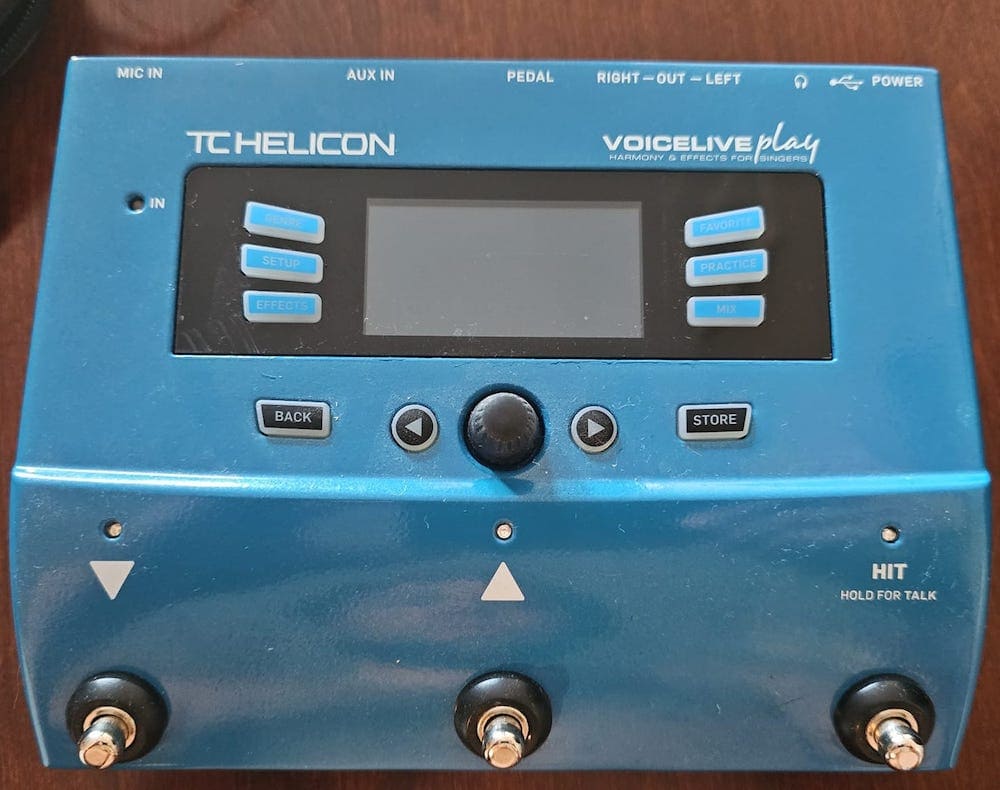
The TC-Helicon VoiceLive is an updated version of the processor that Imogen Heap was using in that video. I really like that they took the most important and best features from older and bigger processors and made them more streamlined, which also makes it more affordable while still giving you most of the power.
I've always been a fan of using autotune and melodyne with the artist in the room. Some producers might think they're stepping on the artist's toes, but a lot of artists actually want to improve and address any pitch issues.
Besides being an awesome vocal processor, VoiceLive has this cool feature that shows you how accurate your pitch is, so you know when you're singing sharp or flat. It's like a little tool to help you see your singing habits, which I think is pretty smart.
This processor also has other cool stuff like harmonizer, humanized doubling pitch correction, delay, chorus, reverb, and hard tune. It's kind of a mix between the Eventide H9 and a harmonizer.
The hard-tune feature is like Auto-Tune's classic mode.
And for all you Ed Sheeran fans out there, this processor also has a looper. You can start creating loops with a footswitch and add harmonies and different effects using MIDI, which is really neat. I wish the footswitch was built in though.
I use this a lot for live performances, especially at the start of the show when the singer wants to hit those ethereal notes. I loop and harmonize those notes with my keyboard chords and then bring in some synthesized pads to match the loop, creating a really cool vibe.
I've also used this processor for sound design in movies at the studio. It's super cool for creating semi-robotic sounds.
And again, it's great for getting those hip-hop auto-tune vocals on rappers.
2. Boss VE-22
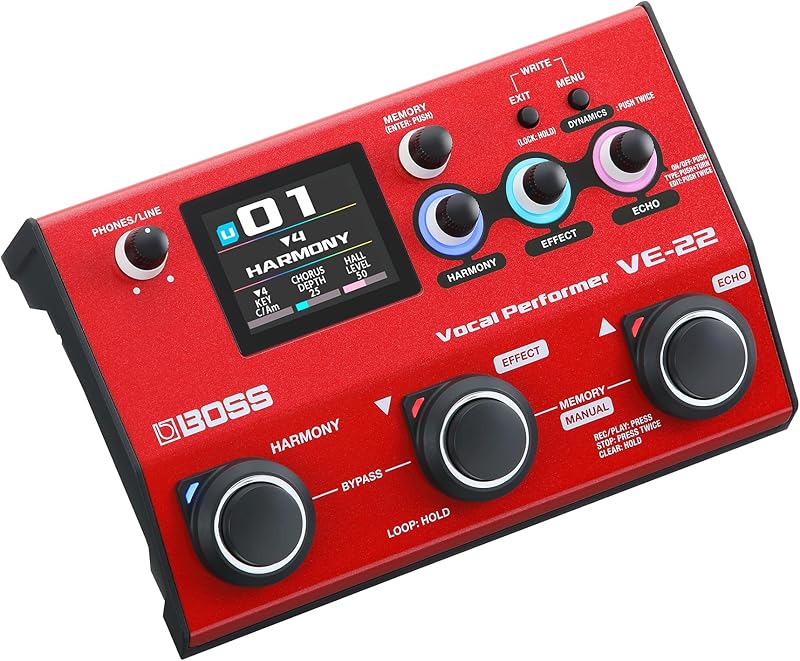
Boss, a division of Roland, is known for producing top-notch products. One of my favorite stomp boxes from Boss is the VE-22.
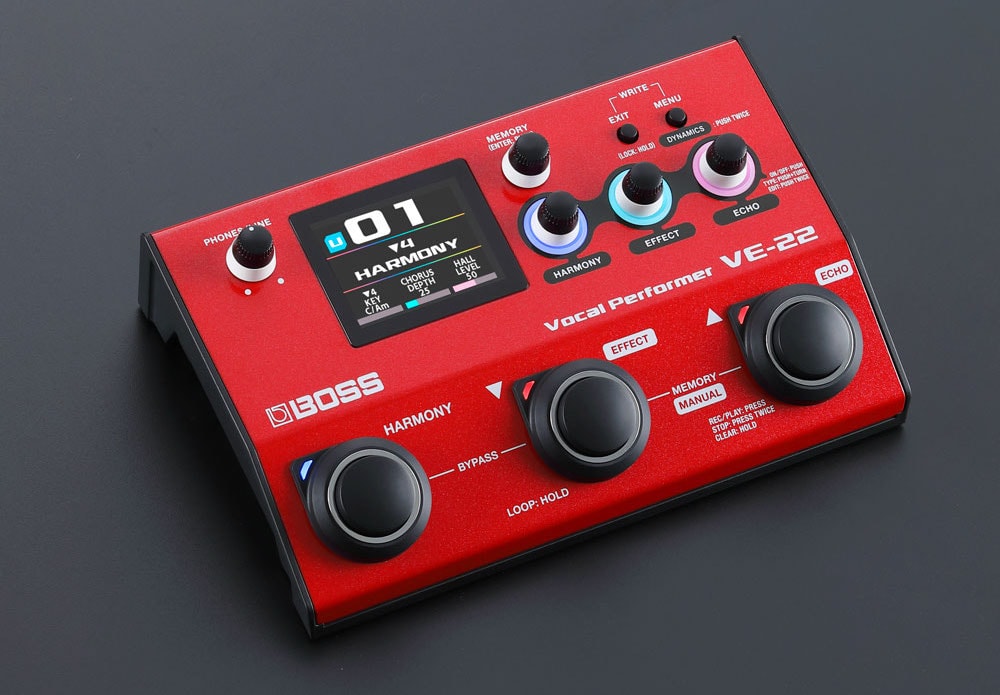
BOSS VE-22
Unlike the TC-Helicon VoiceLive, which requires a pedal to be inserted at the back, the VE-22 comes with three convenient pedals on the front interface.
This makes it much easier to set up for both live performances and studio sessions, as there are fewer cables hanging around from accessories that need to be plugged in. Boss delivers excellent reverbs that rival those of Eventide, with lush and long reverbs that I have always loved from Roland.
In addition to the harmonizer, which includes harmonies, double tracking (also known as ADT), and the ability to add layers on a loop, Boss also includes some non-traditional effects like distortion and a unique effect called strobe. Strobe is a blend of a fast Leslie vibrato and a ring modulator.
Moreover, the combination of distortion, reverb, and harmonizer makes this pedal versatile for not only guitar but also acoustic instruments such as flute and violin,
Another great feature for live performances is the ability to run the pedal on four AA batteries. This is convenient for situations where there is limited access to electrical outlets, especially when amps are already occupying most of the outlets.
In the studio, I particularly enjoy the double-tracking and real-time pitch correction features of this pedal. It offers a refreshing alternative to autotune, which is often overused in many productions.
The pitch correction effect allows you to detune the source vocal and create unique harmonies. I frequently use this effect with the violin to achieve an ethereal, detuned sound.
It comes with USB-C connectivity, allowing audio recording and playback via a computer or even a smartphone/tablet.
The VE-22 also boasts an improved sound quality with 48kHz / 24-bit AD and 48kHz / 32-bit DA conversion, surpassing the previous VE-20 model in this regard. Additionally, it offers higher memory with 50 presets and 99 user slots, ensuring ample space for custom setups.
The only additional feature I wish this pedal had is a stereo input. However, considering that many stomp boxes are mono, it is not a major drawback.
3. Zoom V3
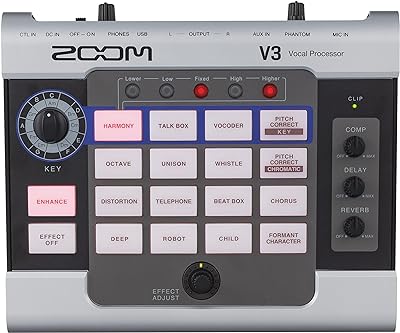
Due to its small size and tabletop design, the Zoom V3 has become popular among content creators and podcasters who want to add cool effects to their audio. It's super easy to quickly adjust or change effects on the spot.
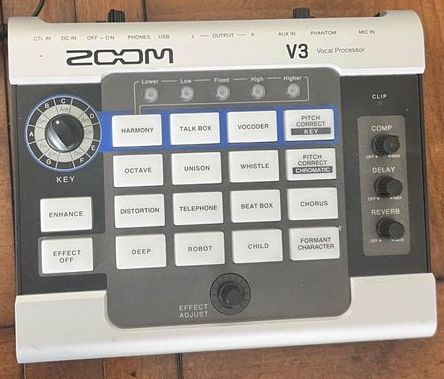
The Zoom V3 provides a wide range of options, including effects specifically designed for vocals like talk box, vocoder, and pitch correction, as well as studio-style effects like compression, delay, and high-quality reverb.
One effect that I find really handy is the formant character effect. If you've been listening to the radio lately, you might have noticed some popular songs featuring high-pitched, childlike versions of the lead singer, sometimes with catchy hooks.
This effect is also loved by trap artists, EDM artists like Calvin Harris, and even Chris Brown. Basically, it changes the pitch and tone to turn male vocals into female or chipmunk-like vocals, or even childlike vocals.
When used properly, it creates a modern and appealing effect.
Moreover, this processor box works seamlessly with expression pedals. You can automate various aspects of the formant shift, as well as sweeping and reverb effects, which is really cool.
I also like that it has USB connectivity for transferring audio in 32-bit resolution, so it can function as an audio interface too. While I wouldn't rely on it for professional studio recording, it can be really handy if you're using a laptop and want to simplify your gear for live performance.
It saves you from having to bring an additional interface, like an SSL 2+ or a Focusrite Scarlett, on tour.
The only thing about Zoom that I'm not completely sold on is the quality of their distortion. I've never been a fan of Zoom distortion for guitar, and that applies to vocals as well.
4. Roland VT-4
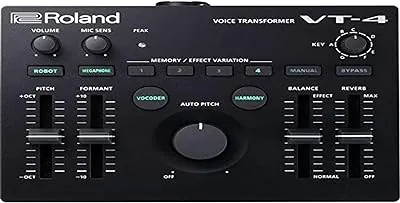
The Roland VT-4 Voice Transformer is a highly popular vocal effects tool used by DJs and electronic artists. When I'm not songwriting or recording, I love doing remixes, and it's always thrilling to hear them played live in clubs.
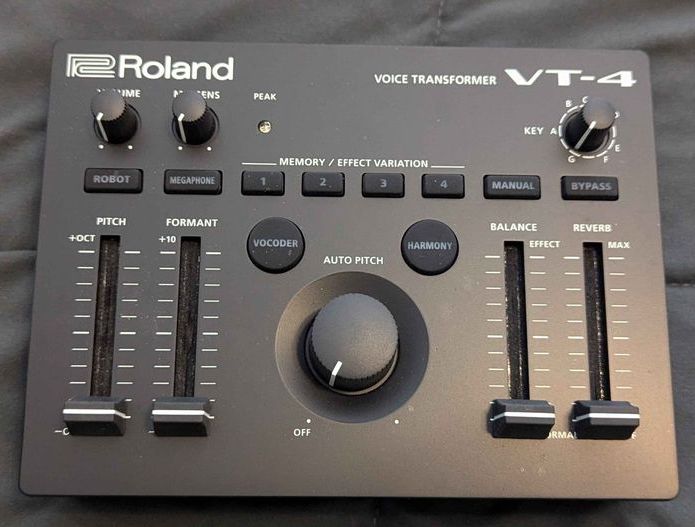
A hot trend these days is creating stems of your productions, so DJs can remix your track on stage and have even more fun with their job. The VT-4 is excellent for transforming stems.
With its four sliders and the auto pitch knob right in the middle, you can tweak your real-time performances to perfection.
The VT-4 has a simple layout that's easy to navigate, even in dark clubs. The formant and pitch sliders are top-notch compared to other similar devices.
Switching the octave mode up or down is a piece of cake, and you can effortlessly balance the dry signal with the effect signal using your right hand.
In so many ways, you can use the Roland Voice Transformer to mix in the faders for pitch and balance and also apply real-time reverb flawlessly.
On top of that, the VT-4 features a vocoder harmonizer and auto-pitch tuner, which you can adjust in small increments with a knob.
I also love how conveniently placed the key control is in the top right-hand corner, making it a breeze to make pitch adjustments. This well-designed box is perfect for DJs who want to get the party started and engage their audience with a cool megaphone effect.
While the box may look simple and basic, Roland didn't skimp on quality. They added 24-bit 192 kHz effects to ensure you get crystal clear sound.
The only thing I wish this box had is some sort of graphic info on the screen, giving you details about the current pitch correction status, for example. It would have been a nice addition.
5. TC-Helicon Perform V
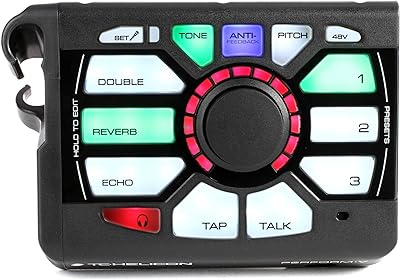
For those of you who aren't very tech-savvy, TC-Helicon has made the Perform V vocal effect processor super simple. It's got similar buttons to the Zoom box, with all the major functions right there on the front panel, clearly labeled and backlit.
The cool thing is that this processor is like a mini powerhouse. It might be tiny, but it packs a punch.
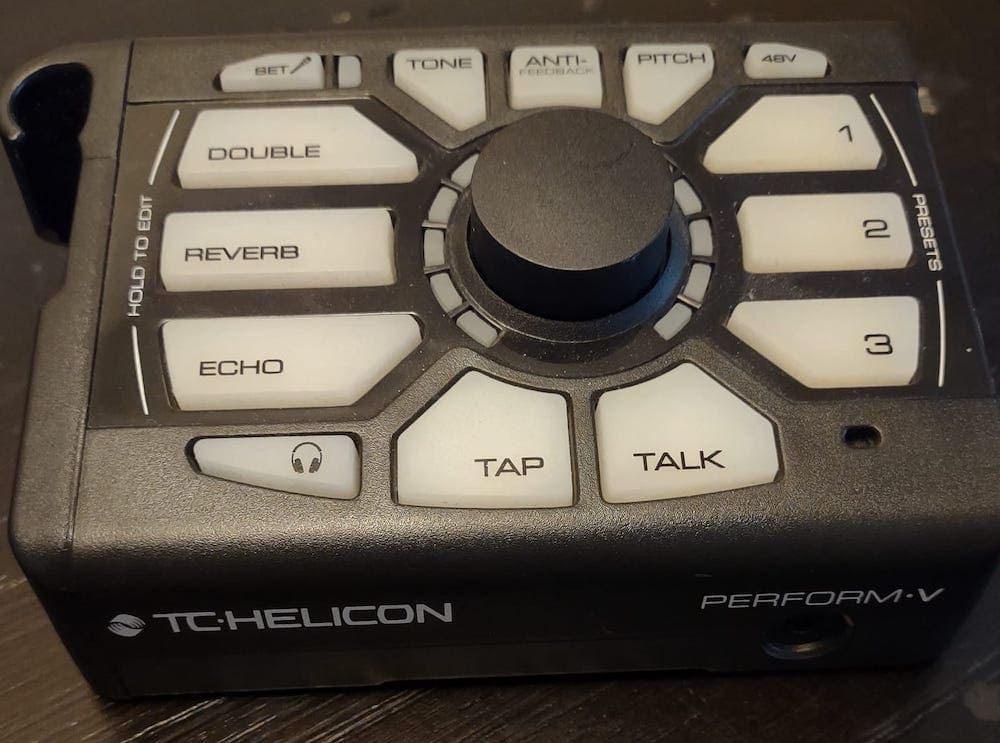
It's got a bunch of features you'd find in bigger processors, like live pitch correction, reverb, four different delay options, four different doubling styles, and an anti-feedback processor that can save your show from any potential disastrous feedback.
Instead of just being a harmonizer, this processor is more like an enhancer. I use it live by running my mic through it and then listening to my vocals through the headphone output.
If you don't need fancy looping or complex harmonizing, this is a great way to spice up your vocals during performances and not rely solely on the sound engineer.
I wouldn't recommend using this processor for studio work, since a lot of its functions are already covered in a professional studio.
But this little box does have its place. One of the things I love most about it is the pitch correction. It's really subtle, and there's a knob in the middle that lets you adjust the strength and balance.
Because it's small and doesn't have a screen for visual feedback, TC-Helicon came up with a cool app where you can send and receive presets, and even create setlists with as many presets as you want.
The only problem I have with it is that the build quality feels kinda flimsy and cheap, especially for a device that's meant to be used on tour. I can only imagine how many of these break before a tour is over.
6. Boss VE-500
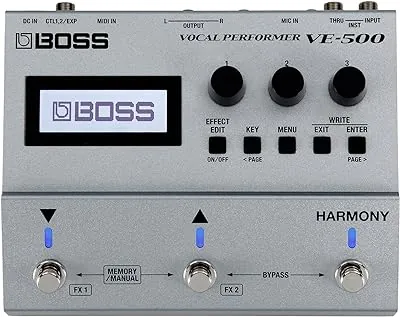
This vocal processor is my absolute favorite for performing live and on-camera. It has this cool feature where you can connect a guitar or synthesizer to the instrument input, and the VE-500 creates beautiful harmonies based on the chords you play.
You do need to have a microphone signal coming in at the same time, but it works really well. It's like a smoother, fancier mix of a talk box and a vocoder.
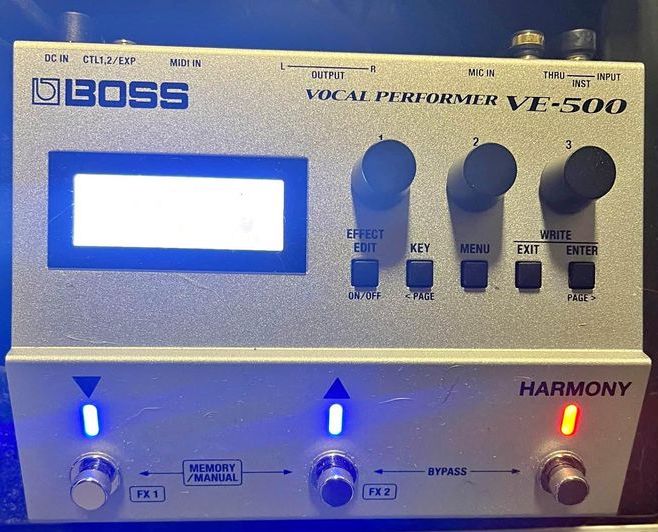
I often use this with vocals that I've already recorded in my DAW. I send them out and run them through the XLR input of the Boss VE-500, playing over it with a synth or guitar, and then recording it again in my session.
The VE-500 also has a really cool looper function with a start and stop pedal. Unlike the VE-22, it's not just about being a guitar stomper, it's more like a high-end reverb pedal in terms of design.
You don't necessarily have to connect a synthesizer for the intelligent harmonizer to read your chords. You can do it through MIDI, which is great for non-musicians who use MIDI chord packs or loops.
It's a fantastic way to expand your sound in your productions, especially on stage.
This box is totally high-fidelity. All the effects are 32-bit and it also has 32-bit converters that sound incredible.
They give a nice, natural sound with a hint of crispness on certain effects.
And if that wasn't enough, it comes with 50 factory presets and lets you save up to 99 user presets.
The only downside is that it's not battery-powered. That's not the most ideal for live performances.
Choosing the Right Vocal Effects Processor
I think when it comes to choosing a vocal effects processor, the ultimate decision will depend on how much complexity or simplicity you want on stage. For many performers, using a looper might not be part of their workflow or even their music, and that seems to be the most complicated part for most people to operate.
Some of you might just want to enhance and have control over some basic effects on your microphone, like a nice reverb, EQ, and delay. There's nothing wrong with that.
I still believe that for most people, the combination of harmonizing and effects will be what sells the unit.
Here are a few factors that I considered when I first bought a few of these boxes:
Audio Quality
The old saying, "Don’t stress about audio quality Live, because the audience won't be able to tell," is completely wrong. With the use of stems and DAWs for playback, along with the use of much better front-of-house consoles, live sets sound almost like studio recordings for the most part.
I've been to shows where people are using high-quality gear on stage, and it definitely sounds better than cheap equipment that just gets the job done.
So if you've spent months making your record, rehearsing your band, and perfecting the song arrangements, why wouldn't you choose the best-sounding effect box with the highest sample rate possible?
At this point, it's not even about saving a hundred bucks or so; it's about making your set sound the best it possibly can.
Additional Effects
I first got into vocal effect processors because I was doing a ton of vocoder and double tracking in the studio, and I wanted to be able to do that live without having to rely on rigid stems.
But then I started checking out the options available, and I was more drawn to some of the boxes that had cool effects other than just the typical harmonizer, reverb, and delay combo.
For me, when it comes to effects, the more the merrier! I absolutely love using distortion on vocals, and I'm also a fan of unique effects like the strobe effect in the VE-22.
Performance Controls
This category might depend more on the type of performer you are. If you're someone who carefully crafts sets and has presets ready for each song, then you might not need a lot of tweak controls during your set.
You might be more inclined to go with a device that also has a well-built app, allowing you to easily transfer your presets for each song. In that case, something like the TC-Helicon Perform V would be perfect for you.
However, if you're a DJ who is up on stage twiddling knobs and using high pass filters for cutoffs and drops, you'd probably enjoy using something like the Roland VT-4.
Tuning Quality
Using hardcore auto-tune style effects can be a bit risky when performing live. If you're a singer, songwriter, or someone who wants to appear natural, down-to-earth, and authentic on stage, you definitely don't want to sound like T-Pain.
So, you should carefully test all of the tuning algorithms in these boxes to ensure you achieve the most subtle, natural, and transparent tuning possible.
However, if you're more of a performer who does EDM or up-tempo pop, then you might want to go all out with the tuning in these boxes and use it as a robotic effect.
That's actually quite popular and there's nothing wrong with it. In that case, I would recommend using the "hard tune" effect.
It's like putting a pitch brick wall on your voice.
Screen vs. No Screen
This is a tough one for me to decide because when I perform live, I prefer a simple and less distracting design.
However, as someone who comes from the studio world where we have screens everywhere to provide visual feedback for everything we do, it's hard for my meticulous side to not constantly rely on visual feedback to see where my settings are on the knob or slider.
So I guess the perfect middle ground is that when I'm improvising and tweaking effects in Live to create unique and wild performances, I don't really need a screen. This is usually the case when I'm using pitch sliders on Live vocals - it's just fun to wing it and go for it.
However, there are times when I really feel the need for visual feedback, especially for reverb purposes and tuning purposes. I don't like using autotune or any tuning device in real-time without being able to see exactly what scale I'm on and how my parameters are set.
It's just too scary without that visual reassurance.
Final Thoughts
For many live performers, using vocal effects processors in real-time is very new to them. There's always a little bit of nervousness and trepidation that something might be too complicated and could go wrong, causing an embarrassing moment on stage.
I think a lot of that has been taken into consideration in the design of many of these devices because most of the upgraded versions on this list have very clear and easy-to-use controls.
They're almost foolproof in many ways.
I especially like units like the Roland VT-4 that use sliders and knobs to really enhance and transform your sound. At the end of the day, live performance is all about expression and creativity.
I can't think of a cooler piece of equipment for vocalists to achieve that than owning one of these devices.
