
If you haven't been using Reaper lately, I think you're missing out. It's a Digital Audio Workstation (DAW) that might not always be in the spotlight, but I find myself reaching for it more and more, especially on my laptop.
What's really cool about Reaper is how you can tweak it to suit your needs - it's as if you're crafting your own software the more you use it! It competes with big names like Logic Pro, FL Studio, and Ableton, and honestly, I find it even more adaptable.
One thing that really stands out about Reaper is its use of MIDI learning, which significantly enhances what you can do with it. Thanks to all its customization and automation features, having a decent controller can make a world of difference.
I've been alternating between these four MIDI controllers, each bringing something unique to the table. But the common thread? They all work beautifully with Reaper.
Top 3 - MIDI Keyboards for Reaper
Preview | Product | Price |
|---|---|---|
 | ||
 | ||
 |
Out of all the controllers I've tried alongside Reaper, these four really stand their ground. So, let's take a closer look, shall we?
Best MIDI Controllers for Reaper - the Top 4!
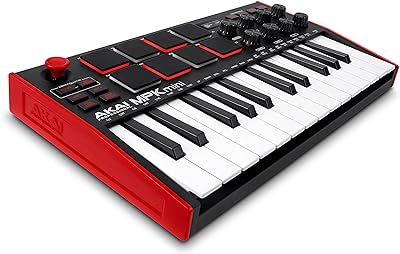
1. Akai MPK Mini Mk3
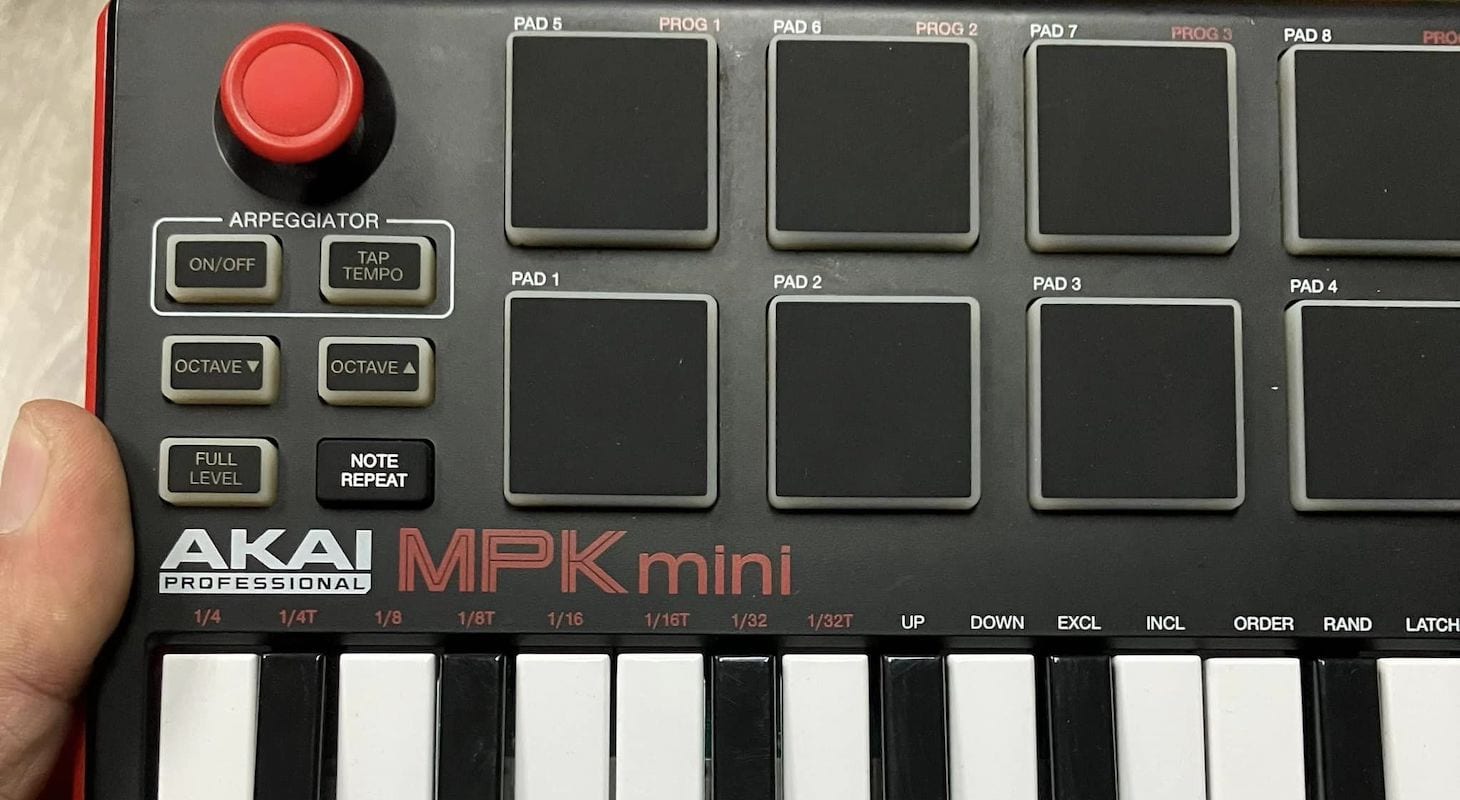
Being a loyal fan of the MPC, I find pads on any controller to be a delightful bonus.
One of the reasons I love Reaper so much is because it's not just restricted to AU and VST. It goes above and beyond by supporting a whole range of plug-in formats like Clap, LV2, and DX, especially for those using Windows.
Among all pad manufacturers, AKAI devices are my top choice. Their pads have the best touch and are the most expressive, making them essential for Reaper, given its highly accurate velocity capture.
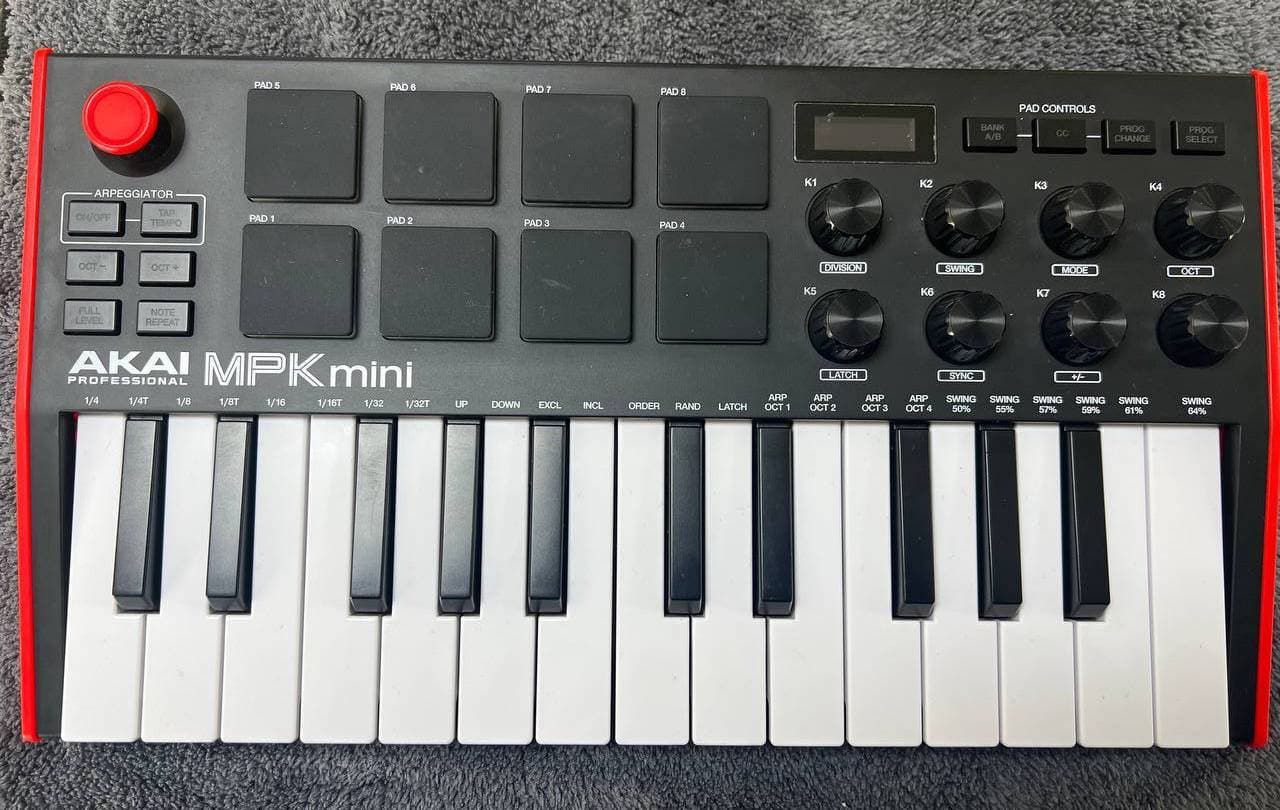
The sensitivity of your controller pads enhances your velocity mapping for drumming.I frequently use this feature with hyper-sampled drums like BFD, XLN Audio Addictive Drums, and some Native Instruments libraries.
The MPK Mini's compatibility with Reaper is further enhanced by its eight control knobs. They can be connected to any parameter in Reaper, including automation, panning control, reverb, and more.
It also features a compact screen for visual feedback, which is useful when performing away from your computer screen.
The MPK Mini Mk3 has inherited the full-level velocity button and the note repeat button from the MPC, which are invaluable for creating less realistic beat styles like hip-hop, EDM, and pop.
The full level is ideal for one-shot samples that you want to accentuate, such as hip-hop, final kicks, fixed snares for electronic genres, and others.
The note repeat button is perfect for programming robotic 32nd note hi hat fills and similar patterns. You can set a rhythmic interval for the note to repeat, press down a pad, and it will continue until you release it.
This feature is super fun and fits right in with today's music scene!
Read my full review: Akai MPK Mini Mk3
2. Nektar Panorama T4
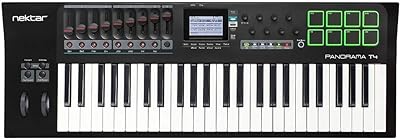
Next up is the Nektar Panorama T4. This is a slightly larger 49-key controller, furnished with eight MPC style pads and eight knobs, among other features.
It's perfect for a studio setting, unlike the MPK Mini, which is ideal for capturing spontaneous creative spurts while on the go.
As a film composer, I particularly appreciate the Panorama. It pairs wonderfully with Reaper's flexibility, especially for assigning MIDI controls. Trust me, the included sliders are a delight!
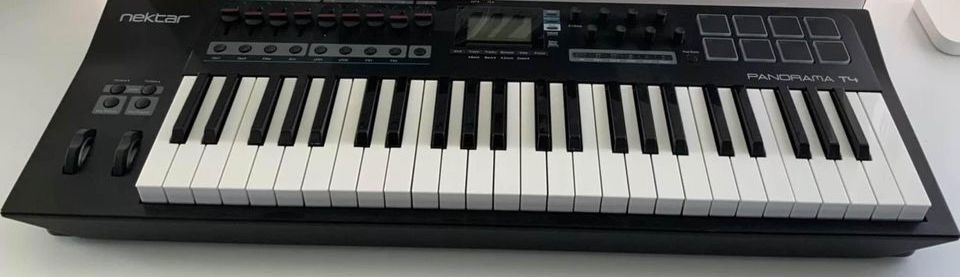
I've assembled film scoring templates in Reaper where the sliders and knobs assume different roles, depending on the type of cue I'm creating. For instance, with Spitfire Audio strings, you have a world of expressive possibilities within the Kontakt and Spitfire engines to manage string dynamics.
My usual setup has the sliders controlling aspects like volume, dynamic levels, vibrato, portamento, and slide effects, while the knobs handle Reaper-specific tasks like panning, volume, effect sends, and dry/wet mix. Reaper responds excellently when it comes to automation, so that's a significant bonus.
The pads are quite decent, not quite on par with the AKAI, but they can still accomplish the task. Additionally, having a large screen for a quick visual check and a transport bar for when you need a break from the computer screen is a nice touch. The 49-note keyboard feels just right, all thanks to its piano-weighted keys.
Now, because it's a bit more complex, this controller does have some weight to it. But the silver lining here is the option to plug in an expression pedal and assign it to any function in Reaper, which definitely adds a nice layer of expressiveness to the software.
3. M-Audio Keystation 49 Mk3
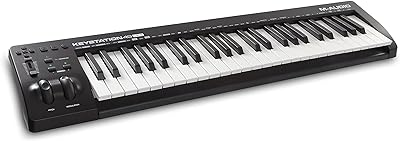
This Keystation 49 Mk3 is a solid 10 pounds lighter than the Nektar Panorama, but the flip side is that it lacks many of the slider or knob controls. Instead, it features traditional pitch and modulation wheels, which are still quite useful.
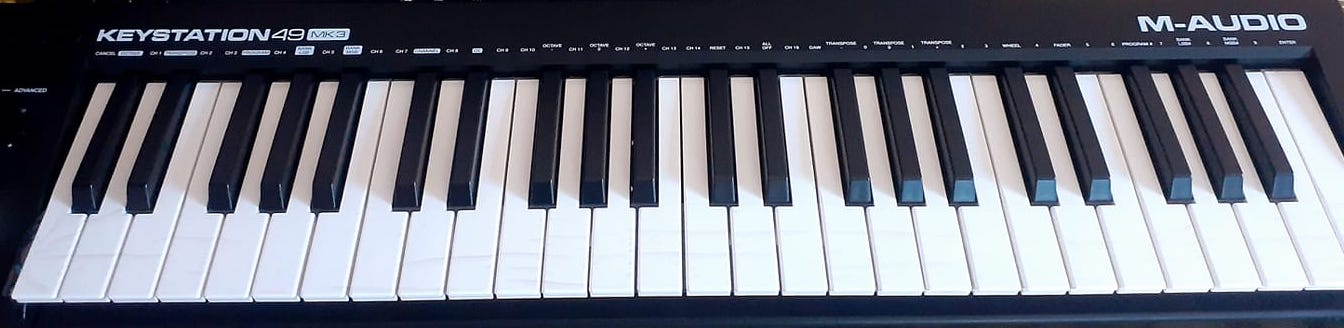
Reaper truly excels over other software programs because it allows you to assign the pitch and mod wheels to a variety of different parameters. You can group these parameters and create your own custom sets to control different aspects with just a single move of a modulation wheel.
This is extremely useful when you don't have a lot of hardware to work with.
One of the main reasons why I prefer using Reaper as my go-to DAW when I'm on the move is its ease in creating templates and sessions that cater to specific needs. I can even alter icon colors and the way the faders respond.
Another great highlight of Reaper is that it doesn't have a track count limit - the only limit is your computer's capabilities, which is quite impressive.
The USB-C connection between the Keystation and Reaper is lightning fast and precise, with barely noticeable latency lag at lower buffers.
Shifting focus, the M-Audio Keystation 49 could be your go-to for programming ultra-realistic hi-hats. While the MPC pads have been highly praised (and rightfully so), they typically perform best when creating Dance and Hip-Hop style beats.
If your goal is to create drum sounds that mimic a real kit, the semi-weighted keys on the M-Audio are ideal. Their spring tension is also excellent for quick programming of basslines and percussion in Reaper.
4. Arturia MiniLab 3
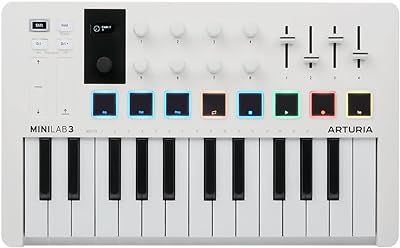
Arturia has always held a special place in my heart thanks to their designs and layouts, and their MiniLab 3 25-slim key controller doesn't disappoint.

Arturia MiniLab 3
Arturia keyboards are incredibly sturdy! The steel and wood they use are practically invincible.
My Minilab has braved rain and drops during performances, it even survived a roll off stage, and still remains intact. Isn't that something?
Despite its compact size, the keyboard doesn't skimp on the key features needed to use Reaper like a pro. It has eight knobs, four sliders, and eight pads.
Sure, the sliders may not match the range of the Nektar sliders, and the pads are a bit on the smaller side, but it's still a fantastic keyboard for making expressive music. It offers a treasure trove of options for musicians on the move.
Even though Reaper comes with its own impressive stock plugins, this controller bundles in some of the best sounds out there, all at an unbelievable price.
It includes the Analog Lab with 500 presets and 28 instruments, and comes with Ableton Live Lite included.
It even throws in one of the best pianos in the world, the UVI Model D (sampled from a Steinway D), as well as one of my other favorites, The Gentleman by Native Instruments – a cool, Beatles-style upright piano perfect for indie rock.
Worth mentioning is the USB-C connection on Arturia devices. It's incredibly reliable and fast, which is a boon for Reaper as you can customize how the knobs and sliders interact.
As a nod to vintage synth enthusiasts, Arturia has also added a lovely traditional five-pin MIDI port for use with hardware synths.
For a much more in-depth review of this MIDI keyboard by me, click here.
Choosing the Best MIDI Controller for Reaper
Choosing the perfect MIDI controller for Reaper largely depends on your specific needs for CC controls and automation templates. Reaper excels in this area, but creating complex templates may take some time and could become slightly tricky.
Some of you might be the type who enjoys immediately making music the moment you plug in, using just the keys. Conversely, some might prefer using pads for programming and wouldn't mind using sliders.
After testing four different controllers in a variety of scenarios and recording sessions, I've compiled some criteria to help you determine which one is your match. However, remember that everyone's needs and preferences can vary greatly.
Knobs and Sliders
So, you've read about Reaper's fantastic routing abilities, right? The real magic happens when you get hands-on with automation. It's a game changer for me, especially when it comes to automating send and return effects on all my tracks.
Most folks tend to use this mainly to send instruments to reverbs. But hey, why stop there? I love tweaking LFO and MIDI learning functions on software to add a touch of authenticity.
This really comes into play when you're rocking vintage-style keyboards, like the Arturia V Collection. Trust me, using a slider to assign functions feels so much more real than using a mouse.
Sure, a rotary knob can do the trick, but in my experience, a slider gives a clearer sense of where you are in the sweep. That's super handy if you need to recall settings and do some fine-tuning.
So, if you're on the hunt for some quality sliders, I'd recommend checking out the Nektar Panorama and the Arturia MiniLab. They won't let you down!
Type and Size of Keys
I'm a piano player who absolutely thrives on playing in real-time on my piano and electric keyboards, like Rhodes and Wurlitzers. I'm not a fan of quantizing, as it tends to strip away the original feel that I'm really after.
When it comes to piano-style, weighted keys, there's nothing quite like the ones on the Nektar Panorama - they're simply superb! But, when I'm getting into the groove on the drums, I veer towards a more synth-like feel, something along the lines of what the M-Audio Keystation offers.
And for those rapid-fire passages or those funky vintage Synth or Moog-style basslines? Well, I'm all about the synth keys. I guess it's because I'm so accustomed to it, and honestly, playing a Moog bassline on weighted keys just doesn't quite deliver the authentic vibe I'm looking for.
To wrap up, my go-to software for jotting down ideas on the fly is definitely Reaper. I used to work with Live and FL Studio quite a bit, and still do every now and then, but I find that Reaper's flexibility and ease of customization fits my needs just right. All I need to do is load up my templates and dive right in!
Drum Pads
Reaper is truly a treasure due to its wide-ranging compatibility with plugins. It's amazing how many unique free drum libraries and drum machine software out there gel better with Reaper. That's why I love having drum pads on my controller for Reaper.
Drum pads may not be essential, but they certainly come in handy when trying to infuse genres like hip-hop, pop, or even house music with an organic feel. There's something about drum pads that's hard to replicate, especially on piano keys.
Moreover, Reaper is fantastic at triggering samples. There may be instances when you want your pads to trigger longer one-shot phrases, from something you've snagged from YouTube or TikTok.
During these times, it's comforting to know that the sample will only play in one register and on one note because it's assigned to a drum pad instead of a key, which really helps to simplify things. This feature is another reason why I'm so keen on using drum pads on a controller.
LCD Screen
Even though I don't use Reaper much during live shows, visual feedback still plays a key role. I might start using it more, but let's face it, during live performances, it's a bit tricky to constantly look at a screen.
Your focus is on your bandmates and the awesome audience, right? So, imagine having a compact screen on your keyboard that provides basic info, like which controller a certain knob or slider might be sending. That’s a real game-changer and it might become essential to you.
Final Thoughts
Reaper is a user-friendly software designed for efficiency. It loads quickly, is affordable, and its only limit is your computer's capability.
Furthermore, it utilizes RAM intelligently when loading samples.
Think of Reaper as your advanced, friendly Dictaphone. Got a sudden burst of musical inspiration while on the move or just hanging out?
No worries! Just whip out a mini controller, and you can start creating in no time, thanks to Reaper's super-efficient, non-taxing plugins. You can even kick off a quick mix to polish up later in your studio.
When you pair any of these controllers with Reaper, it becomes the perfect travel buddy for your laptop. It's like having a portable music studio at your fingertips, especially when you're crafting tunes on the go.
Just imagine it as the tool GarageBand always dreamt of being.
