
What makes Pro Tools special? It stands out from other DAWs with its classic vibe that harkens back to the tape recording era.
After spending two decades working with Pro Tools — and becoming proficient with Ableton, Logic Pro, Reason, and GarageBand — I've developed a solid workflow.
Though I've produced records with all these platforms, I use GarageBand for quick song sketches, then move to Logic Pro for development. But for final production? Pro Tools remains my trusted companion.
Top 3 - Pro Tools Controllers
Preview | Product | Price |
|---|---|---|
 | ||
 | ||
 |
My process is straightforward: I develop ideas in various DAWs, then consolidate everything in Pro Tools to add the final touches before mixing. This approach feels natural, perhaps because it mirrors my early recording experience — committing to effects and performances from the start.
When selecting Pro Tools controllers, precision is essential for capturing those perfect final takes. That's why I prioritize controllers with exceptional responsiveness and musical feel — all of which I'll showcase in this list.
Ready to explore my top five keyboard recommendations for finishing your Pro Tools projects? Let's begin!
5 Best MIDI Controllers for Pro Tools
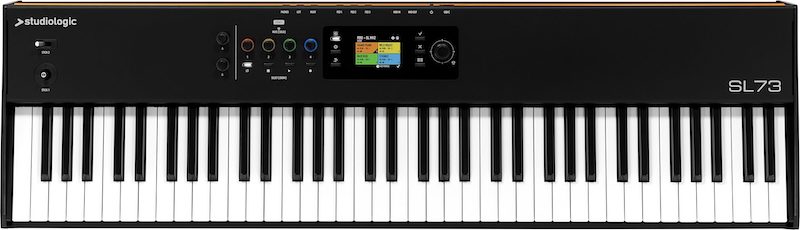
1. Studiologic SL73 Mk2
The Studiologic SL73 has one of the best weighted keyboards I've ever played. StudioLogic is an interesting company — they've been around for a while but aren't really a household name in controllers. That's partly why I trust them so much. I've been using their controllers since their inception and partnership with Waldorf, one of the greatest synthesizer companies of all time.
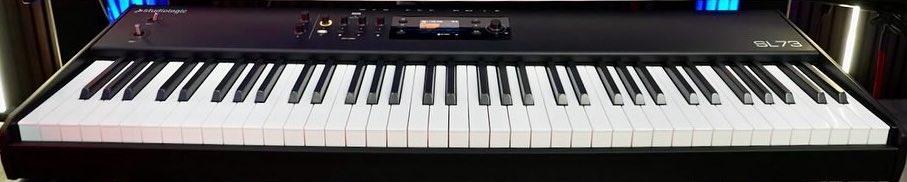
Studiologic SL73 Mk2
I've spoken with many of their engineers and sales reps at NAMM shows, and I know they spare no expense on quality components for their controllers. They've consistently improved their keyboards' quality, even though their first models were already exceptional.
They're one of the last companies still using the weighted hammer Fatar TP/110 keys, which are surprisingly lightweight yet feel incredibly realistic — like a hybrid between a real piano and a high-quality Rhodes electric piano. One of my favorite things about StudioLogic is that they keep everything simple, similar to how Avid approaches Pro Tools.
While I appreciate controllers with many functions, I also value simplicity. The SL73 is perfectly sized like a Rhodes electric piano with 73 keys, and it includes essential synthesizer functions like the spring-loaded joystick for modulation and pitch — perfect for lead parts. It also has transport controls that work brilliantly with Pro Tools and can be configured for other DAWs.
Playing this keyboard feels like using a real instrument. It reminds me of my old Rhodes Chroma or the Kurzweil K2500 I used for sound design in my early days. This keyboard inspires you to play like a true modern keyboardist.
If you love Rhodes electric pianos, Wurlitzers, and vintage electro mechanical keyboards, but also want the look and usability of a Waldorf synthesizer, look no further. This controller is streamlined to work perfectly with Pro Tools — it even features audio streaming over USB and excellent converters for its analog outputs.
I specifically chose it for Pro Tools because the sounds from their Numa sound ecosystem and internal presets are incredibly realistic and rich. As mentioned earlier, I rarely keep things in MIDI for more than a day or two — I print everything to audio. Since Pro Tools is primarily an audio environment, its interface, simplicity, and ability to run at low buffer sizes with HDX software without taxing your CPU make it ideal.
All these features make Pro Tools feel like a tape machine or recording studio where you simply capture performances in audio. You need a keyboard that sounds and feels inspiring, and this is it.
While there are other controllers with 88 keys and more functions (including a Studiologic version), there's something special about the 73-key layout that makes this my go-to electronic keyboard. It works perfectly for piano too.
Having 88-key keyboards isn't always necessary. Unless you're playing classical music, you rarely use the extreme octaves. The middle 73 keys are what you'll actually use most of the time.
If you want a lightweight version of a Rhodes and Wurlitzer that offers realistic performance with incredible detail, don't bother tracking MIDI in Pro Tools. Just use a sound from the internal presets or NUMA player — or if you prefer, use a high-end VST like Spectrasonics’ Keyscape. Route it to an instrument track, bus it to an audio track, and start playing.
This approach is one of the best ways to preserve your performance.
Here's why: when tracking MIDI with buffer sizes above 128 and using delay compensation in Pro Tools or most DAWs, some notes might not be captured with the exact timing you played them. This phenomenon, called MIDI jitter, is common in many DAWs.
When you use Pro Tools MIDI to trigger sounds and print them to audio, you get a much better capture of your feel and groove. You can always record MIDI as a backup on the instrument track in case your performance needs minor editing — it's there if you need it.

2. Arturia KeyLab 88 Mk3
I'm a huge fan of this French company and always include them in my roundups because they make such quality instruments. Their flagship KeyLab 88 controller is, as the French say, the crème de la crème of all-inclusive media controllers for Pro Tools.
It features 12 MPC-style RGB backlit drum pads and a dedicated transport section with a beautiful red record button and green play button. This means you'll always know where your transport controls are, regardless of lighting conditions—a simple but crucial feature missing from many controllers.
The keyboard action is fantastic, rivaled only by Studiologic since they both use the same Fatar TP-110 keybed, which I consider the greatest ever made—and it's only improved over the years.
I have a vintage Steinway B piano in my studio, yet I often find myself practicing on either the Studiologic SL73, which I use for Rhodes and Wurlitzer sounds, or this Arturia 88-key beauty.
Remarkably, it's sometimes easier to play than my beautiful Steinway piano. There's something incredibly smooth about its key-to-key transitions that I love. The feel reminds me of a hybrid between a Yamaha C7 grand piano and a Steinway.
Piano players who've tried Yamaha's action—whether on their U-series uprights or grand pianos—know their characteristic feather-light touch. Sometimes it's almost too light, causing you to play harder than intended because you're not used to such sensitivity.
One of the Arturia's greatest features for Pro Tools is how it positions the pads, transport controls, and sliders within reach but at opposite ends of the keyboard.
When working in Pro Tools, most producers (myself included) typically handle loop work and drum programming through additional software or hardware. While Pro Tools offers a great media environment, it lacks the specialized beat-making and groove features found in Ableton, Logic, or Reason.
This is why many film composers prefer Pro Tools—they don't need groove templates, but rather an environment for seamlessly printing audio and mixing it with MIDI. Pro Tools excels at this.
My workflow involves creating loops in Ableton using my clip library, slicing that audio to replay it using my MPC software in Pro Tools, then triggering additional drum sounds from Native Instruments Battery.
The Arturia pads are perfect for this workflow. Rather than using them solely as an MPC, I use them while performing piano, keyboard, and harmonic parts to trigger additional drums, effects, and synth parts through the pads.
I use the sliders to automate reverb cutoffs, decay times, delay feedback from Space Echo-type analog delays, filter sweeps, and volume automation for drone sounds.
Arturia's user interface is incredible—I can do all this while writing complex piano parts, rarely needing to look at the KeyLab's screen. Since everything saves as presets, you can recall your entire setup—including pad assignments, sliders, encoders, transport controls, and modulation/pitch wheels—exactly where you left off.
It's both simple to use and deeply musical. It feels like having an 88-key workstation with unlimited drum and analog sounds at your fingertips. Plus, it comes bundled with their Analog Lab Pro software and VST, featuring some of the finest analog emulations available.
When playing a Prophet-5 with 88-note capacity, you unlock incredible creative possibilities. Unlike the original 61-key version, you can explore both lower and higher ranges, discovering amazing sub-bass possibilities in the Prophet-5's lower register—something impossible on the original unless you connected it to this Arturia keyboard to expand the range.
The arpeggiator groove feature that Arturia includes surpasses all other software-based options I've used in Pro Tools. Arturia, which also makes the KeyStep line of sequencer and MIDI controllers, has refined incredible groove templates with 16th, eighth, and 32nd note variations. These sound more like a dedicated hardware sequencer than your average controller.
Combined with scale mode, you can create impressive patterns to trigger both VST and hardware synths, recording them directly into Pro Tools. I frequently use the Arturia MIDI controller to trigger various compact synths, including my Dave Smith Mopho, Elektron Monomachine, and the newer Behringer Model D.
Particularly with analog synths, using Arturia's tight, groovy presets makes a significant difference in electronic, EDM, and modern pop tracks.
Further reading: our full review of the Arturia KeyLab Mk3 lineup
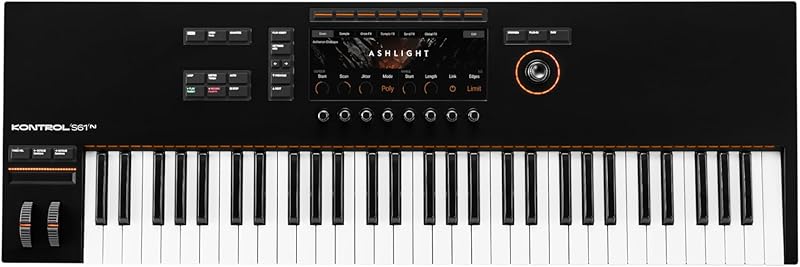
3. Native Instruments Kontrol S61 Mk3
Pro Tools is a favorite among film composers, so it's no surprise that the Komplete Kontrol S61 has become essential for many Pro Tools users. Native Instruments has consistently developed plug-ins that work flawlessly inside Pro Tools, particularly Battery and Kontakt.
I rely on these two as my primary samplers in Pro Tools. They're rock-solid, crash-free, and offer an incredible range of third-party library content to complement their excellent factory libraries.
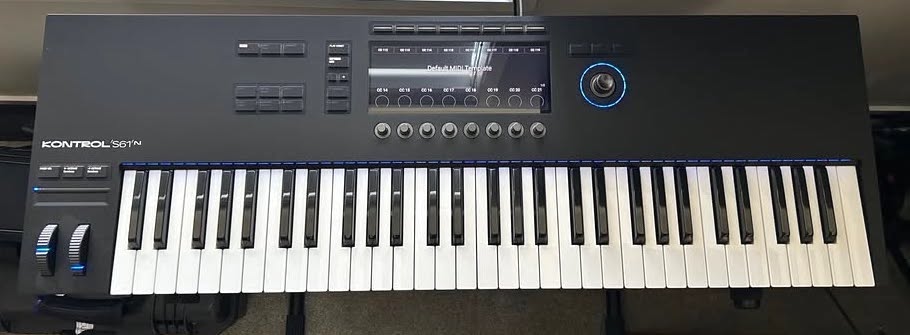
Native Instruments Komplete Kontrol S61 Mk3
While film composing is often associated with creating orchestral music and mockups in your DAW — which are later replaced with real players, as seen in Instagram posts by composers like Hans Zimmer and John Powell — there's a lesser-known reality: for lower-budget projects, you typically create everything inside Pro Tools using virtual instruments.
There's usually not enough money or time to record a huge orchestra — that's just unrealistic. When you're creating everything from epic trailers to TV jingles, your palette of sounds can reach into the thousands. That's why you need a controller that helps you visually sort out what's what.
That's where the Komplete Kontrol line really shines, thanks to two important features: the RGB backlit note lights, which show you by color what's loaded on those keys, and the ability to browse your sounds directly from the screen and encoder.
These features save you from the overwhelming task of using a mouse or trackpad to scroll through thousands of sounds — whether you're looking for the right low drum for a cue, the perfect violin sound for a horror scene, or specific cymbal sounds in an ethnic or African percussion kit.
The ability to audition, load, and see the groupings of what each key will trigger makes browsing through sounds incredibly efficient.
Let me give you an example: say I'm doing an epic Marvel trailer and need the biggest-sounding orchestra possible.
Many companies like Heavyocity and Spitfire Audio create Kontakt instruments specifically for these genres. However, they often use different keyboard layouts — one company might split basses and cellos on the left side, while another might center the full string section across the keyboard for processing through distortion and effects.
Drums present an even bigger challenge with their complex layouts. For instance, a drum kit recorded at Abbey Road will have a completely different key arrangement than a djembe ensemble recorded in Tanzania.
With the Native Instruments Kontrol series, particularly the 61-key keyboard, I create custom presets with my preferred splits. I'll place Heavyocity Kontakt libraries like Damage 2 and Damage Guitars on the left side of the keyboard, while Spitfire Audio libraries like Albion One occupy the other half.
This way, when I call up the Kontrol preset, I have a split where my drums, percussion, and guitars are played by my left hand, while I play pizzicato or marcato big string and brass sections with my right hand.
Even though I can go in later and create really precise, detailed versions of all these instruments individually, when you're getting ideas or composing to picture, being able to quickly sketch out ideas with drums, guitars, and big-sounding brass and string patches all laid out on a 61-key keyboard not only saves time but actually improves your writing.
I think too often people write modularly now — starting with drums, then adding bass, then pads, then top-line sounds — and you kind of lose the perspective of what it's like to play something out on the piano. At least, I've felt that with my own music. Being able to split great-sounding libraries to test how you play them in real time is incredibly important for generating ideas.
This works incredibly well in Pro Tools because you can print to audio stems instantly — faster, I think, than in any other DAW.
Here's a tip: when you're trying out these libraries and playing in real time, commit some of it to audio instantly by bussing out a version of what you're playing in MIDI straight to audio. Sometimes you'll create a section that sounds amazing.
Maybe it's four bars or eight bars — you can clean it up a little in audio, maybe quantize it, and treat it as a loop. I've actually started full songs by creating these loops.
4. Akai Professional MPK Mini Plus 37
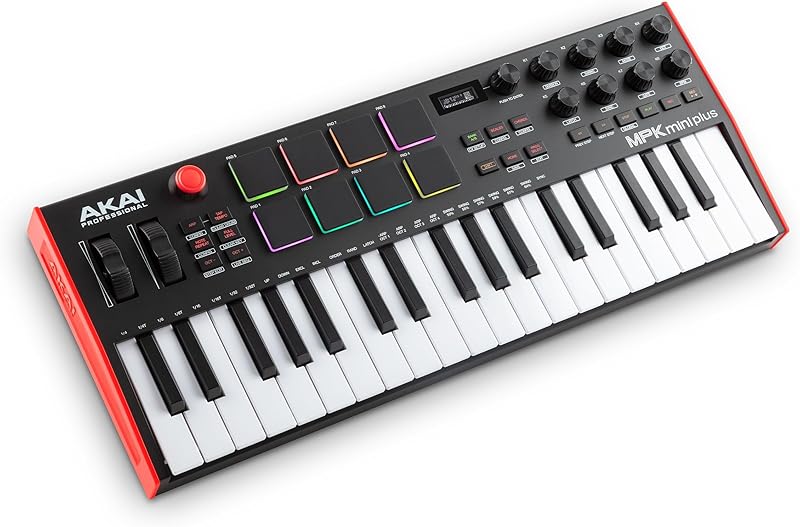
For MPC users out there, you know the pads are second to none — sometimes you just have to have an Akai controller for the pads alone. A vintage MPC like the MPC 60 or MPC 3000 will easily cost over $2,000 nowadays. Fortunately, they've expanded the line to include affordable versions of these great MPCs, including controllers with just the pads.
The MPC's appeal was always about how the pads integrated with the sequencer and drum engine. It was about how the MPC grooved what you played through the pads and how punchy those drums sounded when printed to your DAW.
For those who want the feel of the pads at an affordable price, you don't need all 16 pads. This led to the creation of the Mini Line, with the MPK Mini Plus 37 being my personal favorite.
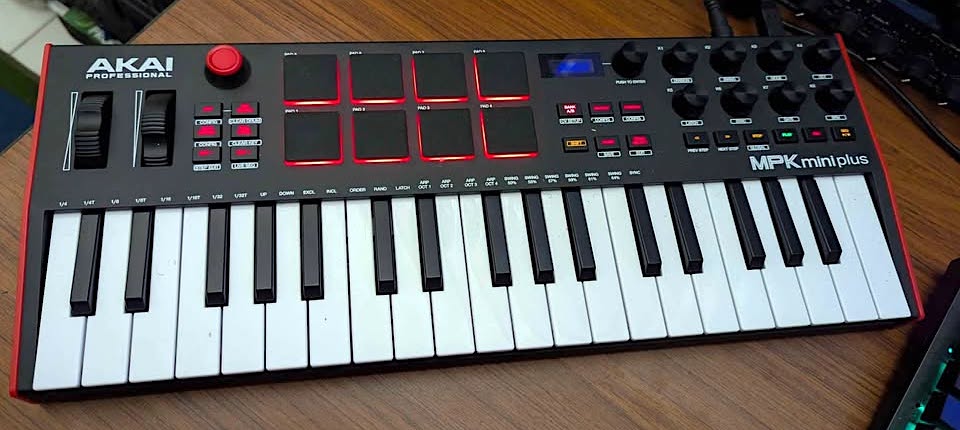
Akai MPK Mini Plus
While there are controllers with 16 pads, they either lack keys or become expensive when they include them. After reviewing all my controllers and considering Pro Tools specifically, I concluded that the ideal MPC-style controller would have 37 keys, 8 pads, and eight encoders.
That's the magic number, and here's why: when programming MPC beats, the most-used sounds are kick, snare, closed hi-hat, open hi-hat, and crash. Looking at most of my programs, these sounds are always loaded in my first eight pads. The remaining eight pads are used for toms, rides, or effects.
I've noticed that my encoders serve consistent functions across brands. I dedicate two encoders for filter frequency and resonance on VSTs and soft synths, two for delay feedback and mix, two for reverb length and mix, and two for miscellaneous controls like photos or envelope settings.
I rarely need more than 8 to 12 encoder settings. This controller provides all the encoders I need, plus convenient transport controls right below them.
The upgraded Mini Plus includes groove settings from their MPC lines and features a polyphonic step sequencer. This allows you to play back both chords and individual note sequences — not just single-note or bassline sequences. It's particularly effective for pop music when you want interesting plucky chords, creating amazing arpeggios and sequences.
While I love the Arturia step sequencer's feel, the Akai swing — built into the keyboard sequencer — is unmatched for hip-hop. This legendary swing helped create the signature sound of producers like Dr. Dre and Just Blaze.
Pro Tools, while capable of using third-party sequencer plug-ins and arpeggiators, lacks the integrated sequencing tools found in Reason or Ableton with their factory-included arpeggiator plug-ins.
With Pro Tools, you'll likely need to purchase additional plug-ins for creating arpeggios and sequences.
Having these features built into your controller makes a huge difference in Pro Tools — it's faster and more efficient when you can simply trigger arpeggiated or sequenced sounds. That's why I strongly recommend having at least one controller with a quality arpeggiator for Pro Tools.
The same applies to drums. Pro Tools doesn't include factory drum tools like Ableton's drum racks or Reason's Kong.
However, you can effectively use Native Instruments Battery or FXpansion Geist, triggering them with your controller's pads.
This lightweight, backpack-friendly controller offers impressive features. Plus, it includes an incredible four-way joystick controller — perfect for synthesis.
While Studiologic offers something similar, the Akai joystick provides tighter response and better automation. When using sounds like the Arturia Prophet VS emulation or Korg Wavestation VST, this joystick delivers an authentic vintage keyboard experience.
Vector synthesis, as this technique is known, is perfect for creating those '80s sounds currently resurging in popular music — artists like Chappell Roan and Bruno Mars use it in their hits. This synthwave sound, prominent in soundtracks like Stranger Things, relies heavily on joystick-style modulation and pitch control like the Akai's.
You can also assign it to control any CC-compatible parameter. I love using it for unique filter LFO rhythms — moving it to create interplay between filter cutoff and resonance, producing sidechain-style sweeping rhythms. Try it with a lead sound and you'll hear what I mean.
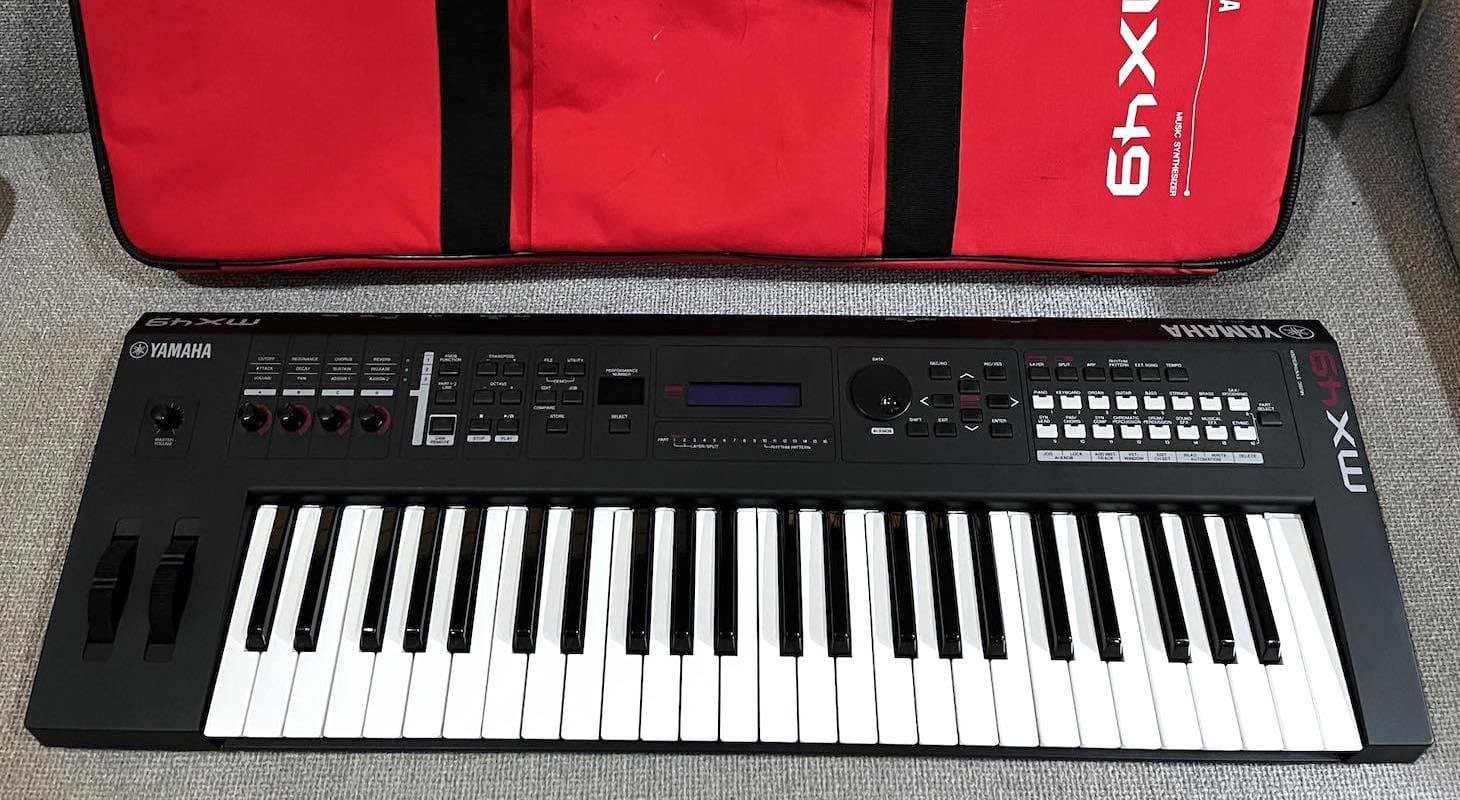
5. Yamaha MX49
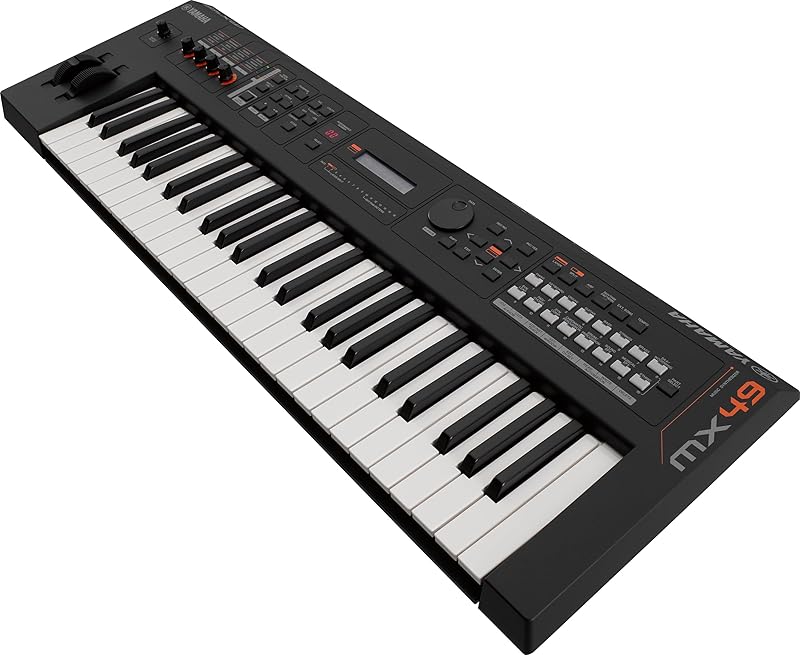
To finish off the roundup, I decided to go with a more full-featured, all-in-one controller and synthesizer workstation. The Yamaha MX49 is ideal if you want to use Pro Tools primarily as an audio capture and idea machine rather than a full plug-in MIDI environment.
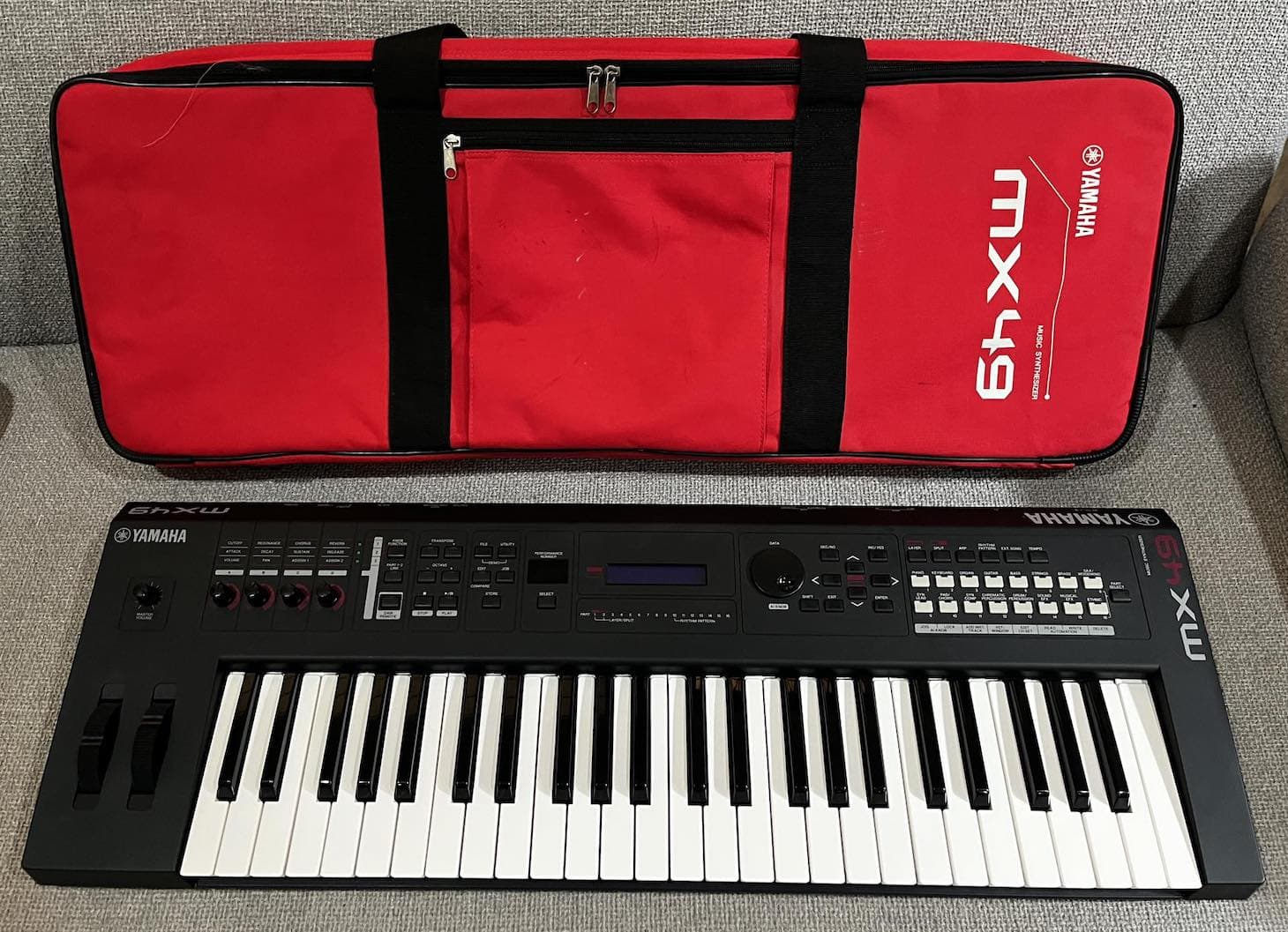
Yamaha MX49
This approach stems from my experience in the early 2000s when computers were limited. We had to record to Alesis ADAT machines, then sync them with tape machines or Pro Tools. All our MIDI work happened either in hardware sequencers, keyboards with built-in sequencers like the Korg Triton, or drum machines that could sequence, like AKAI's MPC series.
Growing up, I learned a valuable lesson I still use today: explore instruments and synthesizers thoroughly and create great sounds before recording. This got me into synthesis and selecting effective sounds, using the synthesizer's built-in effects rather than relying on plugins after recording the patch or synth sound.
Sometimes I miss simply laying down the exact sound I want — where all I need in the mix is a touch of EQ and compression because the effects, detuning, and LFOs are already perfectly set.
I know many musicians share my approach, so this one's for you. If you're using Pro Tools mainly to capture field recordings and performances, you might not even need to access Pro Tools' MIDI features.
This Yamaha might be perfect for you because it comes loaded with 1,000 of the best sounds from the Motif XS flagship workstation (which costs thousands of dollars). It also uses Yamaha's FM iOS Center app, based on the Yamaha DX7 — perfect for those classic '80s sounds.
Having the high-end Motif effects from the VCM FX engine included in a controller under $600 is remarkable. Many people spend thousands on the Motif specifically for this VCM effect engine.
I own a Motif that I frequently use for live showcases with artists, choosing it over competitors primarily for these effects. Many were emulated from legendary '70s hardware racks like the AMS RX16 and the Lexicon 224 units.
Only Universal Audio and Yamaha have captured these units authentically with all their musical quirks, and Yamaha is the only one offering these emulations in hardware.
Here's a tip: try the wah-wah and phaser mixes when playing vintage synth sounds like Clav and Rhodes. They're incredible.
If you're not technically inclined and want to avoid the VST and virtual synthesis route in Pro Tools, this keyboard is perfect. Between the onboard sounds and the iOS FM app, you'll have nearly everything needed for most tracks — though you might want additional drums, despite its included drum loops and sounds.
This is also an excellent controller and synth for live use, with 128-note polyphony that lets you split and layer sounds to create rich pads and textures.
The 1,000 presets from their flagship model should provide plenty of options for a live set.
This is especially useful with Pro Tools, since it doesn't come with many internal sounds — it's more of an environment for third-party synth and drum sound plugins. It has some Avid libraries, but they're not outstanding.
Pro Tools assumes you'll use your favorite third-party plugins, so it focuses on mixing tools and effects like delays and reverb rather than sound libraries. That works for me since my workflow involves creating interesting loops in Ableton and Reason before stemming them to Pro Tools.
Here's another great feature: this keyboard has a headphone input for connecting tablets or phones, perfect for practicing, learning a live set, or working out songs you want to reproduce or remix in Pro Tools.
Have you ever needed a mixer just to play along with your iPad while using your DAW and audio interface? This keyboard eliminates the need for external routing gear, making everything more convenient.
Choosing a MIDI Controller for Pro Tools
I've covered the essential criteria I used to choose the right controller for Pro Tools. Of course, this is all subjective — everyone has their own perspective on what's important.
It's crucial to understand Pro Tools' limitations. The platform wasn't developed with many built-in media effects and sound library plug-ins from Avid. Instead, it has always relied on third-party libraries.
Pro Tools is primarily an audio environment. While it remains the industry standard for mixing, they've enhanced their MIDI capabilities to stay competitive. That's why I prefer keyboards with more keys than I'd use with Ableton or Reaper.
Pro Tools also works well as a portable DAW, so having more compact options is valuable.
Here are the key features I look for when recommending controllers for Pro Tools users.
Number of Keys and Size
The number of keys and their size and weight play a major role in the Pro Tools environment. Based on my years of experience with programming and Pro Tools, I use the MIDI engine extensively about 40% of the time. The other 60% involves capturing audio ideas from various keyboards, controllers, and VST plugins.
When performing piano parts, Rhodes parts, or organ parts, I want to play them with the widest range possible and with the best-feeling keys available.
That's why I included keyboards with 88, 73, 61, and even 49 keys. Add to that the 37-key AKAI, and you have the full range of standard keyboard sizes.
If you're a pianist by trade, I'd recommend the Studiologic or the Arturia for their realistic feel. If you're a producer, any of these will work, but you'll likely prefer the Yamaha and the AKAI.
If you're a film composer or a producer working across multiple genres, the Komplete Kontrol might be your best choice, since Native Instruments dominates that controller market. With its 61 keys, you're set for both synthesizers and pianos — it's quite versatile.
Just keep in mind it lacks additional features like pads, sliders, and encoders.
Pads and Controls
Let's move on to discussing pads and overall controls. In Pro Tools, drum programs present a challenge. There's no high-quality drum machine emulation pre-installed — at least not the truly great ones. While Pro Tools comes bundled with some options, you'll likely need to purchase a third-party drum program.
For realistic drums, I love Addictive Drums 2. If you prefer a drum sample one-shot triggering environment, I'd recommend Battery by Native Instruments.
For a one-shot triggering environment similar to the MPC, Kong (in Reason), or drum racks in Ableton, the pads on the Arturia KeyLab and the AKAI MPK are excellent choices.
They provide that authentic MPC experience and feel.
If you're programming detailed, realistic drum sounds from high-end libraries like Addictive Drums 2 or Kontakt, you have several options. The Komplete Kontrol 61 would be particularly helpful, especially when using Kontakt drums like the Abbey Road drum series.
The RGB light display is incredible — it shows exactly where your toms and cymbals are located. Different colors indicate kicks, sub kicks, rimshots, claps, and snares.
This type of visual feedback is really hard to beat.
Additionally, since Pro Tools isn't the best environment for CC learning, it's ideal to get a controller with premade templates. These templates can save specific CC controls mapped to encoders or joysticks.
This means you won't have to change or learn plugin functions — just move the encoder to trigger that pre-loaded template. That's exactly what you need for Pro Tools.
All of the controllers on this list have this capability.
Internal Sounds
Lastly, if you want to use Pro Tools as a tape machine — which I highly recommend — the best option is to get a controller with internal sounds. Both the Studiologic and Yamaha controllers have excellent built-in sounds, plus the ability to expand their libraries through third-party apps outside of Pro Tools. These sounds are easily accessible from tablets or the controller itself.
This type of synth/controller is perfect for those looking to elevate their piano playing and start recording. While you're not limited to piano or electric piano sounds, if you plan to perform in real time with both hands, I suggest bypassing MIDI and using internal sounds that you can record directly into Pro Tools.
Though this method may seem outdated, it offers significant advantages. Most importantly, it preserves the authentic feel of your performance. If you're auditioning or want to create a demo that captures your playing exactly as performed — similar to recording an acoustic instrument—this is the way to go.
Additionally, you might not have the patience to browse through thousands of Arturia simulations. If you just want a few quality sounds to add to your songs and productions, something like StudioLogic or Yamaha would be ideal.
Final Thoughts
If I were to choose the most valuable takeaway from this article, it would be getting to know how controllers and Pro Tools work together. You'll want to approach it differently than you would with Ableton or Logic Pro. What makes Pro Tools special (and sometimes challenging) is its beautiful simplicity and no-nonsense approach.
You know how some modern DAWs are all about loops, clips, and grabbing instruments from your browser? Pro Tools takes a different path.
When you're picking out a controller, think about what drew you to Pro Tools in the first place. If you're like many of our Pro Tools friends, it's probably because you love working mostly with audio!
Keep this in mind as you work backward to understand what's missing and what could help you. While one controller might not have everything you need, the good news is that most are quite affordable — except for the 88-note models, though even those offer great value for their quality. Controllers like the AKAI MPK and Yamaha MX49 can work wonderfully together as a combined setup.
I hope I've given you enough insight into these keyboards' strengths and limitations. With the right controller or combination of controllers, Pro Tools could become your perfect DAW for musical creativity and inspiration. Happy playing!
