
You’ve probably heard of GarageBand by now, right? It's this cool digital audio workstation that Apple gives you for free when you get an iPhone, iPad or Mac.
It's not really a surprise that Apple made a free music production program, especially since they also make Logic Pro, a top-notch professional DAW. Actually, GarageBand and Logic have quite a few similarities, since they were both made by Emagic before Apple acquired them.
So here's the deal with GarageBand: it's great and all, but unfortunately, it doesn't have the advanced MIDI features that you would find in more expensive DAWs. This means you are kind of stuck doing everything "in the box".
It also has several advantages: it's simple to use, logically laid out, and — most importantly — always with you since it comes preinstalled on popular Apple devices. Its portability makes it the perfect environment to sketch ideas on the go.
As a songwriter myself, I find voice memos limiting because I often hear harmonies in my head and wish I could overdub on top of existing recordings. I dream of a phone case with a built-in drum pad or piano keys for quick idea capture. That could be a million-dollar idea! Sadly, it doesn't exist yet.
But don't worry, there are a bunch of MIDI controllers out there, some even made specifically for programs like GarageBand, that can really help you out. And with the option to use audio unit plug-ins, it's important to choose the right controller to get the most out of your experience.
Top 3 - MIDI Controllers for GarageBand
Preview | Product | Price |
|---|---|---|
 | ||
 | ||
 |
Below, I'll discuss some of the best controllers available for GarageBand, based on my extensive experience with each of them as a music producer.
5 Best MIDI Controllers for GarageBand
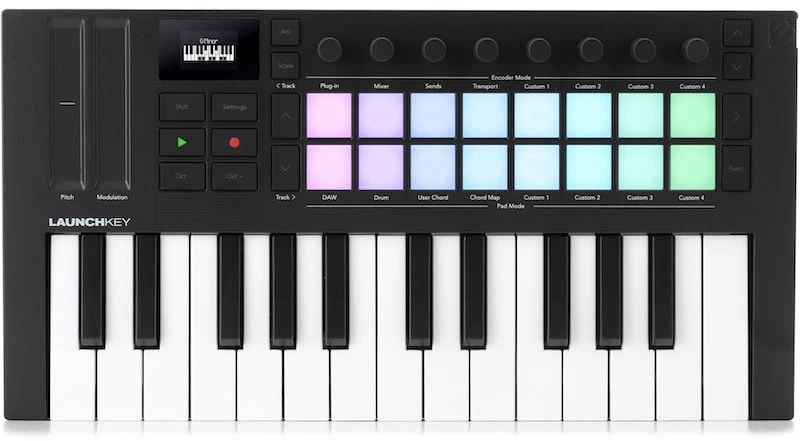
1. Novation Launchkey Mini MK4
The Novation Launchkey Mini MK4 is a great controller for GarageBand. It is ideal for when you're on the move, as GarageBand is available on iPhones, iPads, and Macs. This makes it easy to jot down your musical ideas while traveling.
If you're searching for a lightweight and user-friendly mini keyboard, the Launchkey is a great choice. It's awesome for creating beats on the fly. Since GarageBand is a closed environment, you can't yet send MIDI to external hardware.
That's why proper drum pads and keys like the ones on the Novation are a must. They may not be as good as AKAI pads, but they're still of good quality and more than sufficient for programming some sweet beats in GarageBand.
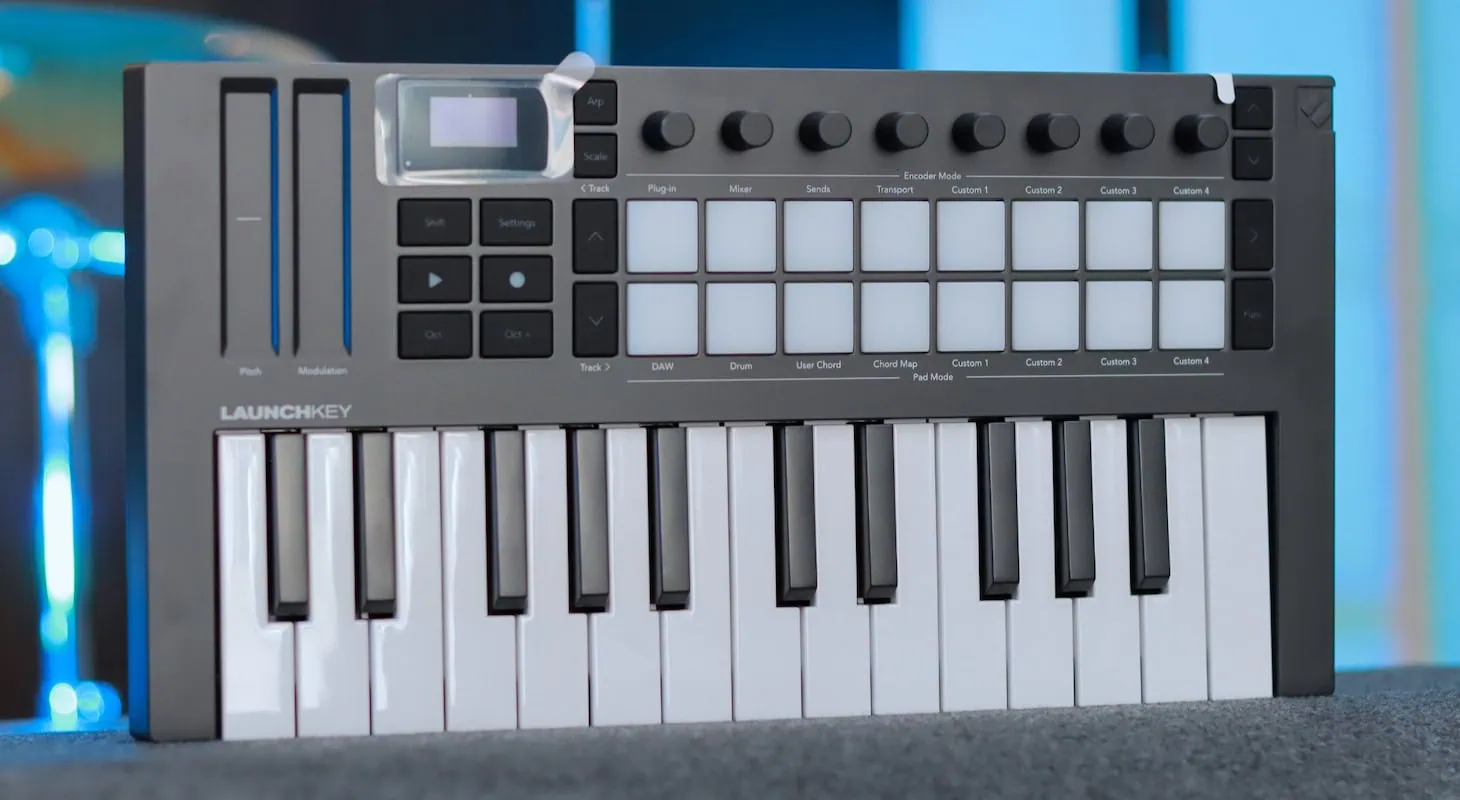
Novation Launchkey Mini 25 MK4 - Closer Look
This keyboard is also loaded with knobs for CC control, which is super handy. Although GarageBand's automation features are pretty basic, it does have a lot of "learn" functions that allow you to assign knobs to instruments like synthesizers and effects, such as Amplitube or NI GuitarRig.
And let's not forget about the touch strips on this keyboard! They feel great and offer even more control for VSTs. I only wish that they had included a few sliders for MIDI control and mixer volume control. Nothing beats actual, dedicated sliders.
This new upgraded version, known as the Mk4, contains many improvements that take an already great keyboard to new heights. Though it doesn't have the sliders I tend to love, it does have endless rotary knobs, which I've always thought are the way to go.
The reason I prefer them is that many hardware synthesizers don't recall their knob settings when loading presets, simply because they don't have motors to return to their initial positions.
Having endless rotary knobs makes perfect sense — you'll rely on the screen value anyway when you start turning the knob, not its physical position. This is my biggest frustration with vintage Roland synthesizers: when you load a preset, the slider positions don't match what you're hearing, and moving any slider dramatically changes the sound until you find its correct position. It's very frustrating when saving presets.
The keys on this new version are much better — still not my favorite, but they have more bounce, which I love for programming drums. They have that perfect snap for modern music.
The new OLED screen makes a huge difference. Though small and minimal with information, it's clearly visible from any angle. It works perfectly with the new scale and chord modes, which make this version of the keyboard a must-have.
These days, especially if you're not a musician, recording MIDI chords can be challenging. I grew up playing piano and consider myself a pianist by trade, yet MIDI chord input remains tricky. When you zoom in on a MIDI editor, you often notice timing issues — even when quantized, while note attacks might align perfectly, the releases often don't.
This becomes problematic because many novice pianists will press the sustain pedal, play a chord, and release their fingers at different times while holding the pedal. This causes notes to sustain into the next bar where the next chord begins, creating messy transitions between chords.
Manually trimming each note to end simultaneously is time-consuming, and finding the ideal cutoff point can be challenging. It's always better to feel it while performing, especially with EDM or up-tempo music — the tightness of both pressing and releasing chords in rhythmic parts can make or break your track's groove.
Chord mode has simplified all of this. Now, even though I know the chords and could play them properly, I love triggering them with one note. You can either teach it a chord or use chord mode to play a specific chord type, then just press single keys to play that same chord chromatically.
This ensures tight performances since quantization only needs to adjust the note start, while all fingers release simultaneously.
It also enhances creativity. As a pianist, I sometimes get stuck in rigid rules about chord progressions — like avoiding minor ninths or sevenths in pop chords to prevent them from sounding too jazzy.
With chord mode, I can experiment with chord types and just try different combinations. Sometimes I'll discover that four minor chords in succession work perfectly. It helps you stop overthinking and just create.
This is perfect for GarageBand, since it's more of an "in-the-moment" creative DAW rather than one for producing entire records — though that's technically possible.
Scale mode offers similar benefits — it's like auto-tune for pianists. It restricts you to playing only notes that work within the scale, making it especially useful for creating melodies or synth lead lines if you're not an accomplished keyboardist.
I use this to effortlessly explore modal playing, where you can use scales that aren't exactly in the song's key but create interesting sounds. For instance, jazz players often play in C major but solo in A minor with occasional blues notes, giving the piece a minor flavor while using essentially the same notes as C major.
These enhancements make the keyboard perfect for capturing ideas, whether you're an experienced producer or not.
The new OLED screen displays chord mode, showing available notes and chord types as you play.
This makes it an excellent keyboard for anyone learning music theory or figuring out how to translate musical ideas to a keyboard. It's perfect for young people just starting their journey in music, songwriting, or production.
Want a deeper take on the Launchkey Mini 25? Read my full review of this potent yet compact MIDI keyboard.

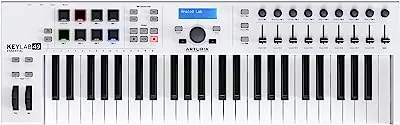
2. Arturia KeyLab Essential Mk3
Arturia's design game is on point, not just for the looks but also for the build quality of the KeyLab Essential. The Mk3 is totally worth all the Arturia hype. It's a bit bulkier and heavier than some of the GarageBand controllers out there, but it definitely screams professional.
You've got all the tools you need to make music right at your fingertips. It's got nine rotary encoders and nine faders which you can customize to do whatever you want in GarageBand.
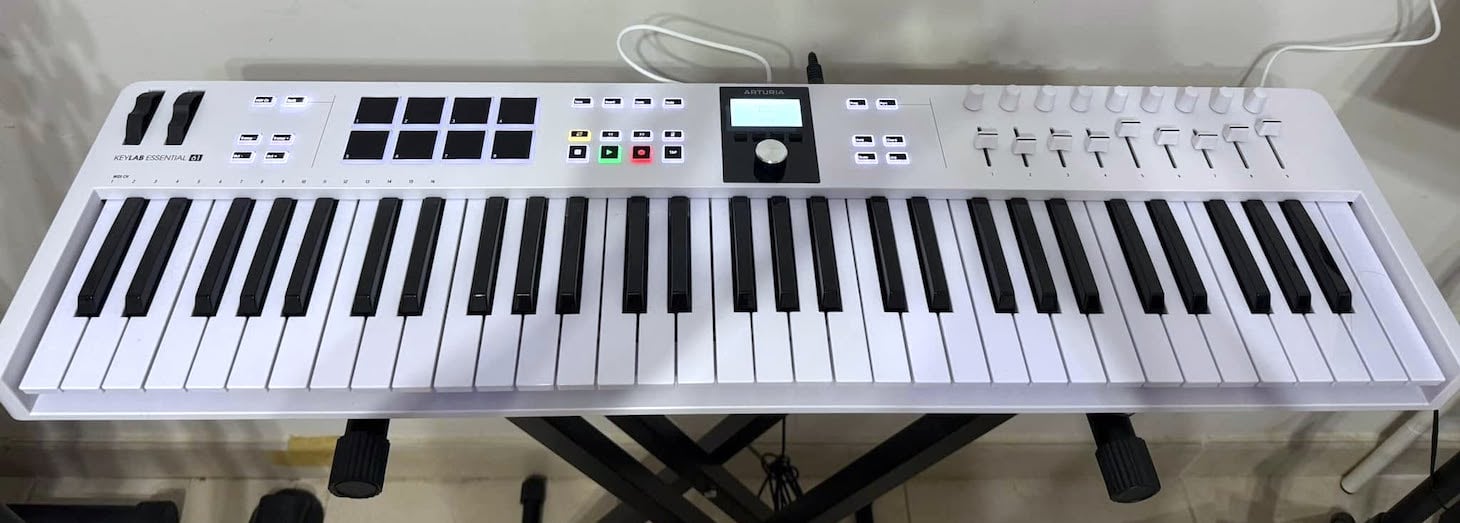
Arturia KeyLab Essential mk3 - this is the 61 key version.
Plus, this keyboard also comes with some of their premium Analog synth simulations like Analog Lab V, which has over 2000 presets that will blow your mind.
Since GarageBand is self-contained, having premium sounds is super important. Although the sonic packs that come with GarageBand are pretty great, it's always good to have your own sounds to work with.
I can't overstate how impressive Arturia's emulations are. In fact, they're worth the price of the keyboard alone, even if you never use the keys! What makes Analog Lab V by Arturia so incredible is its hybrid approach — unlike Arturia's regular Analog Collection where you access individual emulations like the Minimoog, Oberheim OBX, or Fairlight sampler, Analog Lab is designed as a hybrid sound maker.
It allows you to combine different parts of legendary synths, essentially collaging them together to create your own presets. You might think, "That sounds simple enough — couldn't I do that in Ableton racks with filters and modulation on any synth sound?"
The key difference is that you're working with components modeled after specific synths. A filter isn't just a generic 24 dB filter — it's precisely modeled after that synth's behavior. A Minimoog filter responds differently than a Roland Jupiter-8 filter. The oscillators of an Oberheim OBX have their own character, distinct from those of a Yamaha CS80.
You can venture into digital territory too, running Yamaha DX7 wavetables through Moog modular filter distortion. It's like having a vintage synth museum where you can disassemble everything and collage the pieces into massive hybrid sounds for your productions.
Just considering these synths individually, their hardware versions command astronomical prices. Having them all included with an excellent keyboard controller would have been unimaginable 20 years ago.
This is why Arturia is my go-to professional choice for a GarageBand controller. I've been in recording sessions abroad where laptop issues forced me to switch to my iPad with GarageBand, and with a reliable keyboard controller, I could keep working seamlessly.
This new version exceeds reliability — it's a joy to play. The keys have excellent response and weight, but what's truly impressive is their improved pad design. While I've always preferred Akai for drum pads (being an MPC fan), these new pads offer remarkable aftertouch and sensitivity — crucial features when using GarageBand, especially with Analog Lab sounds.
If you haven't experienced aftertouch on pads, it's much more sophisticated than simple velocity sensitivity for drums.
Have you tried programming synth basslines on pads? That's where things get interesting, and this keyboard's features make such programming incredible.
Here's a tip: Try using scale mode to find a compatible scale for the song's progression, then call up a thick synth bass and experiment — jumping between pads to create interesting basslines you might never discover on a traditional keyboard.
Since you're working with pads without the visual reference of piano keys, scale mode becomes invaluable. It keeps you "in bounds," musically speaking. For instance, if you're in C major and select D minor or A minor scale, every note remains within C major, allowing creative bassline exploration across the pads.
One of my favorite techniques from working with MPCs was sampling vinyl chords — maybe a brass section from a big band album playing a particular voicing, or an isolated guitar chord. I'd even sample thick vocal chords from choir or a cappella recordings, add filtering, and transform them into something magical.
I would then replay, quantize, and sequence these samples from the pads to create new arrangements for my tracks. You can achieve similar results using chord mode with Arturia Analog Lab patches.
The new 2.5" LCD screen on this controller is a major upgrade. It provides precise dial feedback and streamlines preset selection. With excellent visibility from any angle, whether you're performing live or working with GarageBand on your iPhone, this screen offers superior feedback and control over your settings.
The only downside of this controller is that it only has eight pads.
Though these pads are wonderful to play, with aftertouch that can beautifully control reverb tails or synth modulation, I would have preferred 16 pads. Still, I understand the space constraints of the design.
Nevertheless, this controller is worth it in every other way.
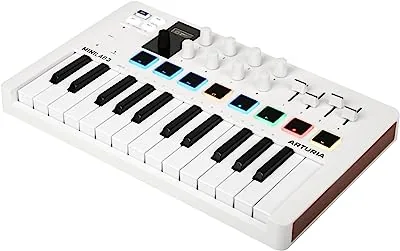
3. Arturia MiniLab 3
The Arturia MiniLab 3 is like the little brother of the KeyLab essential. Even though it only has 25 slim keys, it still packs a punch, just like the KeyStep in the KeyPro line.
It's cool that the interface isn't cramped, even though it has eight velocity-sensitive RGB backlit pads, eight knobs, and four sliders. It just goes to show that the French really know how to make things comfy and easy to use.

The 25-key format is perfect for GarageBand because it's small enough to toss in your backpack or luggage, making it great for traveling. Personally, I've made tons of tracks in coffee shops all over the place, and I love being able to jot down ideas anywhere with a lightweight but powerful controller.
The MiniLab also has two touch strips, which provide extra control for modulation capabilities. I'm more of a fan of semi-weighted keys, but Arturia decided to go with piano-style slim keys for this controller, which may not be the best for skilled piano players.
But let's be real, the MiniLab isn't really meant for playing piano; it's more of a lightweight controller for GarageBand. Yet I was pleasantly surprised that the feel of the keys is so high-quality that for synth playing and overall idea tracking — which is what this keyboard is meant for — it was more than adequate.
While trying to figure out why anyone would choose this keyboard over the larger Arturia, I realized this format is perfect for iPad use. At first glance, the MiniLab 3 might seem too simple — just a basic tool for entering melodies. However, you soon discover its powerful performance and automation capabilities.
With touch strips and sliders on opposite sides, you can play chords on a synth pad and adjust filters with your left hand while controlling arpeggios and modulating volumes with your right-hand sliders — all without stopping the track. It's so useful.
What's more, I realized this keyboard offers value far beyond its role as a traditional piano keyboard. Its versatility became clear when I understood its full potential.
I experienced this firsthand while working on a track in my hotel room before a flight. Once on the plane, where the tight space made playing keys impractical, I switched to using premade MIDI chords in GarageBand and focused on tweaking parameters and levels with the sliders and knobs.
The full transport controls in the upper left corner gave me a new perspective. Instead of seeing it as just a musical instrument, I began viewing it as a DAW controller and mixer — a shift in thinking that came from working within the confines of airplane seating.
Using the transport controls, I could navigate through different parts of the songs, automate volumes, and even create a rough mix right there on the plane.
Back in my studio, I maintained this workflow with my iPad, routing MIDI out from the MiniLab to record lead lines from my trusted Roland SE-02 analog synth. Within no time, I had 90% of a track ready for collaborators to add their parts.
The Arturia MiniLab 3 has proven to be an outstanding lightweight controller for GarageBand. Like all Arturia MIDI controllers, it boasts exceptional build quality — you can toss it in your backpack without worry. In all my years of use, I've never seen an Arturia controller break down.
The boost in productivity is worth its weight in gold. And believe me, there's so much more to this device than first meets the eye. For a deeper take, check out my full review of this capable MIDI keyboard.
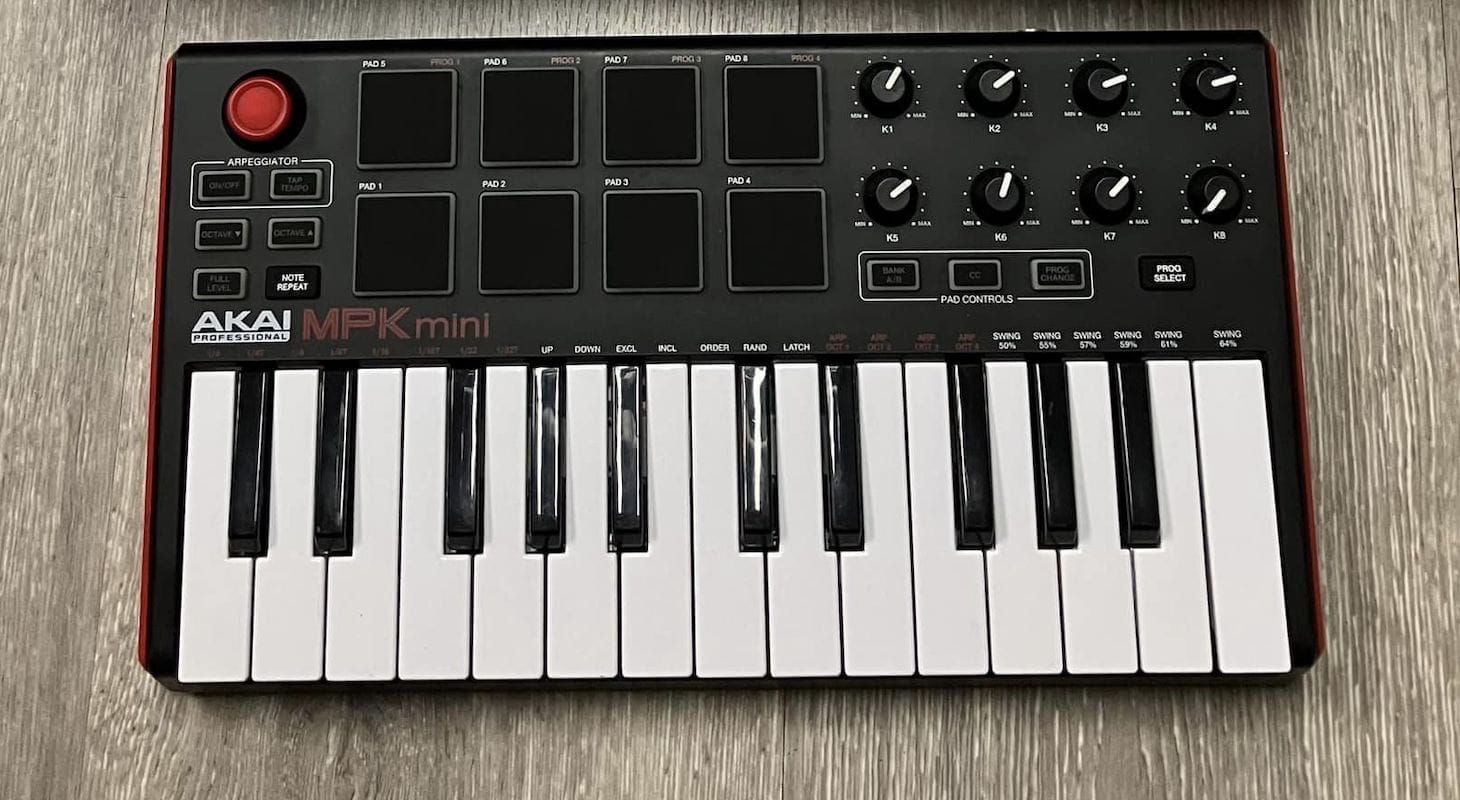
4. Akai Professional MPK Mini MK III
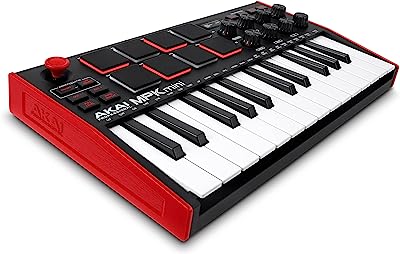
If you're into MPCs like me, you probably know that AKAI drum pads are the best. They look great, feel amazing, and respond better than other pads out there. So it's no surprise that I'm all about controllers that come with legit MPC pads.
For GarageBand controllers, my top pick is the AKAI Professional MPK Mini Mk3. It has everything most producers need to quickly lay down ideas.
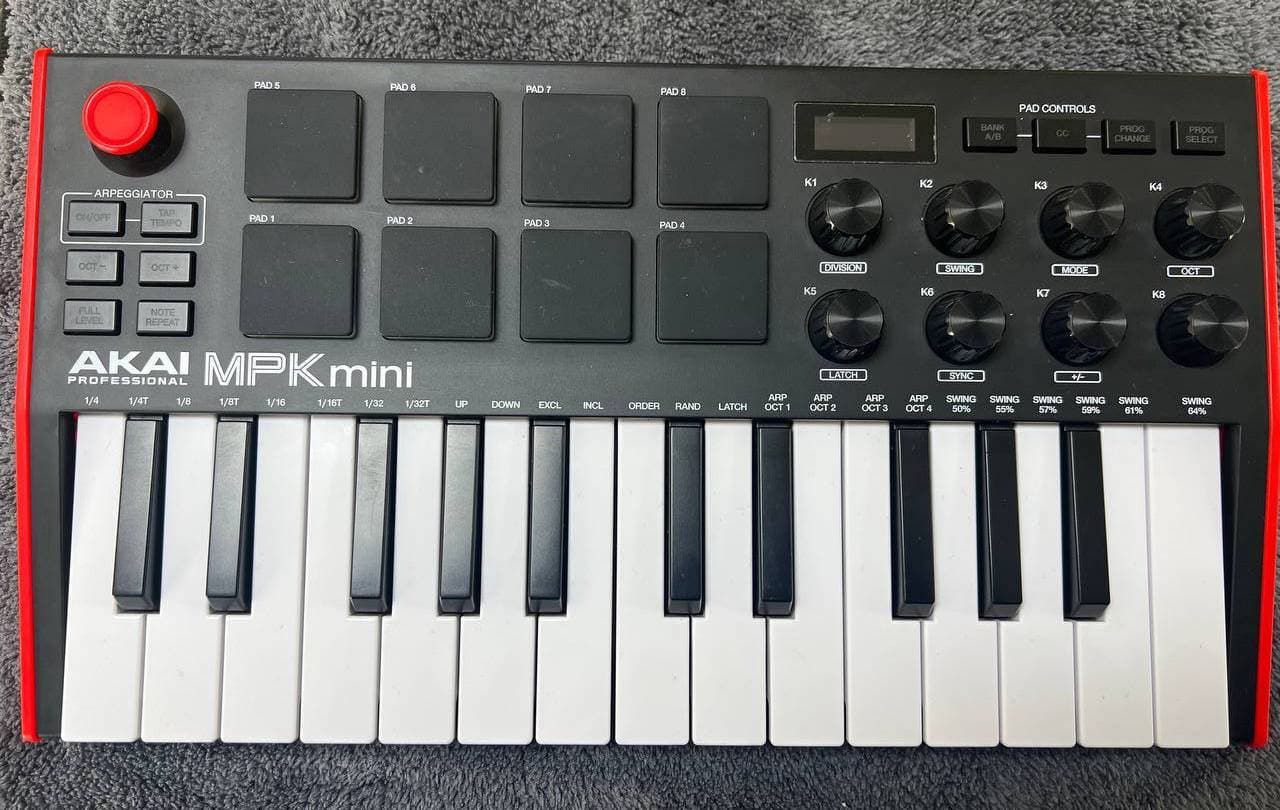
You've got semi-weighted keys that feel amazing, plus MPC-style pads for drum programming and sampling. Not to mention, there are infinite knobs to control parameters and a small but high-quality screen to give you visual feedback on notes and controllers.
Personally, I prefer semi-weighted keys for drum programming because of all the intricate hi-hat work and percussion programming that's required. You need quick response and balance, and programming on piano keys can be too slow for certain tempos. That's why I'm all about the MPK Mini's great pads for samples and awesome keys for realistic drum kit programming.
One thing I've always loved about playing samples with AKAI pads is their bounciness, especially when playing percussion, kicks, and snares. I firmly believe that playing these pads can improve your rhythm and feel when working on a track. The way the pad triggers and cuts off samples actually makes you play drums and percussion better — I truly believe that.
The MPK mini is no exception. GarageBand comes with some really great exotic percussion that's factory-installed and ready to go. It's not only musically satisfying to play all those multi-sample packs with these great pads, but it also enhances your creativity.
Since third-party sample companies became easily accessible online, I've found myself collecting lots of one-shot drum samples and percussion from sites like Splice, Loop Masters, Wave Alchemy, etc. If you stick to just one site, you might end up using the same samples as everyone else. But by mixing and matching different companies and creating hybrid kits, you can develop unique combinations that others might not think of.
This keyboard is most useful when I'm exploring different sample possibilities on my laptop or mobile device.
In the studio, I'm usually on a deadline, working with my bigger controllers in front of my main DAW, mixing board, and speakers. During those times, I rarely have time to browse sample libraries, find new loops, collect samples, and organize them. Instead, I do that during downtime — on vacations, holidays at home, or breaks in my office — with my minimal setup: laptop or iPad, AKAI MPK, and GarageBand.
I also keep this combo beside me during sessions at other recording studios. While I'll have my main keyboard for performing with the artist, I keep my laptop handy for various purposes. Sometimes I'll trigger Spotify tracks to demonstrate ideas we could incorporate into their track, or I'll search for sounds while the artist and band are setting up.
This setup needs minimal space, which is crucial since these sessions can get crowded. I've discovered incredible samples this way that I've used in sessions that very same day, all thanks to my little travel setup with the AKAI MPK and GarageBand always ready to go.
For that alone, it's more than worth it. I call it my "session sidecar."
The only thing that disappoints me is that AKAI went with the joystick approach instead of modulation and pitch wheels. It's difficult to adjust to this kind of controller when you're used to wheels. I'm guessing AKAI went with the joystick because of size constraints, but I don't think it was the best decision.
The joystick and modulation are disappointing primarily for synth playing. While it works well as a travel rig for using pads and samples, there are limitations. In session scenarios I've mentioned before, this might be the only keyboard I bring besides my main one. Therefore, I sometimes use analog synths and vintage keyboards like a Rhodes or Wurlitzer, with the AKAI MPK as my main synth trigger.
This is where its weakness becomes apparent. When I need extensive synth control but lack space for the Arturia KeyLab Essential, I opt for the Novation Launchkey or MiniLab. Their touch strips deliver superior modulation, filter sweeps, and overall synth control compared to the AKAI's joystick.
Using multiple keyboards gets awkward — I can't play the AKAI keys while using the Novation's touch strip. Connecting both via USB for different functions isn't practical either. I have to choose one device, and though I prefer the AKAI's pads, this situation creates complications.
Fortunately, I usually know before traveling to a session whether I'll need extensive synth control and performance capabilities or mainly pad triggering. This helps me decide which keyboard to bring.
5. Korg microKEY air-37
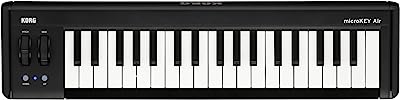
The Korg microKEY air is a pretty neat controller for GarageBand. What's cool about it is that it doesn't need a USB cable; it can connect wirelessly via Bluetooth to either a computer or mobile device, and it can even last for 30 hours with just two AA batteries.
GarageBand is known for its portability and how easy it is to quickly come up with ideas, even on an iPhone or iPad. This wireless 37-key MIDI controller is a great addition to that portability, making it possible to use at any time.
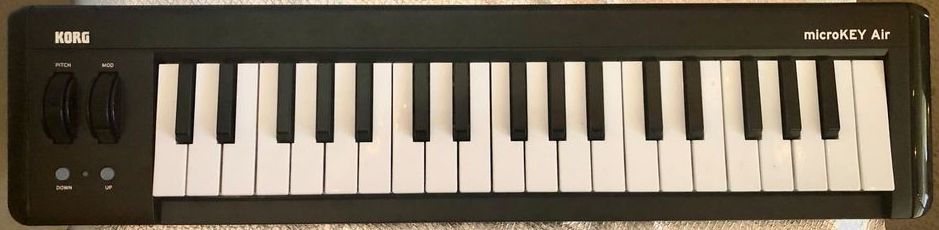
The Micro Key is solidly built and has everything you need for basic control, like a pitch wheel and proper mod wheel. It looks pretty slick too with its black finish and even has an optional sustain pedal input. It comes with some pretty sweet software too, like Reason, UVI, and even a light version of Ableton.
Ableton and GarageBand are a pretty good combo in some ways. They're both awesome for creating custom loops, and GarageBand is an excellent program for importing your own sounds and just having fun sketching ideas. So, having both Ableton and GarageBand is definitely not a bad idea.
This setup is my main outdoor inspiration setup. I think I've written more songs with this keyboard and my laptop than I have anywhere else. I'm fortunate enough to live in California where we have a lot of beautiful settings to explore for inspiration.
One moment, I can be climbing up a mountain, and two hours later, I can be sitting near the beach watching the sunset. Sometimes I don't even want to look at a screen — I just put this keyboard on my lap, set my phone beside me, call up a piano patch, and start writing.
Since I got the Apple AirPods Pro 2 as my main noise-canceling headphones, it has really taken this inspiring minimal setup to another level. The fact that I can just have my AirPods in my pocket, a wireless keyboard, controller, and my phone — and go anywhere to write music — is beyond a dream come true.
For a music producer, having a battery-powered Bluetooth keyboard is a must-have anyway. I've been in situations where I'm in the car on a long drive, everyone's asleep in the backseat, my wife's driving and listening to music, and I can pop in my noise-canceling headphones and work on basslines right on my phone. It keeps the creative juices flowing constantly.
I initially thought I'd use this for planned camping trips or beach writing sessions, but I found myself increasingly just pulling it out of my car trunk anywhere to add something to a song or track. It's the ultimate iPhone companion setup.
I'm constantly in awe of how technology has helped us songwriters become less isolated in our craft. As a producer, yes, being in a controlled environment with good monitors, proper headphones, and quality instruments will probably always be better for making record-ready tracks, but as a songwriter, writing in the studio was not always my favorite thing.
I found myself writing on pianos in living rooms of different artists or songwriters I would collaborate with, enjoying it much more than writing in a windowless room meant more for making tracks than songs. Do you agree?
Now I really love to write outdoors. It changes your perspective and feels healthier. You don't always have to write in nature, though. Sometimes I write in urban areas — like last year, I went to New York City and sat on a bench in Times Square. I started making a beat with all the rhythms I was feeling from the cars, buskers, and performers. Taking it all in, I made one of the coolest hip-hop beats I've ever made.
It's like you're capturing life in your songs. Among all the options, this keyboard is in a league of its own — even if you have another mini keyboard for GarageBand, this one is still a must-have.
The only downside to the Micro Key is that it does have some latency when using it via Bluetooth. Not a lot, but enough to be noticeable. Luckily, USB is also an option.
Since most of you will probably use this keyboard as a quick way to jot down ideas everywhere, especially outside, I don't think a little latency is going to be much of a problem.
Choosing a MIDI Controller for GarageBand
So, GarageBand is great for those moments when inspiration strikes, but it's not exactly what the pros use. But hey, that's okay - it's not meant to be. That's why Apple made Logic Pro for the big leagues.
Though I will say, the overall look, icons, and iOS-style feel of the GarageBand layout is actually more fun — and dare I say "cooler" — than Logic. It just feels more "Apple." Its modern feel comes from its vibrant, colorful design.
You might ask, "What do colors and attractive design have to do with making great music?"
Everything impacts music creation. Just look at companies like Teenage Engineering and Elektron.
They've created a new market for compact, cool, and cute uniquely designed instruments that still deliver quality results. That's how I feel about GarageBand — it's the Teenage Engineering of DAWs.
This is why choosing a great controller makes such a "professional" difference. It transforms GarageBand into a genuine instrument — unlike the Teenage Engineering gadgets, which are always limited.
When picking a controller for GarageBand, you gotta keep in mind that it's not like other programs. Personally, I see it as a mobile setup that's perfect for those long hours waiting at the airport.
You can come up with some really cool ideas on your laptop or iPad and then export them to your professional program at home to finish them off.
So, I think with that in mind, here are some of the criteria that I would use to choose the right controller.
Portability
When it comes to picking the perfect controller for GarageBand, portability is key, no doubt about it. Who wants to lug around a bulky 61-note keyboard controller in their backpack when you just need to jot down your ideas quickly on your iPad or iPhone?
I'd suggest going with a 25-note mini keyboard that has nice-feeling pads. The Novation or AKAI controllers would both be great options. But if you really want the best of the best when it comes to quick access and portability, you can't go wrong with the Korg battery-powered controller. It's basically made for situations like this.
Of course, when it comes to being completely wireless, it's obvious the Korg Micro Key is the best option because it really lets you be completely free of potentially tangling cords — though you sacrifice automation and creativity. Unfortunately, everything has a trade-off.
So, from experience, I would say the most portable jack-of-all-trades without much compromising might be the Arturia MiniLab. It will depend on what type of music you want to make, but this particular keyboard is pure high-end quality through and through.
Keys and Pads
Alright so, as I mentioned earlier, GarageBand is an all-in-one MIDI environment. So, it's super important to have a keyboard that can handle all your performance control needs.
Plus, the drummer program in GarageBand is pretty sweet and sounds good too. That's why having a set of velocity-sensitive pads is a really valuable asset. Lucky for us, most of these controllers have a bunch of cool features that make them super versatile and easy to use.
If you're looking to use GarageBand to get those creative juices flowing, the AKAI controller is probably your best bet because it works so well with the app. You can create beats and melodies on the spot with the AKAI, and then transfer them over to your computer for even more work on 'em.
Plus, with all the cool technology that's out there, you can now have an MPC right on your iPad. Both GarageBand and Logic Pro are available for iOS and iPadOS, so you can make some seriously pro-level music on your mobile device.
If you're looking for more serious synth and piano playing while retaining the performance and pad drumming capabilities of the AKAI, the Arturia KeyLab might be the way to go. It offers superior control and automation of parameters compared to other keyboards, and the pads feel much better in this upgraded version.
With aftertouch and backlit RGB lighting, it feels more like a hybrid between a Native Instruments Maschine or an Ableton controller and a professional synthesizer.
This effectively turns GarageBand into a full-blown sampler. As the great Brian Eno once said, "I see the recording studio itself as one instrument."
Messing with tape, using the console creatively, performing unusual volume rides, overusing compression in creative ways, and tracking instruments through ethereal reverbs and delays — these are all part of music performance.
I see GarageBand with the right controller precisely this way. The whole DAW is a sampler ready to make sounds that will eventually be imported to my final mixdown session at my studio.
Having a DAW on-the-go is so convenient and opens up a whole new world of possibilities for both musicians and producers.
Automation Controls
When brainstorming ideas, automation is always in the mix. Functions such as filtering, cutoffs, LFOs, and reverb returns often require a CC controller. Therefore, it is super important to have a few knobs and sliders to play with.
If you are looking for something small and easy to carry, controllers like Arturia or Novation 25-key versions come with just enough control knobs to do the trick.
Moreover, it's important to have a controller that works well with other DAWs. Bundled controllers with Reason or Ableton give you control options to take advantage of other programs.
And since GarageBand is a stepping stone to using Logic, it's a good idea to keep your options open. This way, if you're working in both environments on the same device, one controller will be enough to do the job.
If you're a producer or songwriter who's a bit of an engineer at heart, having the best sliders is essential for getting the most out of your controller. If that's a priority, I'd recommend looking at the Arturia controllers—preferably the KeyLab, though the MiniLab has great potential for volume rides, mixing, and parameter automation.
I've discussed using sliders creatively in past articles. This technique gained popularity after Alessandro Cortini of Nine Inch Nails demonstrated one of his tricks using a Portastudio tape deck filled with reverse guitars and chords (played by Trent Reznor), strange Mellotron-style pads, and other effects (see below).
The process involves recording 40–50 minute passes (or as long as the cassette allows) of long, droning sounds. Starting with all faders down, you gradually bring up different faders during songs to match the key of these particular drones.
This creates a cinematic pad sound that's slightly detuned, otherworldly, and constantly evolving. When Cortini demonstrated this at rehearsal, Trent Reznor and Atticus Ross loved it so much that it became a main feature in Nine Inch Nails' live performances.
Using Arturia keyboards for this technique can be incredibly effective. Simply create a few different tracks in GarageBand playing long clips that fit your song's key, then start from zero and fade up different drone sections as a performance throughout the track.
It's a brilliant way to incorporate evolving soundscapes into your song.
Final Thoughts
I'm completely blown away by how simple and fun it is to sketch out musical ideas these days. It's amazing how you can have a recording studio right in your backpack!
As someone who writes songs, I gotta say, GarageBand is the bomb when it comes to turning your ideas into actual music. I mean, the fact that you can import voice memos straight from your iOS device is insane!
I used to always have to sing my ideas into the voice memos app on my phone when I was out and about, but now it's even easier to go from a hummed melody to a full-blown arrangement.
And let's be real, being able to fit a controller and your device on an airline seat table is like a total dream come true. I remember back in the day when you had to lug around a giant laptop and a clunky M-Audio controller, looking like a total weirdo with huge headphones on.
But now, you can just bring a tiny controller, your iPhone, and a pair of AirPods and have more power than ever before. When you add touch to an already cool virtual environment, you really start to feel like you're making music. So, it's essential to have the right controller for YOU.
