
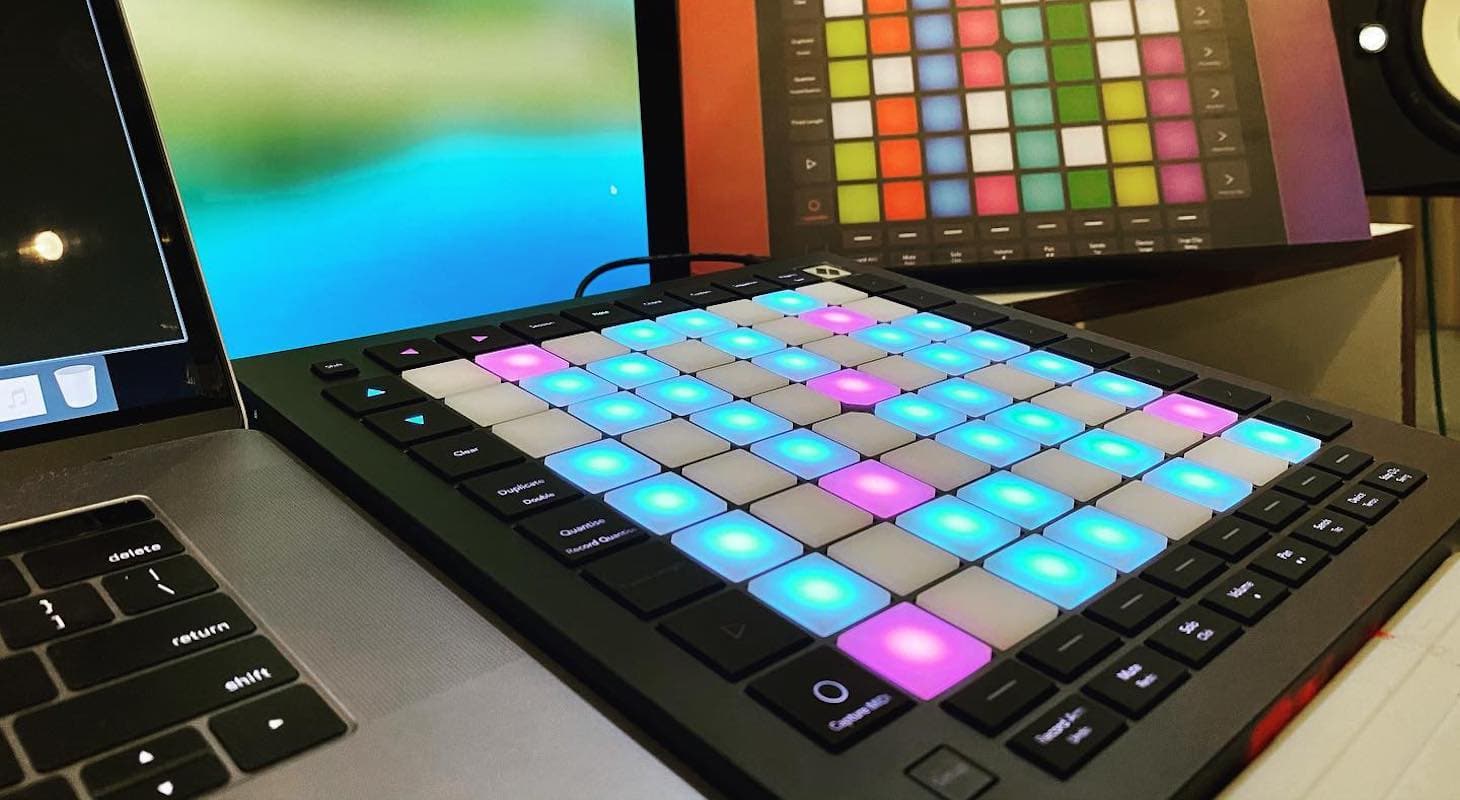
Ableton Live has been gaining popularity as a DAW for some time now. While it was once known only among electronic producers and DJs, it has since become an industry standard across all genres of music.
One of Ableton Live's most appealing features is its clip-based "session" view, which sets it apart from other software. Furthermore, many MIDI controllers have taken advantage of this unique feature, providing real performance options for grid mode production.
Top 3 - MIDI Keyboards for Ableton
Now, let's take a look at some of the best MIDI controllers for Ableton Live...
The 5 Best MIDI Controllers for Ableton
1. Akai Professional APC Key25 mk2
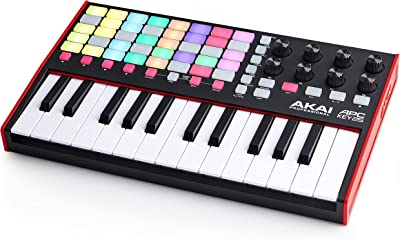
Akai has been a major player in beat-driven performance environments, such as Ableton. In fact, they made the first official Ableton proprietary controller, named Push, before the company redesigned it.
The Akai APC Key25 has a great visual representation of your "session" view, with colored backlit pads that represent what's in Ableton. Another killer function in Ableton is to launch a full "scene," which means all the clips in one row will start or stop together. This is where this controller really shines.
With a 40-button grid, it's a fantastic performance piece because it offers instant on-the-fly remote clip launching. It also has eight controller knobs to perform filter sweeps, LFO performances, modulate parameters, or anything else you might want.
The attention to detail that AKAI has put into the MK2 version is phenomenal. This controller features a shift button that lets you access different parameters beyond just clip launching. Combined with the smooth-feeling 360-degree endless knobs, you have a powerhouse for automation, performance, and live arrangement in your hands.
I've been using Ableton since the early versions back in 2003 — a time when it really set itself apart from other DAW software. While I'm a hardcore Pro Tools user for finishing records and final mixes, I use Ableton as a creation tool.
I love making beats, slicing samples, and performing different arrangements to shape how my songs flow and break down.
I own a Push 2 interface, yet I find myself using the APC Key25 more often because it sits perfectly on top of my main keyboard controller as an additional mini trigger. Why choose this over more advanced controllers with screens? The answer is simple: I prefer to perform with minimal movement from the sweet spot between my monitors when I'm in the studio.
Sometimes all I need to do is launch clips in different orders to create the best possible performance and capture it in arrangement view. For that, you only need your ears, creativity, and an advanced clip launcher — this one is perfect.
Whenever I'm rehearsing, this also comes in handy. As a keyboard player, I like knowing which musical notes are triggering samples, so having the black-and-white keys is essential. Using the APC is also a way to get away from your main instrument and be creative and experimental — it offers the best of both worlds.
During live shows, I create different variations of my songs or the artist's songs I'm performing with, making the live version more interesting and distinct from the recorded version that everyone's heard on Spotify.
How does the APC help? It lets you mute and remove certain stems — which we use when performing live with backing tracks from mixed versions of the record. Ableton is fantastic for triggering stems in different orders.
Say you have a four-on-the-floor club song that you want to turn into a more mellow, ambient performance. Simply avoid triggering the kick drum or other dance elements, and instead build up the song with ambient drones or pad sounds. All of this is possible on this compact 25-key keyboard.
As a musician, you can get deeper with this controller and Ableton's instruments — whether or not keyboards are your specialty. You can easily access bells, Moog leads, strings, or any other sounds you desire.
You can play and add to the arrangement in real time, saving new clips to trigger or mute. It creates an endless flow of creativity, especially when looping sections, which really sparks new ideas.
It's probably the most comprehensive grid controller with an added keyboard in a small package.
Perhaps the only downside is that adding so many tiny grid pads, it's not ideal for finger drumming on such small pads.
2. Novation Launchkey Mini 25 MK4
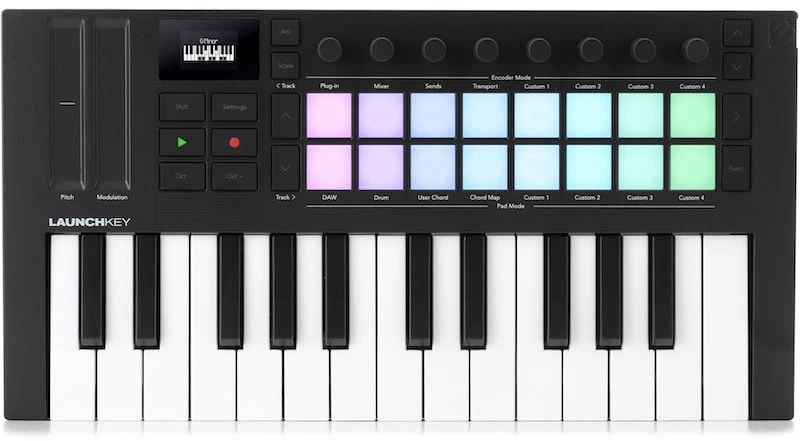
Novation has been crushing it in the electronic world for a while now. I totally remember owning their Supernova synth ages ago and loving it. Their foray into MIDI controllers has been a total win.
The Launchkey Mini 25 MK4 is already on its fourth go and it just keeps getting better. Instead of a cramped grid, they went with a bigger 16-pad grid that's backlit to show relevant info in Ableton.
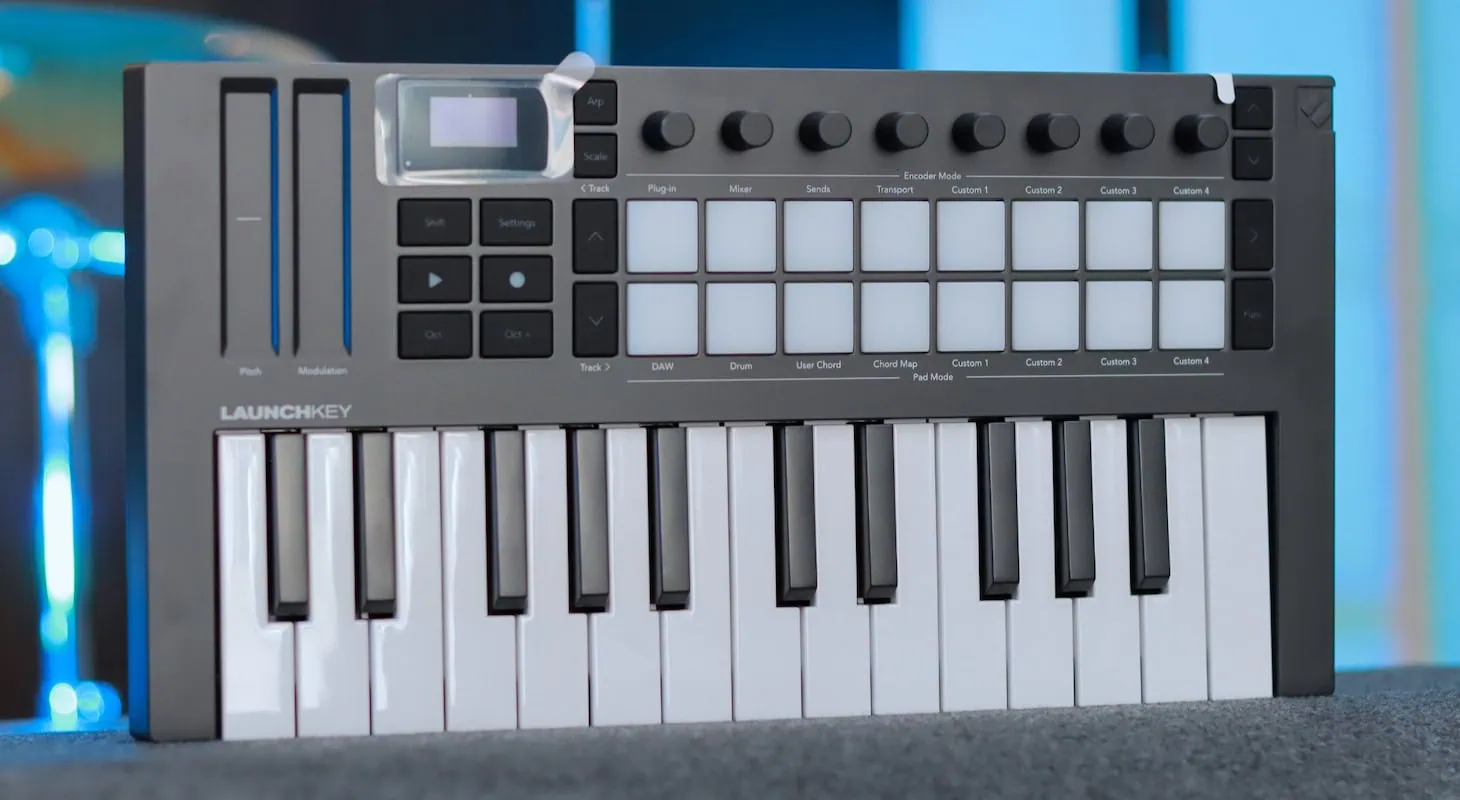
Novation Launchkey Mini 25 MK4 - Closer Look
By making the pads bigger, they gave you a sweet option to either launch clips or perform.
Personally, I love using Ableton Drum Racks for many of my sessions. They sound awesome with snappy envelopes and great responses. Novation totally nailed the MPC-type pad feel and even beat AKAI at their own game.
Another big plus is that they threw in touch strips on the left side. The reason that's so helpful is that, unlike knobs, you can really pull off dramatic sweeps and other tricks with two fingers.
That's amazing because sometimes when I do filter sweeps, I have to use both hands, one for cutoff and one for resonance. With the strips, I can do it even better with one hand. That frees me up to do other stuff.
Touch strips excel at recording automation in arrangement view, reacting to both vertical movement and pressure/aftertouch — making them more expressive than other physical automation tools. With Ableton's extensive mapping options for LFOs, filters, pitch, and lo-fi effects, this touch-based automation creates incredible possibilities.
I like to create complex chains in Ableton, then add eight macro buttons at the beginning, mapped to multiple functions.
Macro One controls anything that drives input for harmonic or filter distortion — all inputs, clipping, and boosts. Macro Two handles low-pass filters, whether it's the top EQ band of a plug-in or a filter's frequency cutoff.
With the Novation controller, you can use either knobs or touch strips, making it incredibly flexible for controlling and capturing multiple parameters in real time.
Where this controller differs from the AKAI APC Key is its limited clip-triggering system. While you can assign pads to trigger specific clips in Ableton, you don't get the row or shift triggers to launch multiple captured scenes in session view.
That's somewhat disappointing, but the inclusion of proper finger-drumming pads for drum racks is equally valuable, especially since I've built my sample library in drum racks over the past 10 years.
I have extensive drum racks with thousands of one-shots collected from trimming vinyl records, downloading from splice.com, and buying obscure third-party samples from European drum machine manufacturers like JoMoX and Elektron.
I've set up drum racks with multiple velocity-triggered samples. The controller is sensitive enough to enable realistic finger drumming.
High-end libraries like BFD3 Drums and Addictive Drums 2 map multiple samples of instruments (like hi-hats) to a single key or drum pad, switching samples based on velocity. Playing softly triggers a gentle sample, while hitting with full force (127 velocity) triggers the most powerful sample.
These libraries often use 4 to 5 different zones that crossfade into each other.
I apply this same technique with one-shot samples — a game-changing approach using Ableton drum racks and the Novation controller. For example, instead of using just one 808 hi-hat, use 5 or 6 different versions from your chosen library, cycling in a round-robin style when pressing the Novation drum pad.
In my setup, some samples are brighter, others darker, some sharper, some flatter — simulating the subtle variations of a vintage analog drum machine, where each pad press produces slightly different results.
The knobs above the drum trigger pads make this the perfect controller for setting up these drum racks in Ableton. If you explore drum racks, Simpler, and Sampler more deeply, you'll be amazed at how you can breathe life into ordinary machine sample packs.
Think of this as your portable controller for enhancing your Ableton drum setup. Next time you're bored, instead of mindlessly scrolling through Instagram, grab this keyboard and create some amazing multi-layered drum racks — you'll thank me later.
The fact that they also added an arpeggiator just makes this one a total champ.
Read my full review of the Launchkey Mini 25 for a deeper take on how I use this supremely capable compact MIDI keyboard in my music production workflow.
3. Novation Launchkey 61 MK4
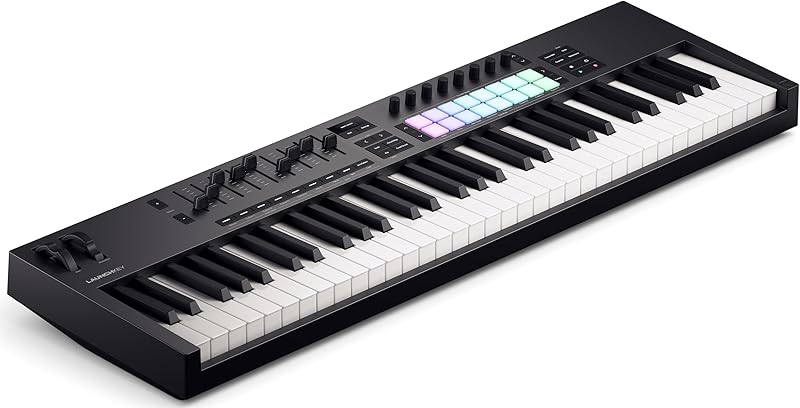
The Launchkey 61 MK4 is the larger model in the Launchkey family. It features a 16-pad color-coded grid, which is similar to an MPC, as well as an 8-knob controller section similar to the Mini 25.
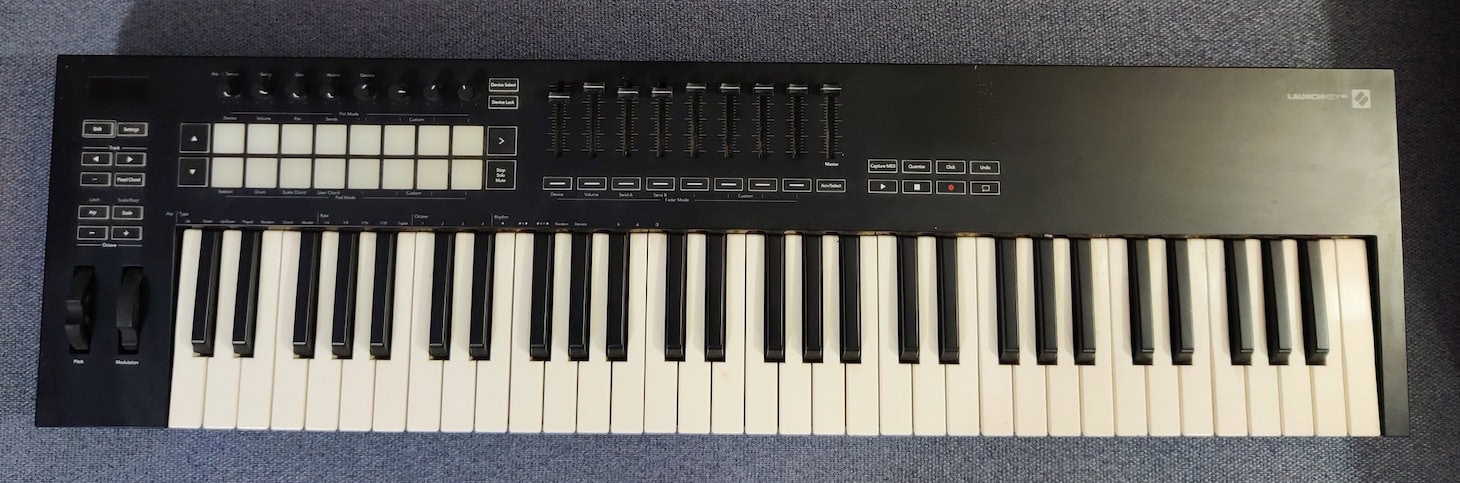
Novation Launchkey 61 MK3 (this is the older generation).
This keyboard is great for studio producers due to its larger 61-key keyboard. It is also suitable for live use, but it has one feature that is more geared toward production than performance: the sliders.
While other keyboards in the line have two touch strips that can act as faders, this one has nine sliders! It has more sliders than some dedicated standalone CC controllers on the market.
As someone who also composes for film and TV, I know the usefulness of sliders. Most orchestral libraries have MIDI learn functions for every single aspect of the interface. This can include mic positions, dynamics, bowing types, reverb returns, and more.
These days, no composer can realistically mock up orchestras without some form of CC slider controller. Therefore, this keyboard is perfect for that.
In addition, Novation has incorporated their typical arpeggiator and chord generator from other versions of their controllers. They have also added a function called "Mutate" that acts as a musical idea randomizer, which is great for inspiration.
Ableton is as much a performance workstation as it is a recording environment. This is important because it's what makes the LaunchKey so essential for your Ableton setup.
We all know sliders can be fantastic CC controllers for your Kontakt libraries and mixer automation. But what's special about this keyboard's slider layout is that you can smoothly control 5 to 6 sliders simultaneously with the palm of your hand, thanks to their perfect spacing.
This capability can be used creatively, and here's a practical tip: While you can use sliders for typical tasks like adjusting filter cutoff, Leslie speed, or reverb returns while playing, have you considered using the sliders themselves to perform drones?
It might sound unconventional, but it's an incredible way to use this controller with Ableton.
Here's something to try: Enable four or five different pad or ambient instruments to play simultaneously. Assign each slider to control the volume of one instrument in the mixer.
Lower all sliders to zero, then, while playing chords one-handed, gradually raise the faders using your palm in an open-closed fist position. Create wave-like motions with the sliders — you'll hear your sound morphing between five different samples.
Choose an interesting combination of sounds — perhaps a choir on one track, a Mellotron flute pad on another, an orchestral brass pad on a third, and something distorted yet pitch-perfect on another. Moving the sliders creates a fascinating cross-modulation effect as sounds fade in and out.
While raising all sliders simultaneously might create an overwhelming sustained chord, the magic happens in the evolution of volumes. Since you're performing manually, you'll create beautiful accidents — sometimes a fader might go higher than intended, creating unexpected balance shifts that add to the experience. These happy accidents are one of Launchkey's greatest strengths.
This technique shines in the studio too. You can record these slider automation performances in arrangement view, fine-tune them, process them through compression and EQ plugins, and create backing tracks for film scores, songs, or ambient performances.
It's uniquely organic — something impossible to achieve with a mouse or trackpad, or even by grouping tracks. Give it a try.
Overall, this keyboard is a dream "main" controller for producers, composers, and songwriters.
4. Arturia KeyStep Pro 37 key controller
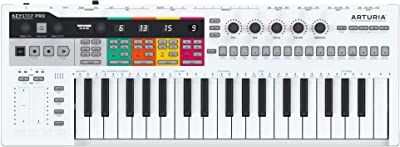
Arturia needs no introduction as they’ve been killing it with their analog emulation VSTs for over a decade now. They have also designed some impressive original synths that are popular among major producers.
I personally own their KeyStep Pro 37 and love it. However, its functions for Ableton are limited compared to other controllers because it lacks colored grid launch pads.
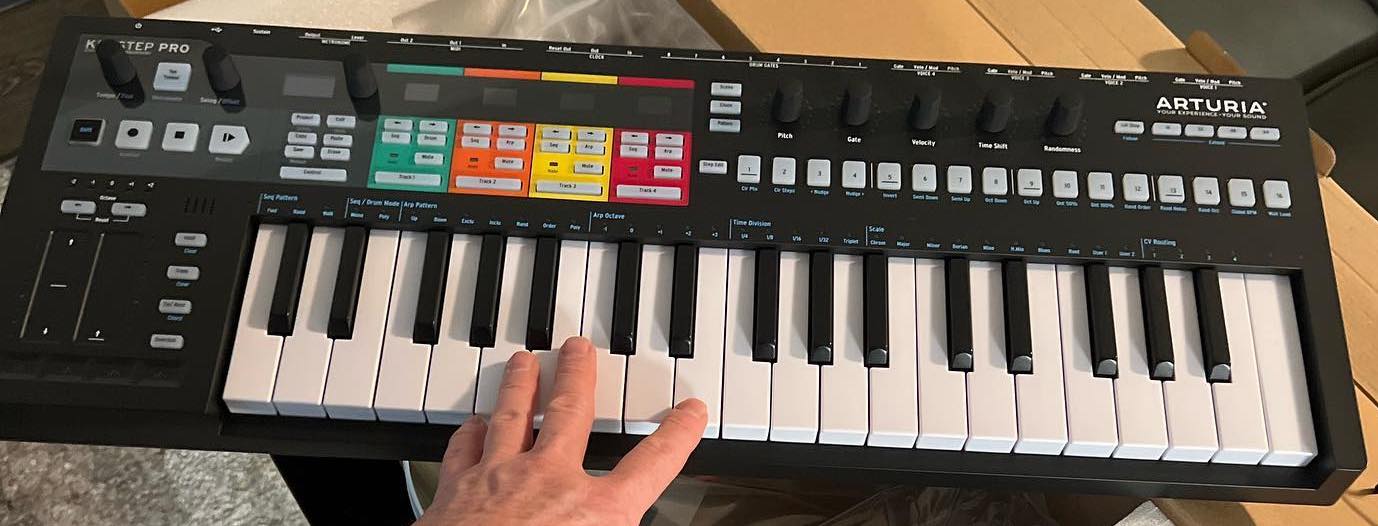
Arturia KeyStep Pro - clicked at the time of unboxing.
The reason for this is that Arturia wants the Keystep to be perceived as more than just an Ableton accessory; it's a great controller in its own right.
Where the Keystep really stands out is with its Eurorack CV outputs that can be used with modular gear, as well as its dual MIDI out to trigger drum machines. How does this relate to Ableton, you ask?
Well, Ableton is often used as an idea-capturing environment, particularly by producers. If you're interested in hardware and vintage gear, the Keystep is the perfect controller for you.
You can run its 4-track step sequencer to your outboard synths and record back all sorts of inspiring sounds. Then you can edit, loop, and save them as clips in Ableton, making it an incredibly inspiring way to start tracks.
Additionally, the Keystep has a 16-track drum sequencer that can trigger any drum machines you might have, making it a versatile tool for music production.
To me, Arturia's design and overall build quality make it the Mercedes-Benz of the controller world — simply top-of-the-line. I use this constantly because of its excellent keybed.
I especially recommend it for Ableton, which has one of the best MIDI capture environments around, rivaled only by Logic Pro in my opinion. For realistic drumming with high-end sample library VSTs like Addictive Drums 2 or Spitfire Hans Zimmer percussion collections, this would be my choice of keys.
Here's a tip when testing different controller keys, especially in the Ableton environment: look for snappiness — how quickly the key releases after you let go. This is crucial for performing good hi-hat and cymbal parts, even more so than using drum pads.
I prefer using black and white keys because you can see how the layout progresses from closed to open hi-hats. You can clearly see the semitones, which makes sense to me as I think like a pianist.
Even if piano isn't your main instrument, I still urge you to try the KeyStep keys with drum VST libraries.
I also use this keyboard for travel setups because of its transport controls. It's especially useful in larger commercial studios or vintage-style rooms with SSL or Neve consoles, where the Pro Tools or Ableton screen sits on a side cart instead of directly in front of you. In these setups, having this keyboard on top of the console provides perfect transport control.
Even if you get it just for that feature, it's worth it — it has one of the best transport systems for Ableton that I know of in keyboard form.
5. Novation Launchpad Pro Mk3
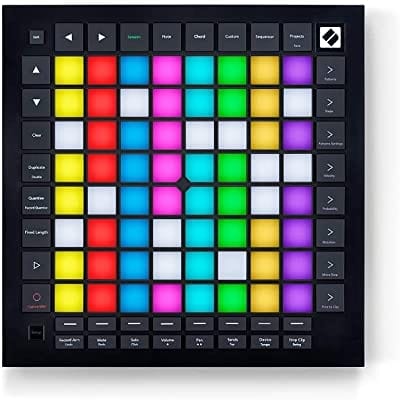
The Launchpad is a different kind of controller since it doesn't have a keyboard; therefore, it's specifically designed for Ableton Live use only.
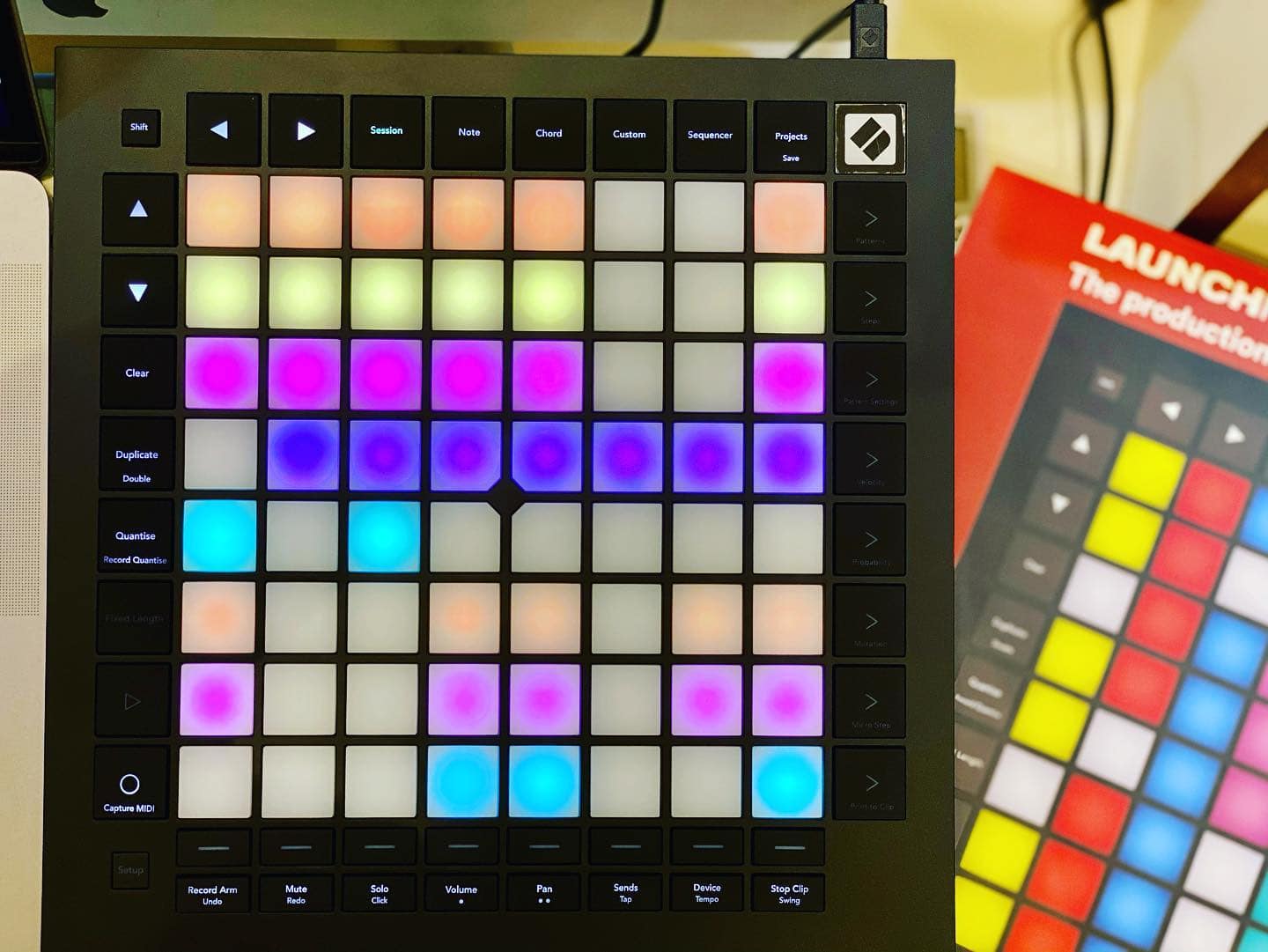
Novation Launchpad Pro Mk3
Many of you have seen or even used Ableton Push 2 by now; this is the direct competitor. In many ways, it looks very similar. It has an 8x8 64-pad Matrix, much like Push, but it's much more compact.
In many ways, this is very appealing because it fits perfectly below a laptop. It is also streamlined to have some of the most advanced and important Ableton commands designated to their own buttons.
One such button is the capture MIDI button, which was barely implemented in the latest Ableton 11, which means this controller is really up-to-date!
It also has a crazy good bundle of software considering it's already attractively priced. You get a free version of Ableton Live Lite, synths from AAS, one amazing XLN Audio Addictive Keys instrument, and Softube effects.
For the die-hard Ableton user, the Launchpad Pro Mk3 is a truly dedicated controller. It also has velocity-enabled pads so you can finger drum, play chords, basslines, and much more without a keyboard.
For a band playing live that really needs to trigger a complex arrangement of their record stems, this is the way to go.
For a while, I never understood why Novation made this controller without a proper dedicated screen like Push. I avoided owning it until I played with it at a friend's studio and realized something: sometimes what you need most in a controller is to get away from screens.
Even when I'm working on the Push, I focus too much on the numbers — what the filter cutoff frequency is, what the compression threshold is, whether the sample is fading out properly, and so on. It's very left-brain stuff.
Ableton is designed, as I've always said, to be a happy accident creator — an experimental environment, especially in Session View where this controller truly shines. Getting away from everything and just trusting your fingers to play bass lines without keys, to do finger drumming without seeing the kit names, just going by ear and instinct, is amazingly freeing and creative.
I did end up buying this controller because it was a great alternative to the heavy and cumbersome Push for traveling. And, like I said, I've actually come up with some amazing ideas by getting away from the digital screen's feedback. Whenever I want to get away from my laptop and just experiment, I use this.
Choosing the Right Ableton MIDI Controller
There's no shortage of options when it comes to Ableton controllers, so how do we choose? Many of them offer similar bundles and keyboard sizes, so what is the crucial factor that can make a controller unique?
Of course, this is all very subjective. We all have different needs because we're all unique artists, aren't we?
Studio vs. Live
When deciding which tool to use, the first thing to consider is how you plan to use it. For instance, if you will be playing chords and melodies live, the Launchpad might not be the best option.
However, if you are an electronic rock band with punchy, Nine Inch Nails-like modular bass lines that you want to launch as loops, then the Launchpad would be perfect.
On the other hand, if you need to perform a lot of automation in the studio while recording, the Novation Launchkey 61 would be the most suitable choice. Obviously, it might not be the best choice if you're trying to use it on a super long flight across the pond unless you want to start a brawl.
This brings us to the next category.
Size and Features
As a synth player and pianist, the 25-key format is way too small for my taste. Sure, I can play each part as a different take, and I can probably lay down a funky bassline by switching the octave button, but that's not how I roll.
I get inspired by having two hands on the keys. So, the 37 or 61 key option would be for me. Heck, I've even gotten some super dope basslines from the launchpad. You'd be surprised how cool that thing is for unusual ideas.
Sometimes my piano training gets in the way, and I like the limitations of triggering more random ideas from pads. That's how HipHop started!
Also, I'm a knob tweaker by birth, so it has to have knobs. I need those filter sweeps in my life.
Genre Specific Factors
This is one of the most important factors when choosing the right controller. Ableton is a modern DAW. Yes, it mainly became known through the electronic and EDM communities, but it has gone way beyond that.
To give you an example, I was at an orchestral session the other day for a tv show, and I was asked to bring my Ableton controller because we were going to launch some clips under the orchestra! That's about as far from EDM as it gets.
I, therefore, see the Launchpad as a legitimate instrument on its own. I played Launchpad with the Orchestra. That should be an interesting credit.
For live bands that have drummers and bass players, I would go with the Akai APC. Chances are you won't be playing beats and triggering time-locked arpeggiators, so really you might use it more as a trigger for ear candy samples and synth tweaks.
For singer-songwriters, I would totally go with the Launchkey 61. Even if you're performing on an acoustic guitar and just triggering some looped ambient mood vibes, it might be cool to have the keys as an option.
Maybe you do a song on the piano for the end of the set. It’s nice to have options.
Workflow
For most musicians, including myself, the choice ultimately depends on what's most important to our workflow. Personally, I require many knobs, sliders, and keys because I automate a lot of things in Ableton.
Others might use Ableton controllers primarily for arranging, in which case the grid version would be best.
In general, the Mini 25-key versions are the most versatile. I own one myself because it's so compact for traveling. Songwriters will certainly find the Launchkey and APC versions useful. When your flight is delayed, instead of wasting time scrolling through bad news, simply take out your controller and start working on a new idea.
Final Thoughts
I've always been a Pro Tools fan because I do a lot of mixing, but when Ableton came out, I was like, "Whoa, this is dope." The time-stretching feature was so easy to use, and I loved being able to test out tempos.
I used it a lot for dance remixes and could import the original vocal stems and have them instantly speed up with crystal-clear quality. After a few years of using it, I found myself starting ideas in Ableton when I was stuck. I would just throw in different loops and see where they took me.
Now, it's my go-to songwriting tool. The controllers are amazing because you can switch scenes on the fly to test out a verse breakdown with no beat or change keys on the fly during a bridge. It's like the missing link for songwriters in DAWs.
Man, I still remember the good old days before Ableton revolutionized the game. We were writing a song and the singer said, "Hey, can we do Chorus 2 without this but add this instead?" and we replied, "Yeah, no worries, just copy and paste, mute, duplicate tracks, add automation, and all that jazz." Give me 15 minutes. It's a total vibe-killer. We've all been in that situation before.
Now, with the Akai APC Mini25, which is about the size of your Sound on Sound magazine, you can switch entire sections with one finger just to "try things out." I mean, that's just insane.
