
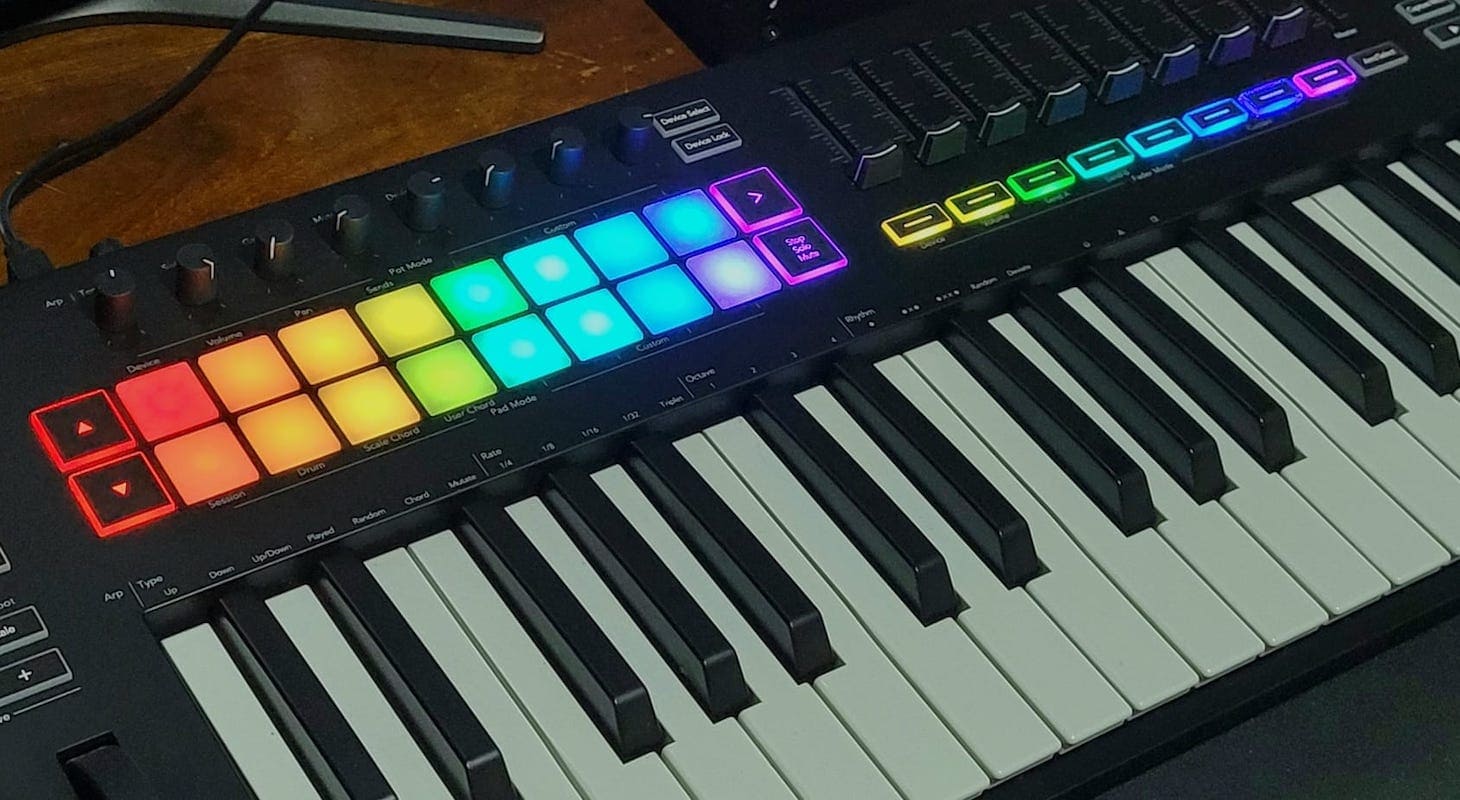
I've been using Logic since its early days as one of the first digital audio workstations. It was always impressive, but it reached new heights when Apple introduced their M-series chips!
What makes Logic Pro so great? It's lightning-fast, has a clean interface, and integrates seamlessly with Apple's ecosystem. No wonder so many producers and songwriters swear by it.
The addition of innovative features like flex warping and drummer tracks has even caught the attention of dedicated Ableton Live users.
Ableton has consistently been one of the most musical and creative pieces of production software ever created. The fact that Logic Pro is now catching up to its main rival speaks volumes.
Logic's standout feature is its exceptional groove and feel, which is why pairing it with the right keyboard controller is essential. Ask any Logic user about the precise MIDI timing — it creates the perfect environment for playing MIDI instruments and high-quality acoustic VST libraries with a higher degree of realism.
Top 3 - MIDI Controllers for Logic
Preview | Product | Price |
|---|---|---|
 | ||
 | ||
 |
Here are my top six MIDI keyboards designed for Logic Pro users. I've extensively tested each model — demoing, purchasing, touring, and recording with them in the studio. My recommendations come from hands-on experience with every keyboard.
Best MIDI Keyboards / Controllers for Logic Pro
1. Arturia KeyLab 61 mk3
The Arturia KeyLab 61 mk3 includes some handy features well within the budget of many musicians. At one octave less than an acoustic, it packs its features in neatly organized groups.
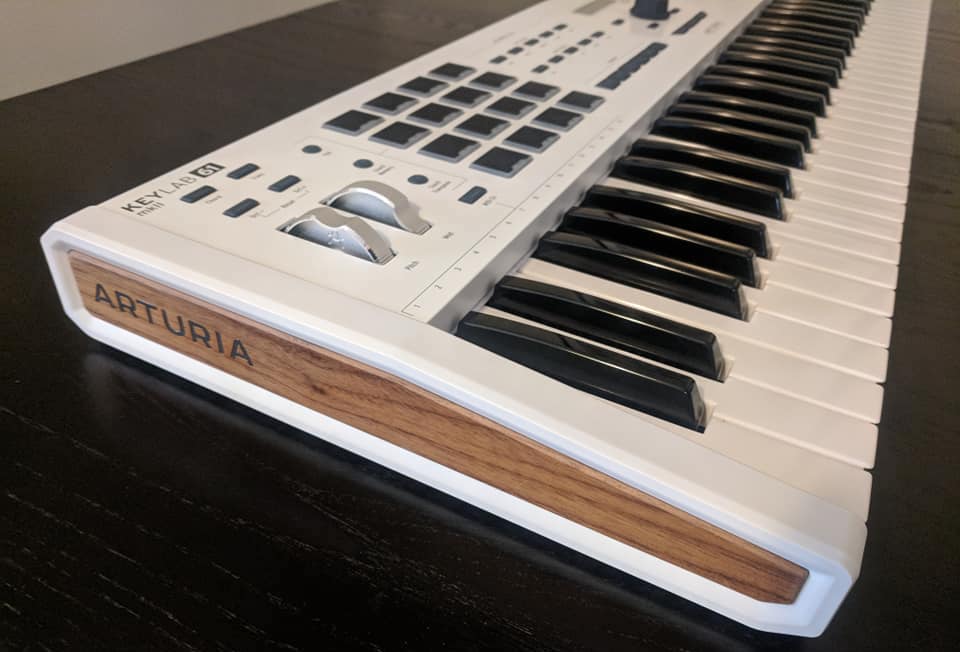
Arturia KeyLab 61 MkII. This is the previous gen. I haven't had the chance to click the newest one yet.
The mandatory modulation and pitch wheels are on the left. Twelve pads are next door, followed by global controls, and ending with mixers and faders on the right side.
I was impressed not only at the tactile tools Arturia included, but also their well-thought-out DAW compatibility. It’s one thing to have a keyboard with cool features; it’s another thing entirely to use those features to directly control a DAW.
My favorite DAW-integrated features are the nine faders. I find that mixing music with an on-screen mixer can be time-consuming.
With real faders on a controller, you can physically adjust volumes without mouse-hunting or constantly glancing between your controller and screen. These small details make the creative process much more natural.
What makes this keyboard controller extra special? It's three powerful tools in one — playable MPC-style pads, a professional-grade keyboard, and an intuitive built-in mixer that puts everything at your fingertips.
If you've done songwriting sessions with professional artists, you know how thrilling — and nerve-wracking — they can be. Imagine having just an hour or two with an artist to create something magical: crafting a potential hit while simultaneously producing a demo. It's like being a musical chef, cooking up something special in real time!
Having all these functions within arm's reach isn't just convenient — it's essential.
A few months ago, during one memorable session with an incredible vocalist, I brought in a track I'd produced. As we found our creative flow, she kept inspiring new directions — suggesting chord changes, experimenting with different sections of the beat, all while delivering stunning vocals from the booth.
What kept everything flowing smoothly? Having my trusty Arturia at hand. No workflow-breaking pauses to fiddle with the computer — just pure creative magic happening in real time.
This all happened during a songwriting camp in London. I had to travel overseas with my controller, and after experiencing heartbreak with other controllers breaking during trips, I was relieved.
My KeyLab 61 proved not only incredibly sturdy but it also just looks cool in a session!
It's perfect for any keyboard work I need to do, especially when making music at other studios. This is my absolute favorite 61-key controller. Read this article on Arturia's Mk3 KeyLab lineup for more info on these supremely capable keyboards.
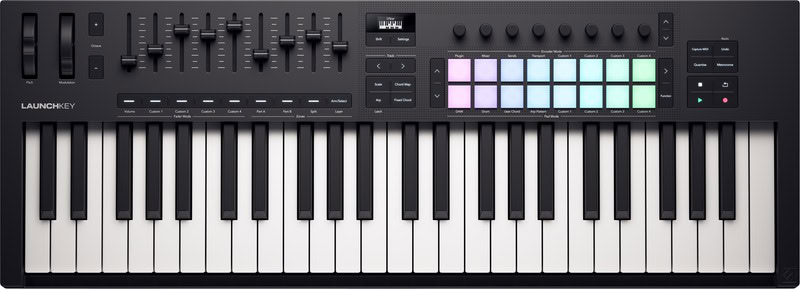
2. Novation Launchkey 49 MK4
If the Arturia KeyLab 61 MkII excels with combining mixer functions with a keyboard, the Novation Launchkey 49 MK4 excels by combining real-time manipulation with a keyboard. If your creativity thrives on spontaneity, the Launchkey is a great match.
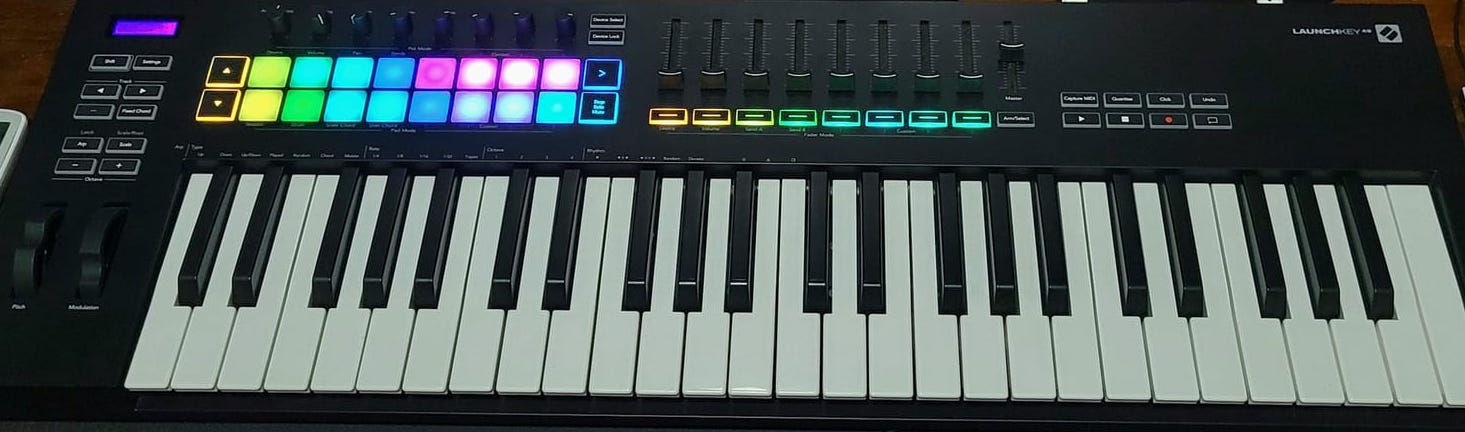
This is the MK3 (older gen) of the Novation Launchkey 49. Despite playing with the MK4 already, I don't have a photo yet.
The Launchkey instantly maps to Logic, and its features are optimized for live sound shaping. Scale mode and its various chord options encourage melodic experimentation, and its encoders can be re-assigned to whatever function you need (via “pot mode.”)
Its transport controls (buttons that affect the entire DAW, like “play” and “pause”) also support live music making. Besides the expected buttons, others can be used to arm and navigate between tracks, lock and unlock, and even save MIDI solos that you didn’t think to record.
The result is a streamlined product that “speaks” Logic natively, while still allowing customization and freedom within the creative process.
Another reason I might potentially choose this over the KeyLab is that it has weighted-style piano keys. As a pianist, if I'm playing live in front of an audience, I almost always choose weighted piano key controllers over synth-style keyboards.
There's just something about the expression that you can get when you have a tactile experience that feels like a piano.
At the same time, this can be a limitation though. For live gigs, I absolutely adore this keyboard, but I've always felt that finger drumming on piano-style weighted keys just doesn't cut it for me.
Has anyone experienced that as well? It took me a while to figure out why I didn't like piano keys for finger drumming, especially since I love playing the piano as my main instrument.
The answer finally hit me when I was trying to play 16th note hi-hats from a sensitive drum library and they always seemed to be late.
I could swear that I was playing them in time, but the MIDI just constantly didn't match. That's when I realized that weighted keys take longer to snap back into position.
So naturally, even though you are grooving, many times the snap of the key prevents faster notes from being tight. It's simple physics.
While this might seem hard to believe, test it yourself and you'll notice the difference. Fortunately, Novation thoughtfully included drum pads on this keyboard, which offer much better responsiveness.
Some musicians, like Chopin, meticulously pored over every aspect of his compositions, analyzing everything. Others, like Miles Davis, recorded or played whatever he felt in the moment.
Both are equally valid ways to create. If you’re more like Miles Davis though, the Launchkey was made with you in mind.
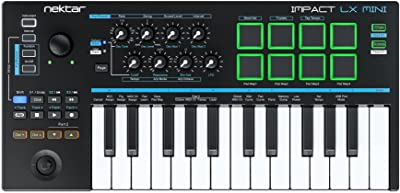
3. Nektar Impact LX Mini
The Nektar Impact LX Mini is much smaller than the previous two keyboards. At two octaves, it leans closer to Logic manipulation than performance.
Alongside its transport controls, the Impact LX includes eight labeled encoders and pads. Nektar crammed in as many DAW controls as possible, and they did remarkably well.
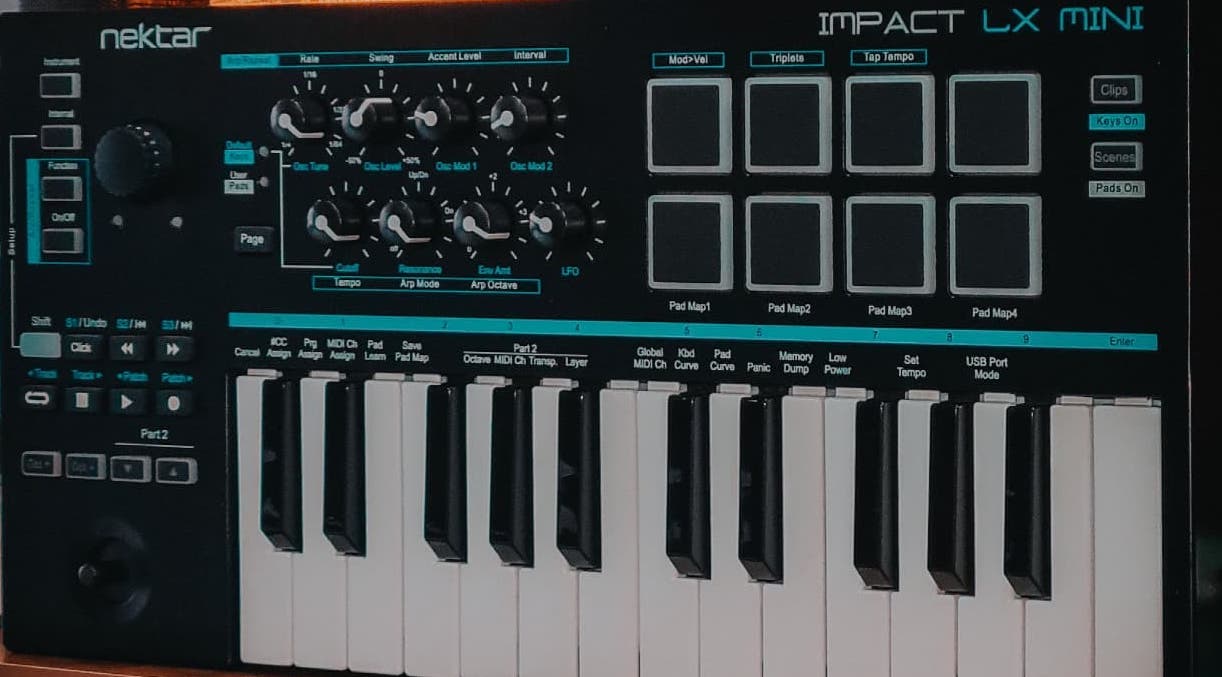
Nektar Impact LX Mini
First, the transport buttons do the typical things you would expect. They also include a SHIFT button, doubling their capabilities. You can switch between tracks, sections, and songs.
The Impact LX also houses a joystick and scroll wheel. While just one would have worked perfectly, I appreciate the added control they give. The joystick can be used for big-picture navigation, while the wheel can be used for finer selections and sound design tricks.
Here's a fun story of how I first discovered joystick controllers. During my early days at Berklee College of Music, I visited one of my best friends in the dorm rooms. His roommate, a synthesis major, had two of the coolest keyboards I'd ever seen: the Korg Wavestation and the Prophet VS.
When I asked about the little joystick-looking controller, he gave me an amazing demonstration of how you could create incredible ambient soundscapes by sweeping through different samples in real time. I was blown away and ended up hunting down a Prophet VS as my first synth.
I wish I still had it.
Luckily, Behringer just revived it in a mini version called the ProVS Mini for $120 — and it's killer!
That synth was a huge hit in the world of electronic music, so I can see the appeal of the Impact LX working well for DJs and EDM artists. Its pads respond beautifully to nuanced playing, and the joystick is pure synth nostalgia!
If that wasn't enough, it also packs advanced arpeggiator options, and the encoders enable extensive sound tweaking. Electronic musicians can use it as a fully integrated Logic groovebox.
I will say that compared to other controllers, the Impact LX seems the cheapest, though. Its keys feel like thin plastic, and the two octaves are limiting for some.
However, its simple yet customizable usability will certainly appeal to musicians interested in sound design and beatmaking.
4. Arturia MiniLab 3
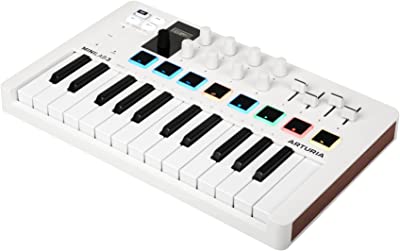
Wouldn’t it be great if a company made a product that fully integrated with Logic, but was jam-packed with other novel features too? Turns out, Arturia already has!
A friend of mine has an Arturia MiniLab 3, and I’ve talked about it before on Music Strive. If you’ve come across my other articles, you already know I’m a big fan.

Arturia MiniLab 3
First, the MiniLab has a solid design. And while this does add some annoying weight to it, I feel it’s worth the slight inconvenience. Yes, I'm referring to its metal-clad build quality which I've touched upon already above.
Second, it comes with Analog Labs, which you can use with Logic. Analog Labs provides you with the sounds and “tweakability” of hundreds of classic instruments: Hammond organs, Buchla synths, Sequential Prophets, you name it.
Lastly, it comes preloaded with 500 sounds. This means you can use it by itself, without being plugged into a DAW. This is handy if you travel a lot or don’t have the time to set up with a computer.
Combined with those features, the MiniLab also comes integrated with Logic. For the purpose of this article, it fits the bill. But its increased versatility in other ways makes it a powerful workhorse in various ways.
Also, the tiny footprint and size are unbeatable for quick remote work. Let's face it — we live in the time of tech minimalism. As a producer, sometimes the only opportunity you have is to write on a plane, at a Starbucks, or even sitting on the floor of a crowded studio room.
Having a powerful tiny controller that truly delivers can really keep the creative flow going.
If you are looking for a well-rounded product for Logic, but also want extra functionality in other areas, the MiniLab would be a great choice.
Read my full, in-depth review of Arturia MiniLab 3 for more insights.
5. Native Instruments Kontrol S88 Mk3

If you’re a Logic producer wanting the most authentic key feel possible, Native Instruments has got you covered! Full-sized and hammer-weighted, the Komplete Kontrol S88 Mk3 feels like plugging an acoustic piano directly into Logic.

A “hammer-weighted” keyboard uses a full lever system built into the machine. While it cannot replicate hitting real wires (and doesn’t need to, of course), it still has built-in weights and fulcrums.
The result is a keyboard with all the perks of electronic music-making, paired with the control of an acoustic.
The Komplete Kontrol is great because it combines the feel of a performance keyboard with the functions of a controller. Like some of the others listed, Logic-centric keyboards excel when offering specific task-driven features.
Let me tell you about my favorite feature of this keyboard, the RGB Backlit Keyguide — it's absolutely amazing for cinematic and multi-sample VST control! I was lucky enough to attend a Native Instruments launch party in LA back in 2013 where they first showed it off.
You wouldn't believe the star-studded event — they had incredible composers like Hans Zimmer, Junkie XL, and Clint Mansell in the room! When the Native team revealed the light guide feature above the keys, everyone was just blown away.
Here's what makes this design so special — imagine you're working with a full orchestra setup. Each instrument family gets its own beautiful color coding! Picture this: strings glowing in red, woodwinds in yellow, percussion in green. It instantly organizes and color codes any relevant group of sounds.
If you're working with exotic drums or any type of sample library, you know where everything is by sight.
This is a game-changer for anyone creating score demos for directors — you know how time-sensitive that can be! Instead of spending days organizing everything, you just save your patch and boom — everything's right where you need it. How awesome is that? No other keyboard has this feature.
The left side of the keyboard houses it’s “big picture” buttons, while the right side has buttons focusing on smaller details. Paired with the extensive parameters available on the screen, the Komplete Kontrol becomes a self-contained sound design tool in its own right.
The Komplete Kontrol’s features create an extension of Logic. Rather than simply manipulating the DAW, its built-in sound design capabilities truly augment Logic itself.
Read our full review of the S88 Mk3.
6. M-Audio Keystation 49 MK3
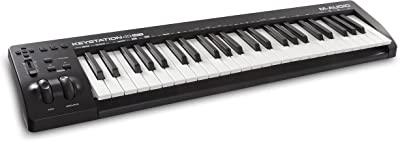
Lastly, we have the M-Audio Keystation 49 MK3, which is one of our budget options. Given its price point, it doesn’t have many of the features present on other keyboards listed.
However, it does provide the basics you need to streamline your use of Logic. For some users, that is all that they need.
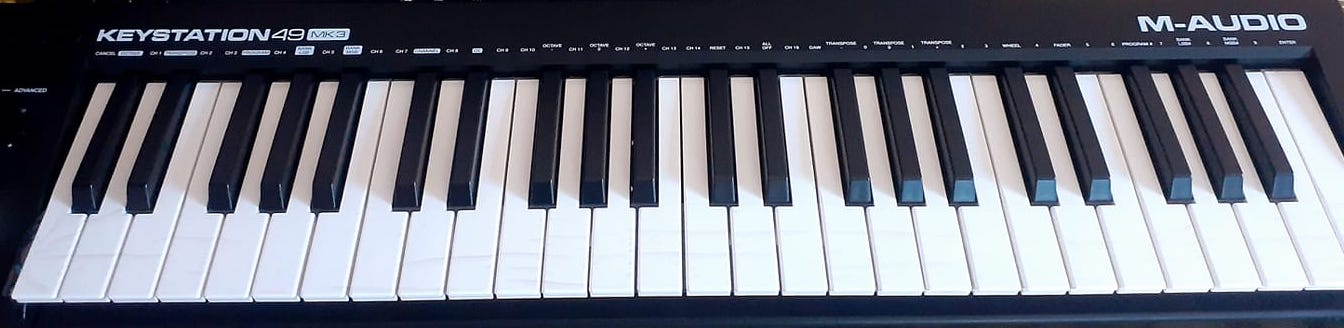
M-Audio Keystation 49
When it comes to transport controls, the Keystation keeps it simple. M-Audio included Record, Pause, and Stop buttons alongside a volume fader and directional arrows.
Most are self-explanatory. The directional arrows allow you to move up/down and left/right through your tracks and settings – much like the four arrows on your computer keyboard.
Then there’s the “Advanced” button. Oooh, scary …
Not really! It simply allows you to repurpose the other buttons for your needs. In a sense, they provide the basics plus customizability without inundating you with extra, useless buttons.
No, it’s not as fancy as other controllers. But if simplicity is your thing, it’s perfect!
Besides transport controls, the Keystation makes Logic integration as convenient as possible without selling out.
It doesn’t require drivers, so you can just plug and play. As someone who just wants to get started playing, I appreciate this approach! Plus, it’s only five pounds.
If you want something basic to get you started, you should consider the Keystation.
Picking a Keyboard Controller that Works for You
When most people buy a controller, they buy it primarily for MIDI input via the keyboard. This makes total sense, and should probably remain the most important factor.
However, understanding how you can use them to “talk” to DAWs really elevates your creative experience. The less you have to point-and-click and touch your mouse, the more you can get in the zone.
Since we’re already focusing on Logic users, we don’t have to worry about compatibility or integration. Yaaay! Instead, here are several important factors for your final decision.
Factor 1: Think About How You Use Logic
Logic is one program, but a thousand writers use it to write a thousand different songs. It goes without saying that every user uses it in their own way.
Think about what features you use most often. How do you interact with them? Why do you use them, and for what?
How about the way you approach your creative process. Like earlier, are you a “Chopin” or a “Miles Davis?” Do you use Logic to capture live ideas as you have them, or do you meticulously record and mix everything?
How about the things that annoy you? Maybe you don’t like dragging faders up and down on a screen. Or maybe your workflow tends to get interrupted when you constantly switch between tracks, or arm them.
Most importantly, understand why and how you specifically use Logic.
Factor 2: What Features Would Improve Your Logic Experience?
In light of Factor 1, think about what controller features could improve what you already like about Logic. For example, maybe you like its Apple-esque simplicity, or its built-in effects.
If you appreciate simplicity, maybe you’d choose the M-Audio Keystation. If you enjoy Logic’s effects, maybe you’d use the encoders on the Nektar Impact LX every day.
How about DAW elements that bug you? How could you use a controller to minimize them? For example, say you don’t like mixing on a screen. You could use the Arturia KeyLab.
Whatever you pick, it is important to realize you aren’t picking the controller just because of the controller. Rather, you want to pick a controller that is an extension of your DAW.
You want a tool that will augment the strengths of Logic and minimize its problems. Your choice will be informed by the relationship between your DAW and hardware.
Factor 3: Feel and Layout
The first two factors are most important, but these last two are important to consider as well. Whatever features you prioritize won’t be very helpful if they feel cheap and break after a few weeks.
In terms of layout, you want to find a controller that works naturally with your workflow. Generally, you’ll adapt to whatever way they arrange buttons.
However, you won’t be able to add encoders or buttons. Whatever you choose, you want to ensure that you have buttons optimized for your workflow and encoders and/or faders that work for you.
Factor 4: Portability
Lastly, you’ll want to consider how much you move your controller. If you plan on using it while you travel, a small one is ideal. If you plan to keep it in your studio long term, you can afford to buy bulkier products like the Komplete Kontrol.
Wrapping Up
As you can tell, I'm a huge Logic Pro fan. With its sleek and polished design — it's no wonder why producers everywhere can't get enough of it! And once you discover that perfect controller that clicks with your style and makes everything flow smoothly, you'll be amazed at how your creativity just soars!
I'm super excited to hear how these ideas might inspire your next musical adventure! Keep making those awesome tunes, and remember — having a blast while doing it is what it's all about!
