

If you haven't had the chance to play around with FL Studio, I strongly recommend giving it a try. Despite the abundance of Digital Audio Workstation (DAW) options available to producers, I find FL Studio to be the quickest and most inspiring for getting track ideas flowing.
Perhaps it's my affinity for modern pop and dance music, but there's something about the way MIDI blocks and loops come together in FL Studio that Ableton Live can't match. It's not just reliable and inspiring, but also incredibly fun to use.
I often travel to collaborate with different artists on songwriting. I've assembled a mobile rig for use when I'm away from my studio and have extensively tested many interfaces that work well with FL Studio.
It was a tough decision, but I managed to narrow it down to five.
Top 3 - Audio Interfaces for FL Studio
Preview | Product | Price |
|---|---|---|
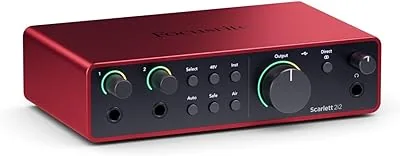 | ||
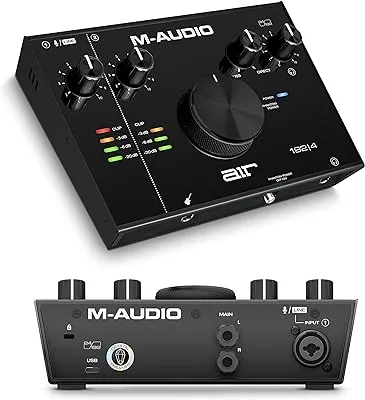 | ||
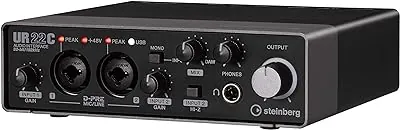 |
I own several of these because each has its unique strengths. However, if you were to choose just one, any of the interfaces on this list would be flawlessly compatible with FL Studio.
Best Audio Interfaces for FL Studio - Top 5!
1. Focusrite Scarlett 2i2
I have to hand it to companies like Focusrite. Even when they're already excelling, they just don't stop improving. Take their Scarlett 2i2 interface for example - it's on its fourth generation now and still going strong.
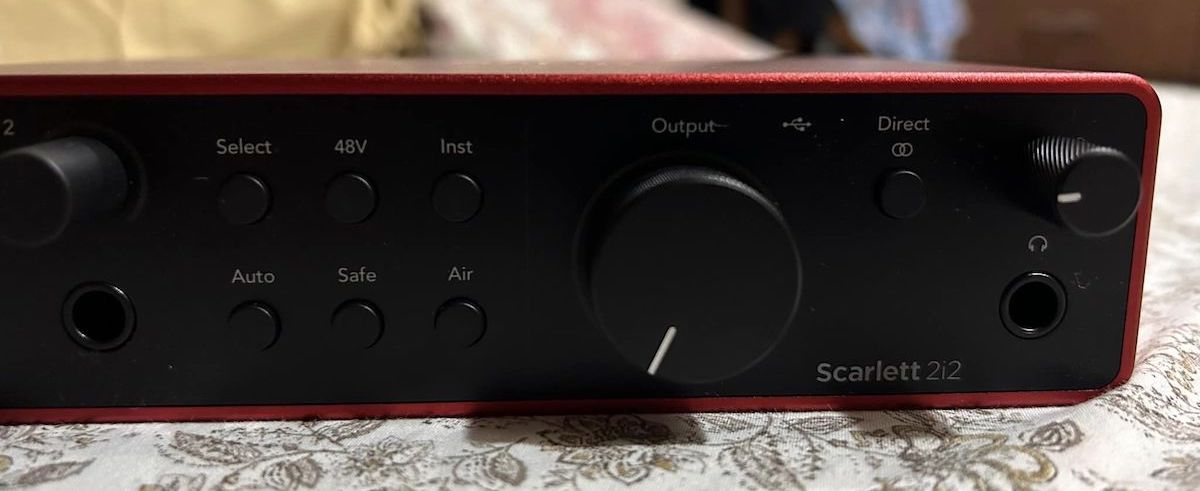
Focusrite Scarlett 2i2 4th Gen
I've had my hands on a bunch of Focusrite interfaces, and the sound quality never fails to impress me. They've inherited some serious audio magic from the Neve console’s family tree.
The Scarlett 2i2 and FL Studio are like two peas in a pod. The top-notch digital-to-analog and analog-to-digital conversions are thanks to RedNet converters. Trust me, the quality of your output converters makes a huge difference to your sound, especially if you're into bass-heavy genres like hip-hop or dance music.
The Scarlett 2i2 also has this fantastic clip-safe function that compresses and limits the input just enough to prevent any distortion when you're tracking. This is extremely useful when you're recording loud artists, especially hip-hop rappers.
And it's got high impedance (Hi-Z) inputs, so you can get crystal clear, punchy recordings from analog gear like synths or drum machines.
If you're an FL Studio user like myself, you're going to love the custom-designed headphone amplifier. We're always using punchy, bass-filled loops and instruments, so being able to hear every detail in your headphones is a game changer.
This comes in handy whether you're mixing on the road or just working outside of the studio - something I find myself doing a lot these days.
Last but not least, the interface comes with the Hitmaker Expansion software. It's loaded with amazing effects and gives you access to some top-shelf stuff from Sonnox and Brainworx.
2. M-Audio Air 192/4
M-Audio is a reliable brand that simplifies your music-making process without breaking the bank. They excel at identifying what music producers need and incorporating those features into budget-friendly, easy-to-use gear without compromising on quality.
I'm a fan of the M-Audio Air 192/4. It's compact and straightforward, but it delivers impressive sound. This small device delivers a punch in the sound department, making it a crucial piece of equipment for any FL Studio-based producer.
It features the M-Audio Crystal Preamp. If you're using FL Studio to create your tracks, this is significant. Whether you're crafting complex beats or recording vocals and instruments, this preamp ensures your sound remains top-notch.
Speaking of sound quality, FL Studio users will appreciate the high-end AD converters in the M-Audio Air 192/4. These converters provide ample headroom and minimize distortion, which is crucial when producing modern music that needs to be loud and punchy.
Controlling digital distortion is key to achieving the sound you're aiming for.
The M-Audio Air 192/4 is also ideal if you're always on the go. It's designed for portability, with a convenient volume knob in the center that allows you to easily adjust your speaker volume.
Let's not overlook bass. This interface excels when tracking bass in FL Studio, particularly synth bass. Many pop and EDM producers agree that a robust bass track is essential for creating pop tracks that resonate.
The only thing I find lacking compared to other interfaces is proper MIDI inputs and outputs.

M-Audio Air 192/4 - I/O
3. Steinberg UR22C
I've dabbled with Steinberg Cubase for some time, and while it's an impressive DAW, I'm currently hooked on FL Studio. However, Steinberg's interfaces, particularly the UR22C, are exemplary and pair well with FL Studio.
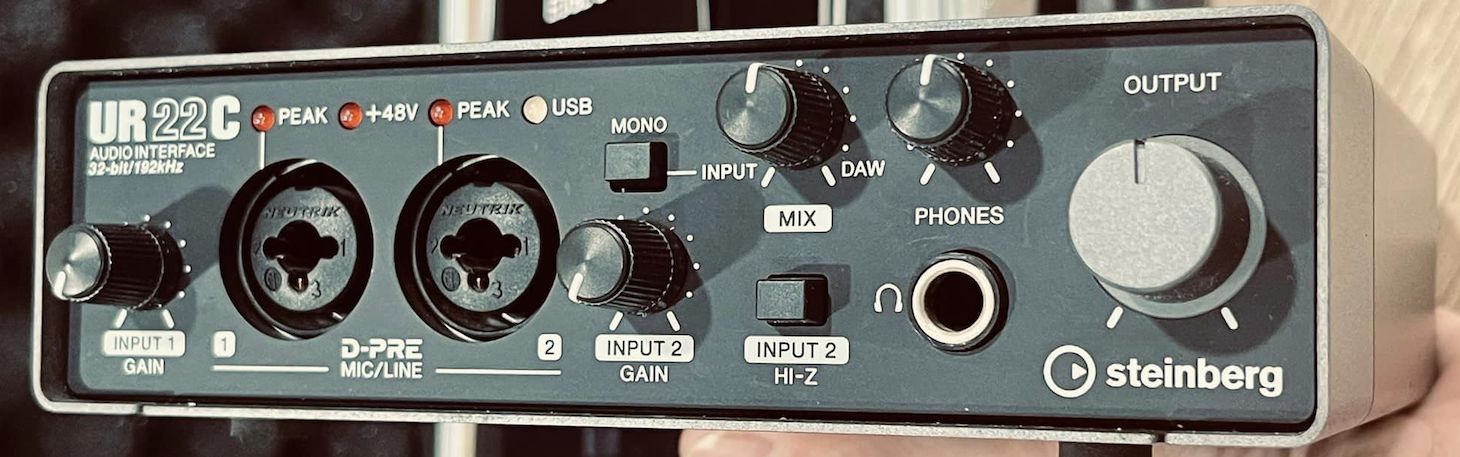
Steinberg UR22C
These interfaces feature top-tier 32-bit/192 kHz German converters, offering excellent sound quality. Moreover, the UR22C has been upgraded to USB 3.0, providing faster and smoother performance than its USB 2.0 predecessor.
I also love the UR22C's USB-C connectivity, which matches my contemporary gear. This is key in the studio since I enjoy experimenting with different controllers and utilizing iPads for interactive mixing with their apps.
As I frequently travel for remote recording sessions, I often establish a mini recording hub in a hotel or an Airbnb, seeking to emulate my home studio with professional-grade equipment.
When high-quality audio recording is essential, I bring the UR22C along. Its remarkably low self-noise is beneficial for recording in imperfect environments.
Currently, I'm incorporating a lot of samples into FL Studio from sources like YouTube, vinyl turntables, and classic samplers. While many simply drag and drop audio into FL Studio, I prefer to sample directly into it, perform slices, and experiment.
I've always preferred using analog inputs when sampling because overloading the preamps yields a richer sound. The preamp on the Steinberg is top-notch.
When cranked up, the class-A circuitry used delivers a unique vibe that performs like a high-end vintage preamp. It's certainly worth a try.
4. Native Instruments Komplete Audio 2
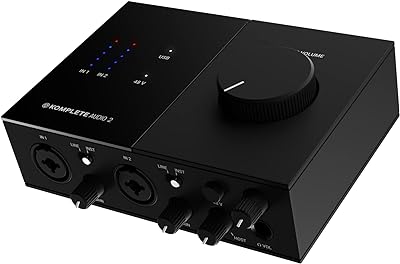
As a film composer, I've been a dedicated Native Instruments customer for a while. I trust their products due to my long standing relationship with them and have had the pleasure of participating in their panels and seminars in Berlin.
Their interfaces and software have a unique smoothness, integrating seamlessly with FL Studio. This DAW offers an exceptional MIDI environment, with its piano roll-style editing being my preferred tool for beat creation. I often use Kontakt instruments to create unique, cinematic soundscapes when scoring films.
A standout feature of the Komplete Audio 2 interface package is its inclusive software, particularly the NI Monark Minimoog emulation, one of my favorite Minimoog plug-ins.
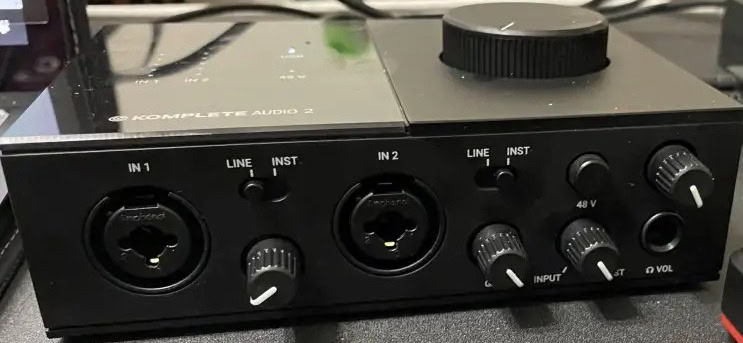
Native Instruments Komplete Audio 2
FL Studio is renowned for its impressive swing templates. Its modern and natural quantizing is so efficient, that I sometimes slice up audio loops from Splice to re-quantize their groove using FL Studio.
I use it as I would my old MPC 3000 and 4000 machines, which had the best swing for Hip-Hop and dance music but are now outdone by FL Studio.
The Komplete Audio 2 interface includes the Solid Bus Comp, one of the leading SSL-style bus compressors, particularly effective for those producing EDM in FL Studio.
The addition of two dedicated XLR inputs for microphones is a considerate feature, proving invaluable for recording two vocalists at the same time.
Interestingly, the interface also has one of the best VU meters among any on this list. This is especially useful when tracking loud signals into FL Studio, as it helps prevent unwanted clipping.
While FL Studio provides excellent drum instruments and supports loops from any source, there are cases when external drum software like NI's Maschine performs better.
5. PreSonus Studio 24c
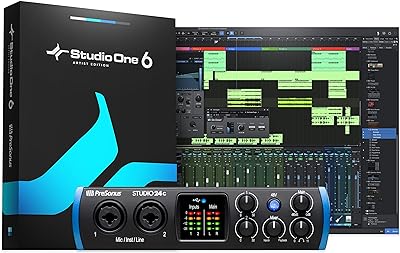
Although PreSonus isn't one of my preferred brands, I was pleasantly surprised when I tried their Studio 24C interface.

PreSonus Studio 24C - I/O
I love the placement of the metering right in front where it's easily visible while seated at the computer. It's surprising how such small details can make a significant difference.
In the studio, metering is vital because I like to track Hot! The 192 kHz converters on this compact interface are excellent, and the harder you hit them, the better they sound.
The headroom on the guitar and bass quarter-inch inputs is good too. While it may not be as clean as some other interfaces, especially for the bass, it's still impressive at this price point.
In terms of FL Studio, I appreciate the output loudness of the PreSonus. The solid-state XML circuitry in both the preamps and the op-amps for output conversion is extremely punchy.
This interface exhibits an analog-like quality, even though its converters can also be very clear. In FL Studio, anything that adds a bit of grit and an analog-like vibe is a plus for me. This type of sonic thickness benefits the music style that this DAW excels at.
I own vintage equipment including synths and drum machines from the 80s and 90s. The presence of five-pin mini ports on the interface is convenient, even though I don't travel with synths requiring these types of MIDI inputs.
I also use the PreSonus in the studio to track keyboards in my dedicated keyboard room.
The only issue I have with this interface is that the knobs don't have clear numeric indicators as you turn them. That’s always convenient for recalling settings.
Choosing the Best Audio Interface for FL Studio
One thing to note about FL Studio is that it comes with an impressive array of built-in plugins and effects. Thus, when choosing between different interfaces, it's not always about the software with which they're bundled.
Unlike other digital audio workstations (DAWs) that come with some built-in plugins but rely heavily on third-party effects, FL Studio's plugins are deeply integrated with the software's features and often outperform third-party plugins.
So, what is the key to finding the perfect interface specifically for FL Studio? Here are four categories that I believe are important to consider when searching for the ideal interface.
Converters
FL Studio, more than any other program, benefits from top-tier converters for its input recording. This is primarily due to the need to capture the precise attack and frequencies of any sounds you wish to record when creating transient-heavy bass, punchy pop, hip-hop, or dance music.
This also applies to recording vocals. Most of the songs I’ve heard from producers who use FL are high-energy and powerful. Usually, the vocal styles match the songs.
An interface that supports up to 192 kHz sample rates is almost a standard requirement. The focus should also be on the signal-to-noise ratio, with a 32-bit depth having a slight advantage over 24 bits.
Furthermore, to accurately assess the clocking of the digital converters, you should conduct a listening test. Compare several interfaces in your studio to truly understand and hear the differences.
Preamps
Preamps amplify the sound of instruments such as guitars, bass, drums, and synths. Amplifying these signals helps you maximize your bit and sample rate depth, resulting in less noise and more punch.
When producing in FL Studio, instrument levels are crucial, especially depending on the type of music you're producing. You're likely to encounter very thick and harmonically rich sessions, so you need an interface with preamps that can handle the intensity without any distortion.
What makes a preamp truly exceptional? Low distortion, minimal noise, and a distinctive sound that isn't overly aggressive. These are all essential for FL Studio.
Input/Playback Monitoring
One of the key features to look for in an interface is a knob or button that allows you to switch between your input signal and your playback output. This is how you can accurately determine latency and optimize the performance of your vocalist or instrumentalist.
Simplicity is essential. If you find an interface with a knob to blend or switch between input and playback, it may be the deciding factor in your purchase.
This is especially true if, like me, you often find yourself recording in unconventional spaces such as hotel rooms, offices, or even airports while waiting for a flight. The portability of these interfaces makes them ideal for anyone looking to capture inspiration on the go.
MIDI Ports
I believe the timing and sequencing capabilities in FL Studio make it an absolute dream to track hardware instruments, especially cool samplers and vintage synthesizers.
By creating sequences with tight MIDI in FL Studio and then triggering synthesizers like my Roland Juno 106 and Waldorf Q, I've achieved outstanding tracks.
Both of these synthesizers are from the late '80s and don't have USB.
Therefore, being able to capture MIDI via a proper port without needing an additional USB MIDI interface is invaluable. Some MIDI interfaces from third-party companies cost even more than the complete interfaces in this range.
Final Thoughts
FL Studio and Ableton Live are both modern music creation environments, making them direct competitors in my view. They cater to contemporary music production, allowing for easy drag-and-drop of loops from your library or online sources, precise MIDI programming, and simultaneous instrument tracking.
You can also slice, quantize, and reprogram any recorded audio, which is typical in modern pop music production.
When you're on the hunt for the perfect interface for FL Studio, it's important to think about the features that can truly boost your DAW workflow. Even though the interfaces I've handpicked for this list are quite diverse, I'm confident that they all bring something unique to the table.
They're packed with modern features designed to make your track and song creation process in FL Studio smooth and enjoyable.
