
Shopping for a new MIDI controller can be overwhelming for any musician. It doesn't matter how many years you've been playing or how successful you are, there are just so many choices. Every time you look, there's an upgraded version with a Mark III or Mark IV that looks exactly the same.
I can only imagine how beginners feel when they're looking for a controller for their starter setup. So I decided it was my duty to dig deep and give you my honest, hard-earned opinion on which controller suits you best depending on your needs.
Top 3 - Budget MIDI Controllers
Preview | Product | Price |
|---|---|---|
 | ||
 | ||
 |
It was incredibly difficult to narrow down the choices because there are so many great ones out there. But I finally settled on six contenders that I think are unbeatable. Let's dig in.
Best Affordable MIDI Controllers for Beginners
Table of Contents
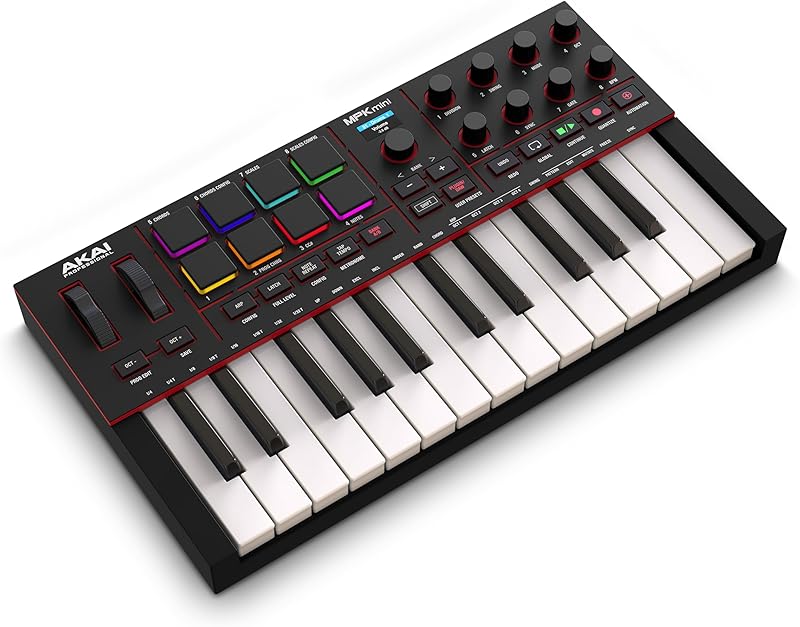
1. Akai Professional MPK Mini IV
The AKAI MPK series has gone through many revisions and has now introduced its most advanced design, the Mini IV.
I always recommend an AKAI keyboard for beginners. Chances are you'll be programming beats or fleshing out musical ideas in your DAW. To me, nothing compares to the touch of MPC pads for programming beats and realistic drums.
To make it more versatile than its previous design, they added dedicated Pitch and Modulation wheels. They also switched from synth-style keys to weighted piano-style keys.
I'm torn on whether these latest changes are an upgrade or downgrade — I'm guessing it's subjective. They definitely upgraded and added many features to the Mark IV. Yet one loss in the upgraded design was the joystick.
The Mark III (our review) included incredibly useful and easily accessible features like a dedicated arpeggiator button for quick performance. Even more impressive were the modulation control capabilities of the joystick.
The joystick can have multiple functions and can be used up, down, left, right, or even in a circular motion — really opening the possibilities for using this as a live performance instrument capable of creating interesting sounds.
Also, for some producers (myself included), it's much faster to play basslines on synth keys than on full piano keys. There's something about the snap and speed of recovery of synth-style keys that makes your playing much tighter.
AKAI did, however, upgrade the screen to full color and made it easier to integrate with DAWs on the latest model.
So it's a toss-up. Both controller versions offer pros and cons. But one thing is certain: if you're looking for a proper MPC-style small-format drum pad controller with keyboard options, nothing else comes close to an AKAI MPK.
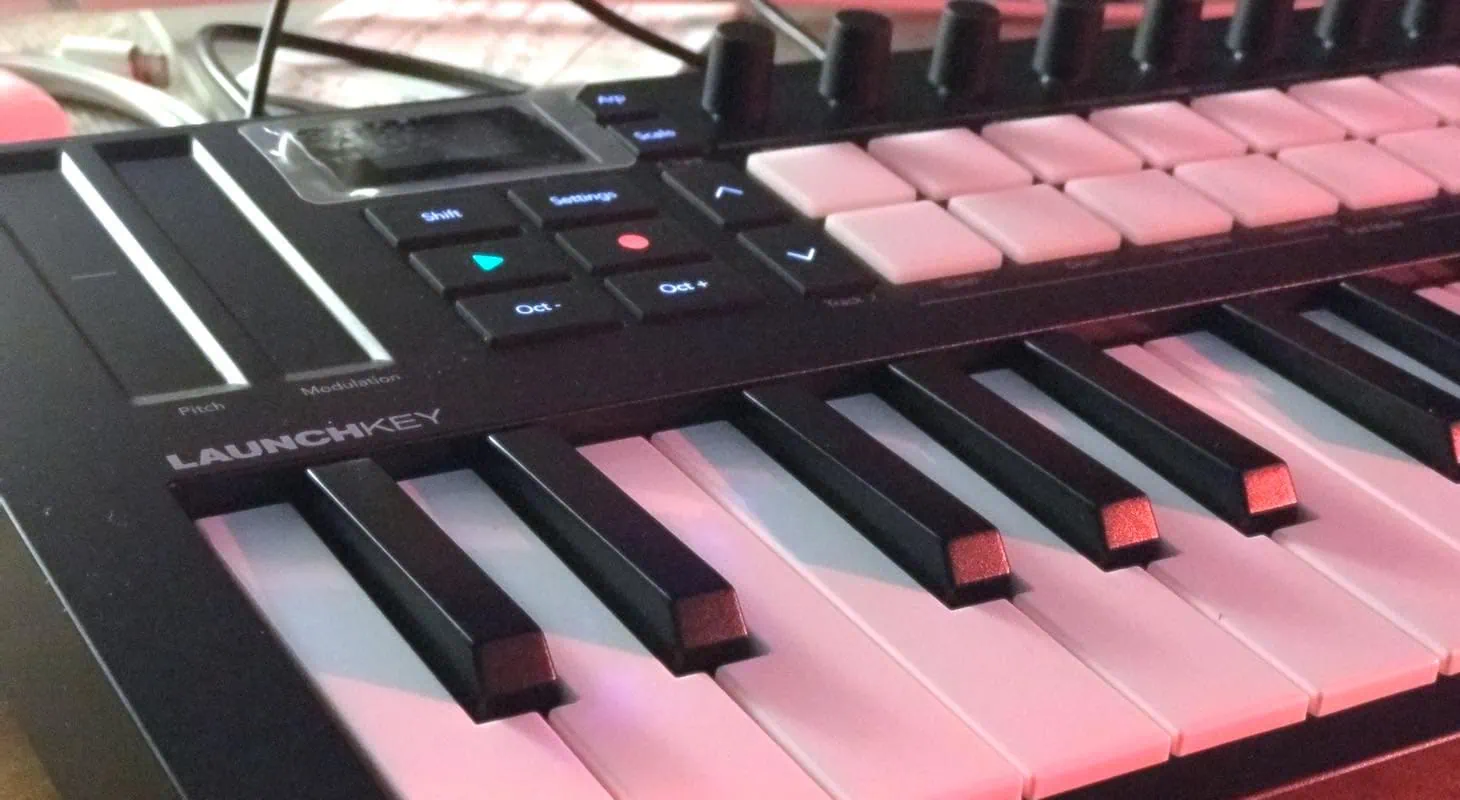
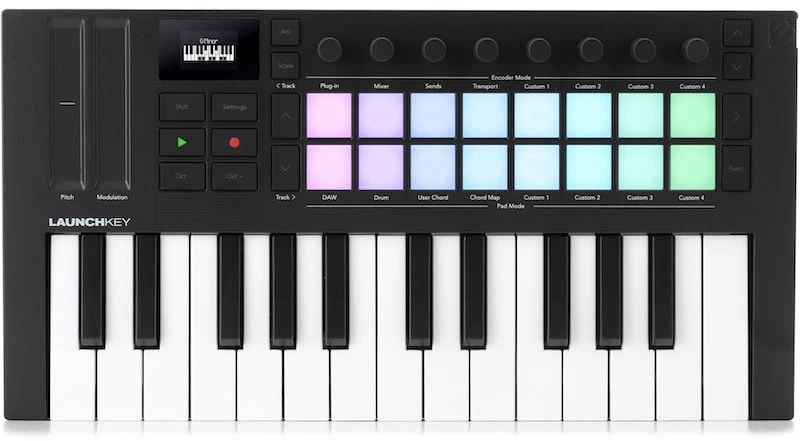
2. Novation Launchkey Mini 25 MK4
Another top choice is the Novation Launchkey Mini 25. I've owned every version of this keyboard, and I can safely say that every upgrade has been worth it.
The best part about Novation keyboards is that they retain their value. They're so popular and sought after that you lose very little selling one secondhand to buy the upgraded version.
This one is a no-brainer if you're an Ableton Live user. The integration is perfect for anyone looking to have more control over their live sessions as well as a general controller.
Because Novation also makes the Launchpad, one of the most popular clip controllers, they're well-versed in Ableton's clip view layout. They integrated that technology with an advanced piano keyboard design.
In many ways, the Launchkey is an all-around professional option for beginner producers. You can launch color-coded clips that perfectly match your session while playing synths and melodic patterns with the keys.
The knobs let you control different aspects of the sampler. This makes it one of the easiest to use and most enjoyable controllers I've ever come across.
Also, the fact that it has two touch strips instead of a joystick gives it a different edge over the AKAI. Both keyboards offer great modulation, but this one gives you more flexibility in how you perform your automation rides.
Read our full review.
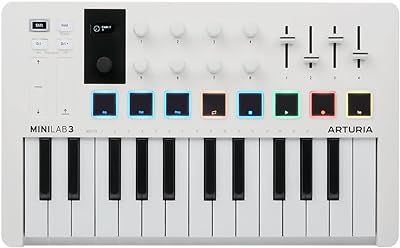
3. Arturia MiniLab 3
One thing that fascinates me about audio companies is how they always add something to make their controllers stand out from the competition.
At first glance, the Arturia MiniLab 3 might seem like just a more compact white version of the KeyLab. But look under the hood and you'll find features that make it very desirable.
For one, they added four physical faders, which I love. At the end of the day, I'm a tactile keyboard player who loves doing filter sweeps and volume rides. For that, nothing beats a Roland-style physical fader.
If you're looking to take more control of your DAW, especially something like Avid Pro Tools, this might be the one for you. Being able to use sliders for both programming and mixing your audio might edge out all other keyboards.
There's also the fact that Arturia bundles their incredible Analog Lab synth bundle with every one of their controllers. That bundle itself is probably valued at more than three-quarters of the price of this keyboard. In many ways, it's almost like you're getting the keyboard controller for free.
Arturia hands down has the best emulated analog synths in the business. So if you want a great keyboard that's bundled with amazing keyboard, synth, and piano sounds, this might be your best bet.
Read our complete review for a deeper take.
4. Native Instruments Komplete Kontrol M32
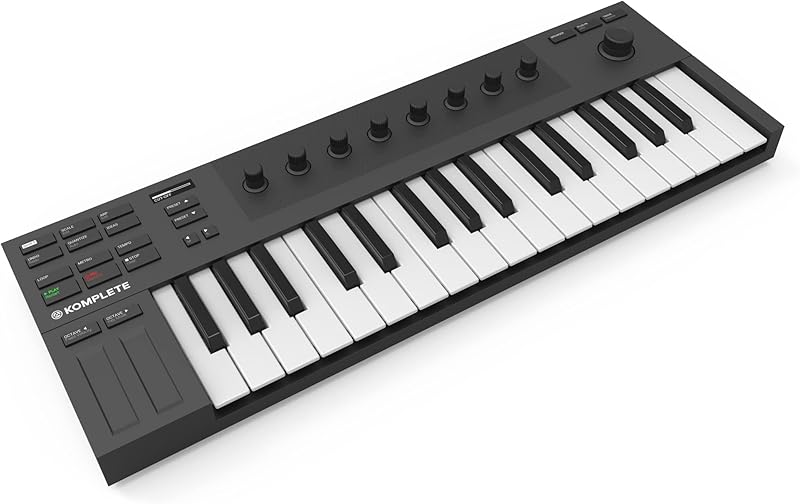
Native Instruments took a different approach with a no-nonsense design geared toward pianists and composers. The Komplete Kontrol M32 offers a professional-feeling piano keyboard with extensive modulation capabilities, but without the drum pad approach that other mini controllers take.
As a film composer myself, I understand why you can't be considered serious in this business without owning Native Instruments' Komplete bundle and their flagship sampler, Kontakt.
Kontakt is the industry standard for synth sounds, brass, orchestral libraries, and more. After dominating the film scoring industry, Native Instruments smartly built a controller that's the most user-friendly interface for their incredible sound palette.
If you're looking at this list and your goal is film composition, trailers, jingles, or general multi-genre demo making, chances are you already have your eyes set on a Native Instruments controller, because in many ways, it's the only game in town.
I own the whole series of these keyboards because I love taking them to sessions with my laptop and a massive SSD drive running Komplete and all the Spitfire libraries I need.
So if you're a composer, an arranger, or anyone looking to go beyond commercial music writing, this might be the one you're looking for, even if it's an add-on to another controller you use for drum programming features.
5. Nektar Impact LX25 Mk3
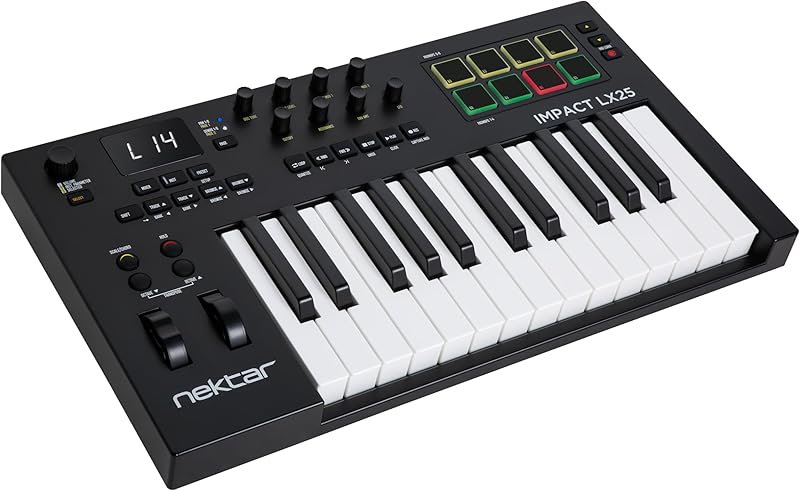
I've always loved Nektar because of their design choices. They're almost like the Access Virus or Waldorf version of a compact mini controller, and they look super cool. Beyond that, one of the reasons to go with a Nektar controller is that they're the perfect combination of beloved older features and newer design layouts.
The Nektar Impact LX 25 mk3 is less of a piano-centric keyboard player's controller and more of a general DAW controller. It has one of the best-laid-out transports, very clear and front and center.
The drum pads are probably the least responsive in this lineup, but when combined with the comprehensive bundle of features, it makes sense why they chose simpler pads.
What Nektar wants to do with the Impact is make it a jack-of-all-trades keyboard that works with any DAW, not just a specific one. It's also great to use with iOS and iPad software. In many ways, it's a greatest hits design of all the mini controllers that have come before. And honestly, I think it works.
This keyboard appeals to musicians who have used both older keyboards and newer, advanced controllers.
6. Muse Kinetics K-Board-C Smart Sensor
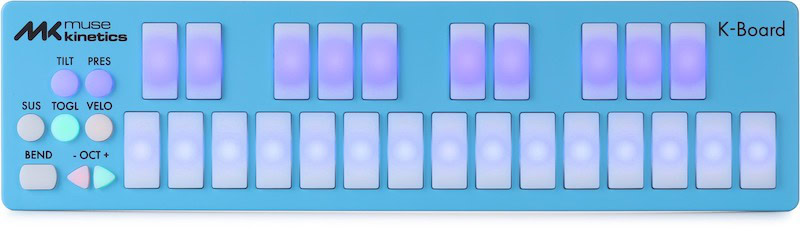
This last keyboard is a bit of an oddball and definitely much different than all the other controllers on this list. But I still wanted to include it because in some ways, it's shaping up to be the future of where controllers are going and should go.
The Muse Kinetics K-Board C has no traditional piano keys, modulation or pitch bend wheels, or touch strips. It also doesn't have your traditional drum pads.
So why am I adding it to the lineup? Because it uses a very advanced new technology called MPE, or MIDI Polyphonic Expression.
Many of today's soft synths and samplers have capabilities for MPE, but very few controllers are using this technology. I personally find it to be mind-blowing as a keyboard player. If any of you have heard of the extremely expensive and weird-looking ROLI controllers, they were the first ones to really make use of MPE expression technology.
In a nutshell, MPE lets you control modulation through the pressure you apply to the key, or in this case, pad. Where before you had to use a modulation wheel or touch strip to open up a filter, now you can press the pad harder while holding a chord and slightly move your fingers up and down the pad. It will activate the touch strip just by sensing the movement of your fingers over the pad.
In many ways, it can make your chords or melody do vibrato, aftertouch, or filter sweeps, opening up many different ways to be even more expressive as a keyboard player.
Why these Controllers are Best for Beginners
Let's talk about how I decided on the six controllers from the vast world of MIDI options out there. To me, as a keyboard player and producer, a MIDI controller is the bridge between me and my sounds.
Here's where it gets tricky: I'm both a pianist who loves to play Rhodes, Wurlitzer, and traditional pianos as much as I love making beats and playing with synthesizers. Having a mini MIDI controller is very limiting for a pianist.
But is that a bad thing? Not always. That's what really got me into the world of owning and trying a lot of these small format keyboards.
When I take off the pianist and keyboard player hat and step into the role of songwriter and producer, I don't want to overplay. I don't want my technical ability to determine what type of song or production I'm going to make.
In this case, small format limitations like mini keyboards actually help me focus on the track, the melody, the lyrics, and the mix. Since I've been doing that, I've noticed that both my songs and my finished recordings are getting better and better.
What it really comes down to is giving you an overall vision of what you can do with these powerful tiny controllers. It will depend on your genre, your style, and your needs.
If you're a musician, songwriter, or producer working in hip-hop or urban genres, I'd definitely go with the AKAI keyboard. You're going to be using those pads a lot. You'll probably be using the joystick quite a bit, and chances are you'll be creating simple melodies that are hooks, playing basslines, or triggering samples in a nontraditional style.
If you're more of a DJ or electronic dance producer, you can't go wrong with the Novation. Chances are you're going to be using Ableton as your main DAW anyway. The touch strips are fantastic for synths, and the pads are more than adequate to make dance beats and step sequences as well.
If you're looking to travel and need the smallest, most compact format that delivers both expression and is well laid out, you can't go wrong with something like the Muse Kinetics. It's also super cool and modern looking. If you make a lot of video content to promote yourself on social media, holding this up while you perform is probably going to get you a lot of attention because it looks awesome.
I spoke about it before, but for all of you going into orchestral or visual media composition, you can't beat the Native Instruments controller. The way it accesses the browser and interacts with the massive sound palette in the complete bundle makes it indispensable in that world.
Last but not least, for all you synthesizer-driven, analog-loving musicians and producers, just having access to the Arturia sound collection for free might be worth it. The incredible value of having all these legendary synth sounds on your laptop, controlled perfectly with their integrated Arturia controller, using those sliders to open up filters and change envelopes—it would've been my dream come true when I was buying these incredibly expensive machines used 20 years ago because there were no emulations.
Even for somebody who just wants to tinker with synthesis, the Arturia might be the ticket.
Final Thoughts
Like most things in the modern music industry, your needs depend on the genre you're making. Even if you work across different genres, deep down you know what you need. There's always something missing in your workflow, but with any of these examples above — or a combination of them — you'll have everything you need. Since they're so well-priced, you won't need another controller again.
