
If you are old enough to remember watching DVDs as a kid, you might remember watching its bonus features. Whenever you plugged in a Disney DVD, it had a short film included alongside the film.
Cars had one called “One Man Band,” where two inventor-buskers duel for a little girl’s coin. As a kid I was fascinated by the goofy contraptions they used to play multiple acoustics at the same time.
Playing multiple acoustic instruments simultaneously might be a pipe dream, but being a one-man-band isn’t! Arranger keyboards take notes played in real-time and automatically apply accompaniment in the background.
These devices go even further, allowing you to record, edit, and mix your musical ideas. In some cases, it's not just a one-man band — it's a complete recording studio!
Below are a few arranger keyboards that I've either owned myself or played around with enough to be able to recommend them with confidence.
Best Arranger Keyboards for the Money
1. Casio Casiotone CT-S500
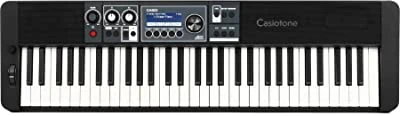
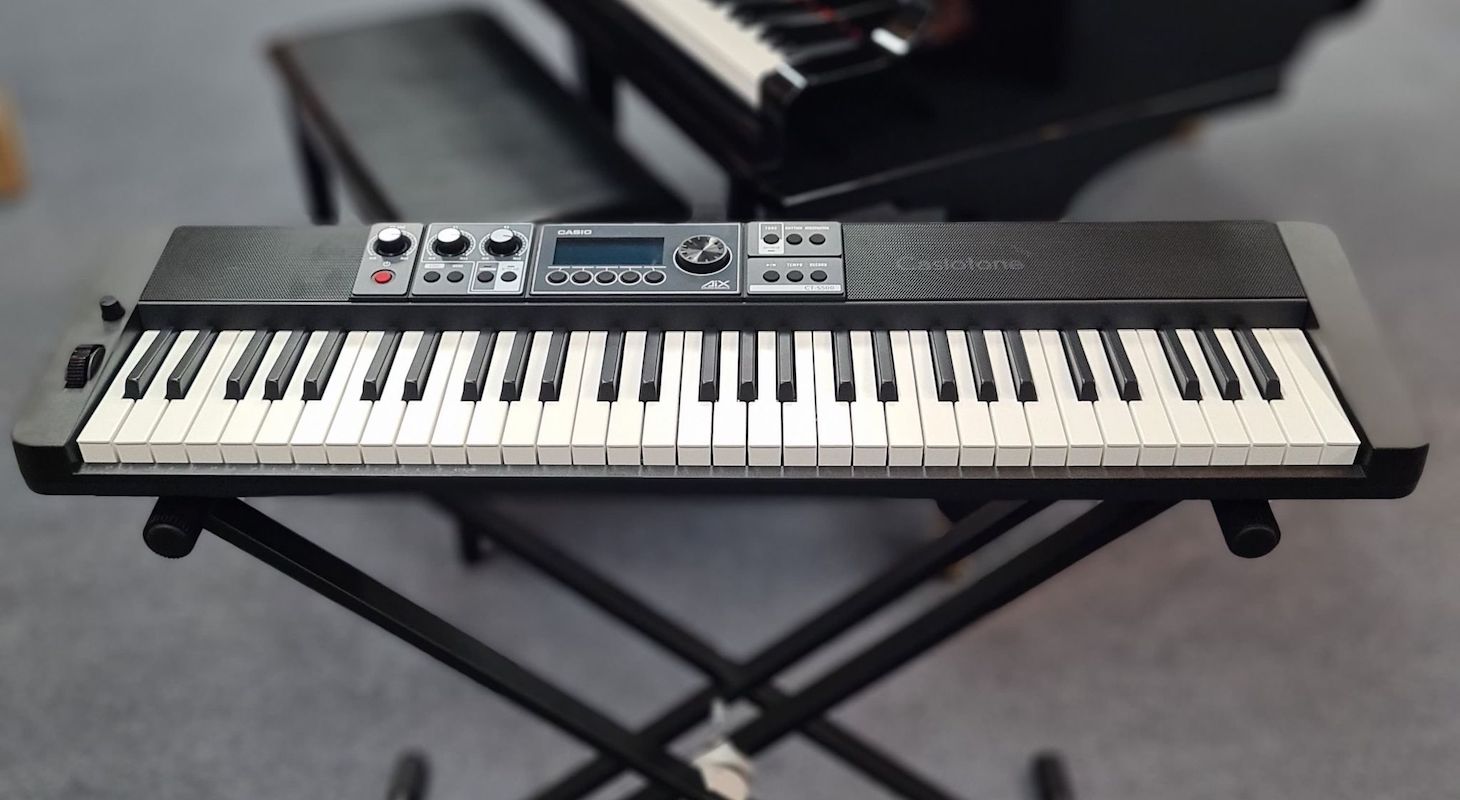
Every instrument family has plenty of variety, and arranger keyboards are no different. Casio made the Casiotone CT-S500 for beginners looking for extensive sounds and playability.
Its features are limited compared to the other products listed, but it’s still extraordinary at what it can do.
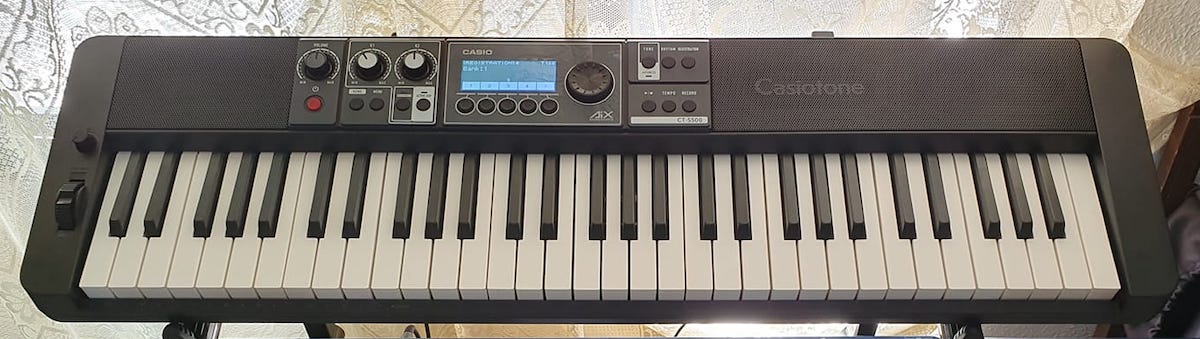
First off, the S500 is loaded with 800 sounds, with everything from guitars to sitars and jazz drums. Every instrument sounds authentic, and with programmable effects and a pitch wheel, you can make them sound even more believable.
If curious, check out Sweetwater’s product page, which has a video of two reps jamming. For such a compact and affordable product, its versatility honestly blew me away.
If you want a more personalized sound, you can record samples too. My studio partner, in typical composer fashion, had way too much fun with this feature.
He took a kitchen kettle and whacked it several times until he was happy. I have to admit, it was fun to be able to record a sound and instantly play it back with a physical keyboard – even if the sound was annoying!
Luckily, this keyboard comes loaded with 151 cool effects. I took my buddy's annoying sample and passed it through a chain of chorus, reverb, and delay to create dreamy percussion.
He was surprised and excited, immediately writing a musical idea using that patch.
That's how you know an instrument is inspiring — when you start experimenting with features and end up writing a song.
Songwriters will love this keyboard because Casio's factory library is filled with modern pop sounds that feel fresh and current. There are excellent jazzy electric pianos, drum sounds, and synth pads — everything you need to create a solid backing track for your song ideas.
With its six-track sequencer and audio recording capabilities, you can even record your vocals directly into the keyboard. How cool is that? While the audio quality isn't studio-grade, it's perfectly suitable for capturing vocal or guitar ideas to use in your final mix.
As I learned from my buddy's experiment, sometimes lower-fidelity recording actually adds character and unique texture to your sound. This can lead to distinctive sounds you won't find anywhere else.
In terms of durability, the keys are weighted and expressive. I was also excited to find it could run on AAA batteries! If I wanted, I could take it downtown and do some busking without worrying about power sources.
The downside of Casio’s S500 is its limited features. It has great potential with sampling, but you can’t customize its preloaded beats and accompaniments.
2. Korg EK-50
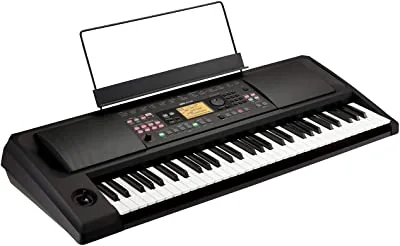
Korg’s EK-50 is a step up in customization. It includes loads of sounds, but its parameters are where it really shines.
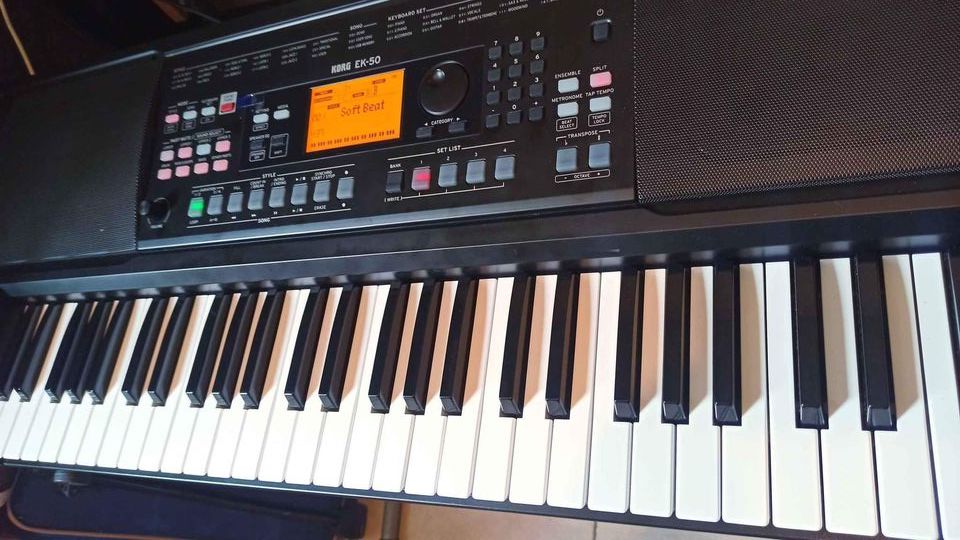
Like most digital keyboards, I noticed the EK-50 has buttons for changing accompaniment styles, songs, and sounds. What I found unique was how the other buttons let you adjust parameters in these categories.
For example, the left side has six buttons labeled “Part Mute,” which let you take a preset accompaniment and mute instruments you don’t want. This has many practical uses.
In my case, I wanted a rock tune without drums since I was already jamming with a drummer. By muting the drums, we could have a bass guitar without conflicting beats.
This is really cool to use live since you can customize different sections of the song in real time by muting and unmuting parts of the accompanying arrangement. You can create breakdowns, extend sections, and even create new parts like bridges.
When I don't have time to create a backing track in Ableton and just want quick access to ideas while working with other musicians, I'll bring the Korg to rehearsal as my laptop replacement.
It's actually better than taking my Mac laptop to work on ideas — I don't need to bring an audio interface or extra headphones. The built-in speakers on this keyboard pack more power than you'd expect.
On top of that, you can easily record directly into the keyboard through the stereo mini phone jack and capture ideas quickly.
While it would've been nice to have a dedicated balanced TRS or an XLR microphone input, I understand why they skipped this given the keyboard's compact, lightweight design.
They really thought of everything else to help you during quick writing or rehearsal sessions, including an onboard tuner so you can quickly tune guitars through the built-in speakers.
When I learned about arranger keyboards, I wasn’t sure how they “followed” my chord progressions. Thankfully, you don’t have to worry about this.
Just transpose to your key’s song, and it automatically translates your left-hand notes into corresponding figures.
Unfortunately, I found the sounds subpar. Many, especially the overdriven guitar and trumpets, sounded cheap and electronic. The user manual was not very helpful either.
Still, if you want a budget product for jamming with off-the-cuff accompaniment, the EK-50 is a solid choice.
3. Roland E-X50
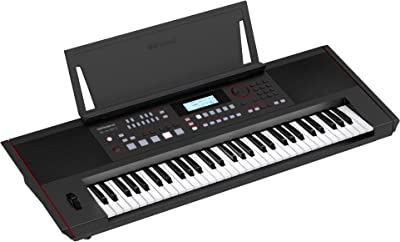
The Roland E-X50 takes the customization of the Korg EK-50 and steps it up a notch, although they’re both very similar.
Even though the Roland E-X50 only has a few more buttons, they somehow made the keyboard look more intimidating. Thankfully, after toying with it, I can say it adds more features without being overly complicated.
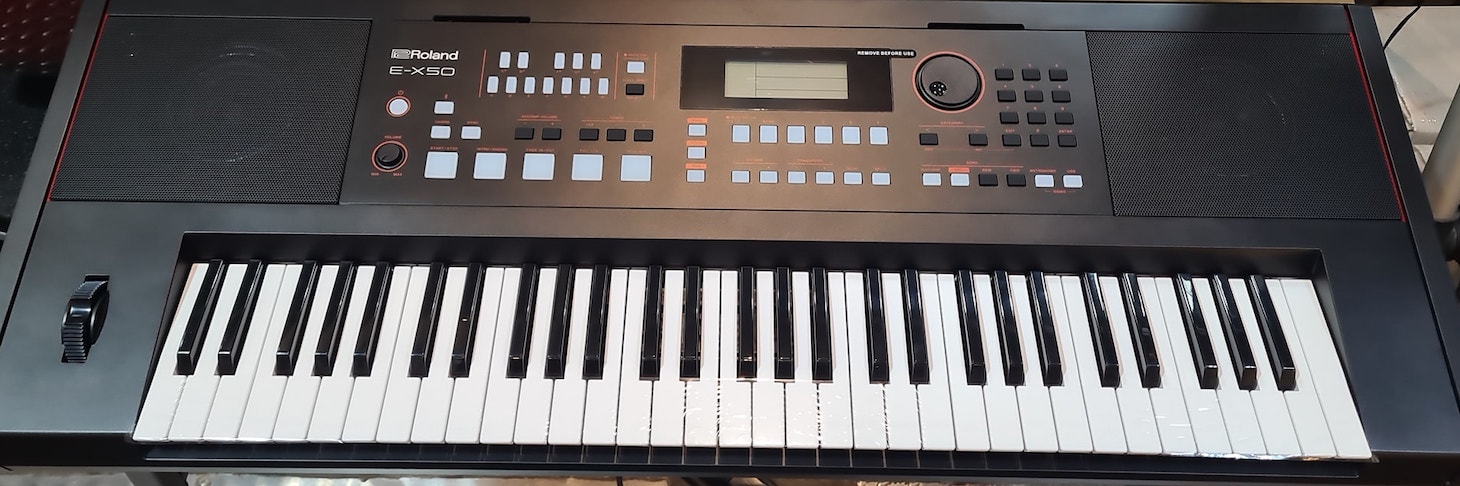
I was impressed by the range of available left-hand accompaniments. Not only could I play chords and have the keyboard auto-translate them, but I could also choose how the keyboard auto-accompanied.
In my case, I tried an organ alongside a classical Indian accompaniment. I’m a sucker for Indian ragas and minimalism (call me a nerd, I know …) I liked the accompaniment, but wanted a sparser one.
I used the included software to tinker around with the included “Indian style” to better suit my preferences. The E-X50’s ability to cater to nuances like this showcases its unique place in the arranger keyboards market.
I found the E-X50 to be the most compatible keyboard of this list. You can plug a mic right into the system, jam with Bluetooth connections, and plug into a stereo system. It's the perfect keyboard for quick live gigs in small spaces.
Since Roland has some of the best effects on the market, it's a real treat to plug in your microphone and instantly access excellent reverbs and delays without needing additional hardware. Roland doesn't cut corners either — they use the same high-quality algorithms from their expensive units like their Fantom workstation and professional mixers.
I compared the effects on this keyboard with those on my professional Roland VM7200 mixing board and couldn't tell the difference. That board originally cost me $9,500.
Roland doesn't seem to have tiers of effects — they put the same effects in their affordable units as they do in their expensive ones. That's incredible value.
Compared to the Korg EK-50, the sounds on this Roland are vastly superior. Like their effects, the sounds aren't divided into affordable versus premium categories.
These are premium sounds, though they run through simpler hardware, so they don't sound identical to the more expensive workstations. Still, they sound remarkably better than you'd expect at this price point.
However, it’s worth noting the E-X50 doesn’t have a sequencer, while Korg's EK-50 does.
Instead, Roland included excellent balanced quarter-inch outputs and USB out — suggesting they want you to use this keyboard alongside your DAW for multitracking arrangements and beats, recording them directly to your computer.
This still qualifies it as an arranger keyboard even if you're multitracking the arrangement elsewhere. Sometimes this works better because you can immediately move to the next phase of production on your computer, as you're already editing the form and sections there.
It's possible Roland designed it this way to differentiate themselves from their close competitor, the Korg EK-50. Looks like these models are going to be battling for years to come!4. Korg PA600
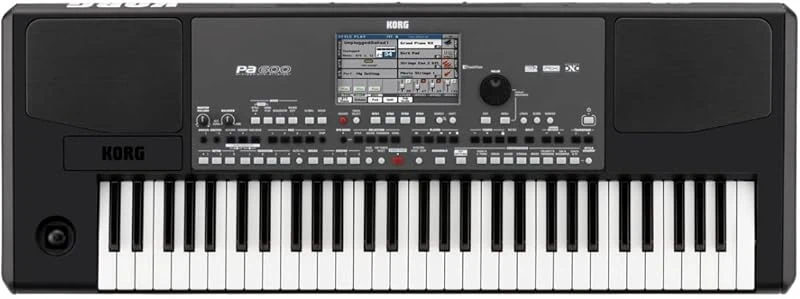
Next, we have the Korg PA600, which is also dubbed an arranger workstation. This one goes head-to-head with the Roland E-A7 (also featured below).
While it doesn't have the cool and extremely useful dual-screen system that the Roland had, it does feature Korg's signature high-quality touchscreen, which they've implemented since the Trinity series and continuously improved.
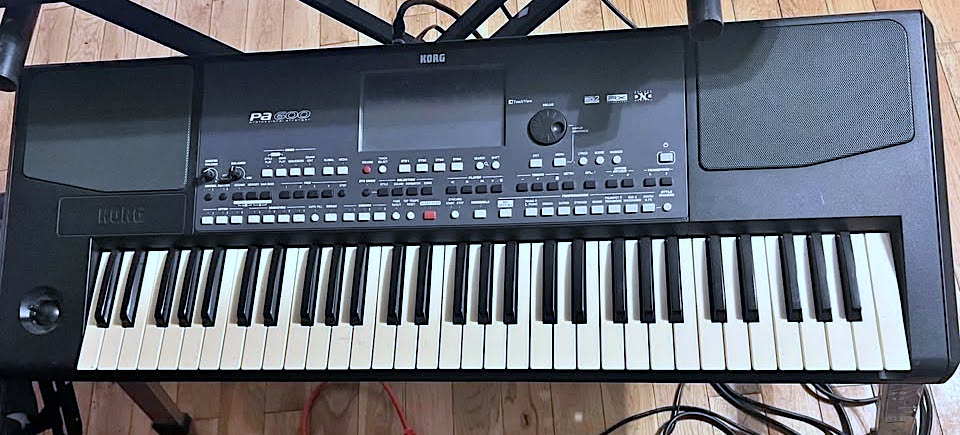
Korg PA600
It's a really nice large screen that's extremely easy to navigate and very responsive. I think where this keyboard really takes everything up a notch is with their integrated sound system and speakers.
Korg has two proprietary technologies called RX (RealXperience) and DNC (Defined Nuance Control). Combined, these technologies provide extreme realism when it comes to the sound of your instruments and performances.
Strings sound wider and more vivid, and drums have a lot more weight and punch than on most arrangers.
This is why they also call this one an arranger workstation — they've put premium elements into a more affordable keyboard to position it between their really expensive beasts like their Nautilus series and the cheaper models.
This particular arranger is directed toward professional songwriters and live performers, and this is obvious because they've integrated a fully programmable Songbook database.
This feature is incredible and really sets it apart. There's a mode where you can press songbook and get a list of preloaded songs in all genres — many of them popular songs — where all you have to do is select one, and it will preload the tempo, accompaniment, and even the sounds for the left and right hands to appropriately perform the melody and chords.
And I'm oversimplifying it because the level of customization is off the charts. You can also create your own performance-ready songs to save within Songbook and choose their genre... so all you really have to do is call up your setlist of what you want to perform or practice, and it comes up as if it was a DAW session with all the information preloaded.
As a keyboard player and songwriter who doesn't play guitar, I've noticed that most keyboard synths and VST libraries struggle with guitar sounds. They not only sound unrealistic for single-note melodies but also fail to capture guitar-specific playing techniques.
Surprisingly, the best strumming engine I've heard on any keyboard or library is found in this arranger.
Their "Enhanced Guitar Mode 2" automatically detects when you're playing keyboard-style block chords that should be strummed rather than arpeggiated, and executes the strumming in real time.
I've seen Native Instruments scripts attempt this within their Kontakt engine, but none are as intuitive as the strum mode on this Korg arranger.
While the guitar sounds themselves aren't outstanding, when combined with the guitar mode, they're realistic enough to create convincing acoustic guitar parts that don't sound artificial.
So if you're a songwriter or a singer-songwriter who wants to perform, between the songbook feature and guitar mode, I find this arranger a hard one to resist from this lineup.
5. Yamaha PSRSX600
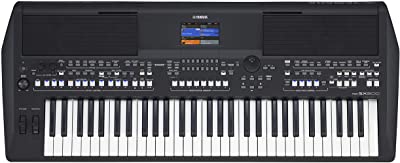
Yamaha’s keyboard arranger is officially intimidating! That’s not necessarily a bad thing, given its price point. If you’re looking for the most you can get out of a keyboard arranger, the PSRSX600 is a strong contender.
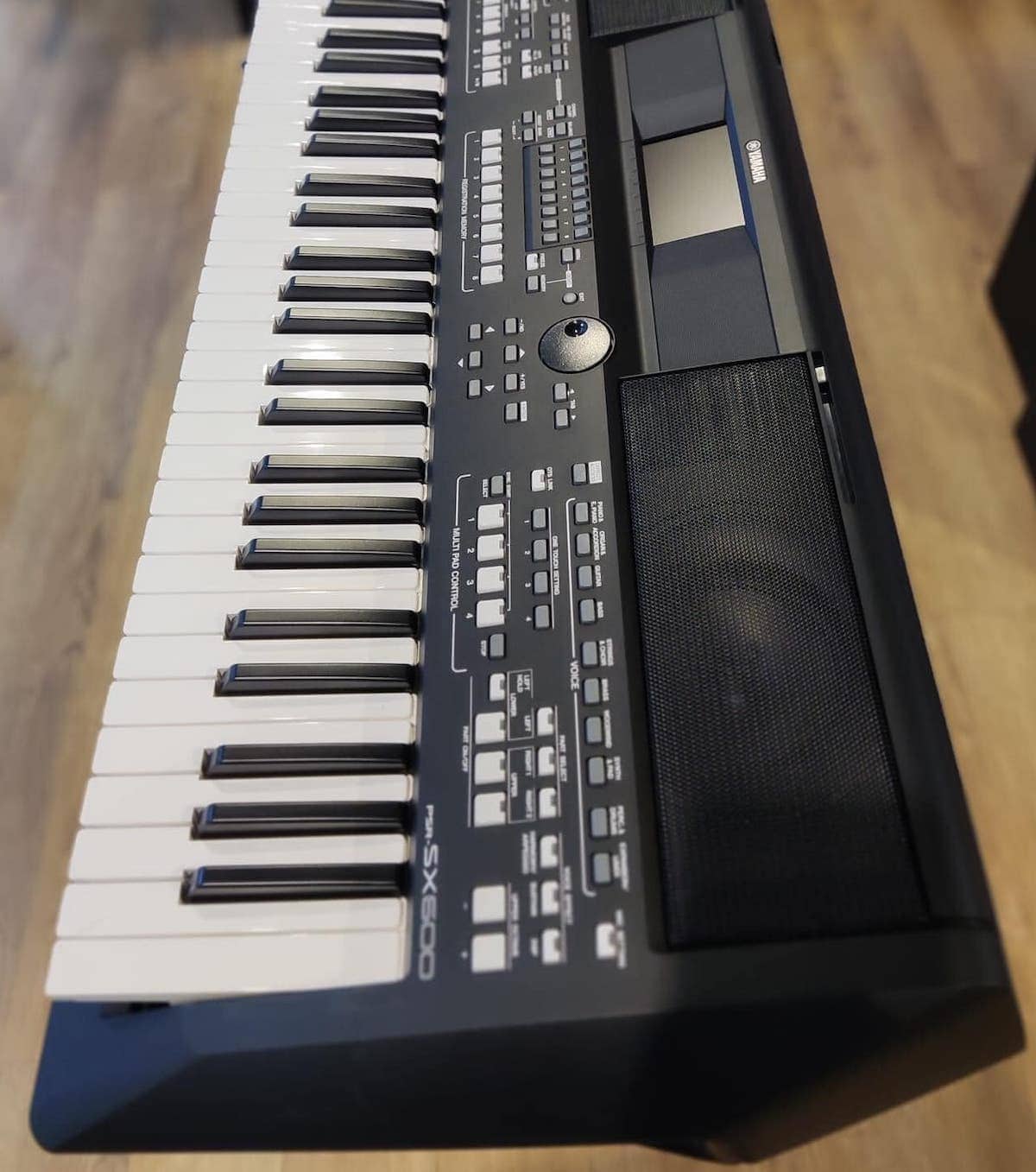
A closer look at the Yamaha PSRSX600.
It goes without saying that the PSRSX600 has all the features you would expect from an expansive arranger: extensive sounds, sequencers, variable accompaniment patterns, versatile inputs and outputs etc.
This is why it's officially called an arranger workstation. It represents a new breed of arranger that includes premium workstation features—though not quite reaching full workstation status — while adding built-in speakers, an essential feature of arranger keyboards.
So, what did I find so interesting about this model?
Fundamentally, I appreciated the PSRSX600’s attention to the quirks of live music making. Music is, after all, a live art form.
For example, I loved the PSRSX600’s real-time knobs. The assignable knobs let me perform filter sweeps and modulation whenever I wanted, while retaining accompaniment and melody.
Interestingly, for a keyboard that's obviously geared toward live performance, they opted for synthesizer keys rather than weighted ones.
It totally makes sense they went with this setup — I mean, look at all those drum kits they packed in there! Trust me, I've written tons about this stuff, and there's no doubt about it — finger drumming just feels way better on synth keys than those heavy piano ones.
Weighted piano keys take longer to snap back after being pressed. While this is perfect for emotional piano passages, it's less than ideal when you're trying to play rapid 16th note hi-hats on your keyboard.
By choosing lighter keys, they've ensured that performers can execute proper finger drumming during live performances.
That said, the keys feel remarkably premium — making the keyboard excellent for jazz, electric piano, and those beautiful, emotional grand piano passages too.
How about if you get off beat? Enter the ‘Style Section Reset!’ This snazzy button lets you return to beat one of a measure without missing a beat!
While they might not emphasize it, I consider Yamaha’s keyboard to be a lowkey mixer as well. I adjusted my sounds with EQ modifiers, and could change the volume of various sounds.
They've also added 80 minutes of onboard audio recording — that's an hour and 20 minutes of music!
Here's the bummer though: they kept the audio quality pretty basic at 16-bit/44.1kHz, just like those old CDs from back in the day.
While you can always mix and enhance the quality later (unless you're mastering directly from the keyboard, which is unlikely), I think they should have opted for 24-bit audio with less recording time. That would have been a better choice.
Yamaha’s attention to details makes the PSRSX600 a winner for anyone wanting to turn a solo performance into a full-sounding band, no matter their style. I found out I could even duplicate my voice and create a vocoder effect!
6. Roland E-A7
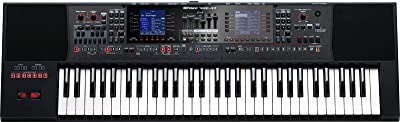
The Roland E-A7 probably has about as many buttons as the Yamaha PSRSX600, and there is still a steep learning curve you have to tackle before being able to fully play it.
However, I think the layout of the buttons makes the E-A7 easier to wrap your mind around. The more I played with it, the more I understood why Roland placed each thing where they did.
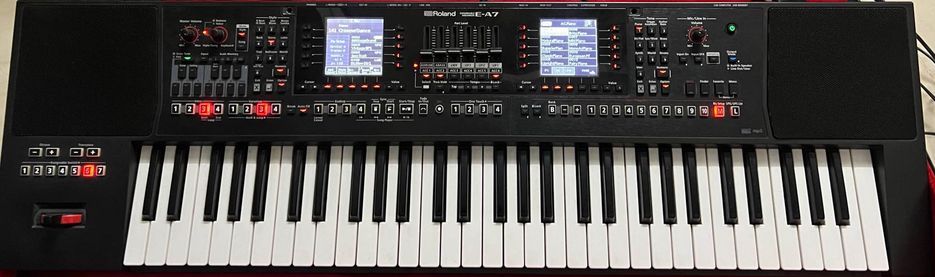
The most obvious feature of the E-A7, besides its buttons, is its double screens. At first, these probably seem excessive and intimidating. However, this isn’t really the case – you just gotta take a deep breath and jump in!
The left screen displays information about the accompaniment and its corresponding style. The right screen shows information on the current sound selection for the keyboard.
That way you’re always only a glance away from checking the information you need, instead of having to switch menus. There – that wasn’t so difficult, was it?
After playing with the dual screen system for about an hour, I found myself wondering why every keyboard isn't built this way. The logical layout is simply amazing.
Menu diving on standalone keyboards has always been one of my biggest pet peeves. You know that moment — you're inspired, you find that almost-perfect sound, but then you have to navigate through screen after screen to reach the filter or effects page. That's when everything starts going downhill.
Unless you're really skilled with the keyboard — which most beginners aren't — your creative flow gets interrupted and you lose that initial spark of inspiration. That's why these keyboards come with saved presets: once you've crafted your perfect sound, you can recall it instantly.
This dual screen setup truly feels like having two keyboards in one body — I love it.
The rest of the buttons are laid out with equal intentionality. Ultimately this serves the purpose of being able to quickly check parameters.
There isn’t much more to say about features, since almost all of them are available with patience and determination. With a whopping 1,500 onboard sounds, patience is definitely something you'll need to develop!
At first, I thought that was overkill. However, they've set it up brilliantly — you can view a large grid of 10 sounds at once, customizable by instrument family. This makes finding your perfect sound surprisingly quick.
I ended up jamming on this thing for three hours straight, and I can confidently say these sounds are next-level — we're talking Hans Zimmer Kontakt library quality of detail.
The backing styles span the globe, from Asia to South America to the Middle East. Perhaps that's why Hans Zimmer came to mind — this keyboard could be a film scoring powerhouse.
I'm actually considering getting one myself since I perform world music and film scores at various Los Angeles showcases. Being able to preload stems of my scores as WAV files to jam along with would be fantastic.
Speaking of onboard sounds, they maxed this one out at 16-bit/44.1kHz as well. At this price point, I'm quite surprised. Next time I'm at the NAMM show, I plan to ask the Roland team why they chose such a basic audio rate.
The biggest criticism I have with the E-A7 is that some of its features are a bit clunky to interact with. Then again, I'm not entirely surprised—this has always been a characteristic of Roland gear.
When reviewing their Fantom workstations, I encountered similar clunky and slow features. On the bright side, this keyboard feels more intuitive than some of their larger workstations, so that's a plus.
Choosing an Arranger Keyboard
When looking at the options above, or more if you do more research, it can be overwhelming to know what to look for. Below are some factors that should help you get started on your hunt for an arranger!
Factor 1: How Many Musical Styles are Included in the Arranger?
Some musicians work almost exclusively in a single genre, whereas others like to hop around from one genre to another.
Vladimir Horowitz, for example, played classical piano everywhere he went. Yo-Yo Ma, on the other hand, has played cello in classical, bluegrass, and tango settings. And Frank Zappa?
Think about your musical inspirations and the music you enjoy playing. Are you a professional gigging in diverse groups? Are you an intermediate jazz keyboardist? Do you want to sound like your favorite rock or electronic musicians?
Arranger keyboards are useful for practicing, as well as live performance. Sometimes they are even helpful for composing. This especially applies if you want to use your arranger as a recording device to capture vocal ideas during writing.
There's something comforting about knowing you don't need to set up five different pieces of gear just to get an idea out of your head. And since many of these have excellent Bluetooth or USB connectivity to transfer directly to your laptop after writing, they're ideal companions for songwriters and composers.
If you play gigs in multiple genres, you may want an arranger with many styles. If you just want something to practice playing over several beats, an arranger with fewer styles could work just fine.
Whatever you decide, don’t assume that an arranger won’t have lesser-known styles. With our increasingly connected and diverse world, music companies are always seeking to diversify their products.
As a result, many arrangers have specific genres from around the world alongside “bread and butter” styles like rock and jazz.
Factor 2: What Kind of Display Will You Want?
Displays are often overlooked, or outright ignored. Admittedly, they might not be the most important factor when deciding on an arranger keyboard.
However, there are two good reasons why you would want to consider an arranger’s display.
First, you want it to be easy on your eyes. This is probably pretty obvious. If you have a hard time reading the display, you will have a difficult time navigating your keyboard’s settings and features.
You don’t want to spend a lot of money on something that is a pain to use. Plus, an easy-to-understand screen makes your music more intuitive.
Second, consider what information the screen is used to display, versus what the keyboard’s buttons accomplish.
Some arrangers use less buttons and need more screen menus. Other arrangers use lots of buttons to minimize staring at a screen.
Some people get overwhelmed by lots of buttons, while others get bogged down with screen menus.
So, what am I trying to say? Just take a minute to think about how you want to interact with your arranger, and pick one with a screen catering to your workflow.
Factor 3: How Heavy is Your Arranger, and How Will You Be Using It?
Electric instruments have way more room for weight variation than acoustic instruments. All violins are going to weigh roughly the same, but not all digital keyboards have to weigh the same.
Take a moment to think about where you are going to use your arranger, and what you are going to be using it for.
If you are going to use it in a studio, then you can probably afford to get a pretty heavy one. If you are going to use it for gigging though, you will probably want a lighter one (and accessories like keyboard stands and music stands!)
A keyboard’s weight doesn’t have to be the end all be all, but it can definitely make your overall experience with it easier or more difficult. Plus, it eliminates the need to pack multiple pieces of gear and cables to capture the same ideas.
Factor 4: How Much Will You Want to Customize Your Arranger’s Features?
Lastly, how customizable will you want your arranger keyboard to be? How will you be using it, and how many things will you need it to do?
A keyboard’s features are what make it unique and exciting. Have fun learning about what each one does, but don’t forget to consider how each feature will serve your end goals.
If you are a professional gigger, you might need the more expensive ones with the most customizable features. If you just want something to practice your chops on, several stock beats and accompaniment styles might be good enough.
One More Thing Before Concluding: What is a Workstation Keyboard?
Before ending this article, I wanted to briefly mention workstation keyboards. If you’ve done any research on arranger keyboards yourself, you’ve probably come across articles mentioning “workstation.”
At first glance, workstations and arrangers may seem almost identical. No one would blame you for thinking that either, as both have many features in common.
Both let you combine several instruments together into a full band sound. Both have built in effects, customizable drum beats, and sound-shaping parameters. Sometimes they both have sequencers.
However, both are used for different reasons. An arranger is used for live performance, with its features focusing on its auto-accompaniment capabilities. Think of that fancy guy at a wedding playing keys and singing all by himself, with a full-band sound behind him.
Sometimes, songwriters will use arrangers to test how their songs sound with instruments they don’t play. The arranger may not provide the final sound of the song, but will help guide the songwriter in the writing process.
Workstations, on the other hand, focus on composition and sound design. They will often have more effects and sound-shaping features.
I like to think of them as “hardware DAWs” for composition. They allow for experimentation with sounds and effects without having to rely on a computer or advanced music editing.
At the end of the day, you could use a workstation for live performance or an arranger for composing. However, because they are often designed for specific purposes, you will often find arrangers working better for live music workflows.
Closing Thoughts
Arranger keyboards are a lesser-known member of the keyboard family, with digital keyboards and MIDI controllers taking center stage. However, in the right hands they can make a world of difference for the solo musician.
If you are a musician working alone most of the time, an arranger could be the perfect tool to get you on your feet! I hope my insight and advice helps you, whether you’re jamming at home or busking on a street corner downtown.
Whatever you choose, enjoy your search for the perfect arranger, and always have fun!

Hi , really good article and advice! ok cards on the table , music is a huge part of my life and gives me hours of enjoyment, I have no great talent but from a very young age have always been able to pick out a melody on a key board/piano, as for the left hand well that’s another story! Its a case of 1 fingered chords most of the time! so that part of the keyboard is all important to me as is styles , and pre-recorded backing tracks! years ago i purchased a technic kn3000 and still have it, incredible at the time and not bad now though i also have a Korg pa600, I fancy a change and am torn twixt the korg 700 or Yamaha sx720 or similar or even tyros, admit I dont use either to their full potential, tried to improve my all round knowledge of instrument but always end up just playing ! which gives me the most fun. any advice ?
cheers Steve.