
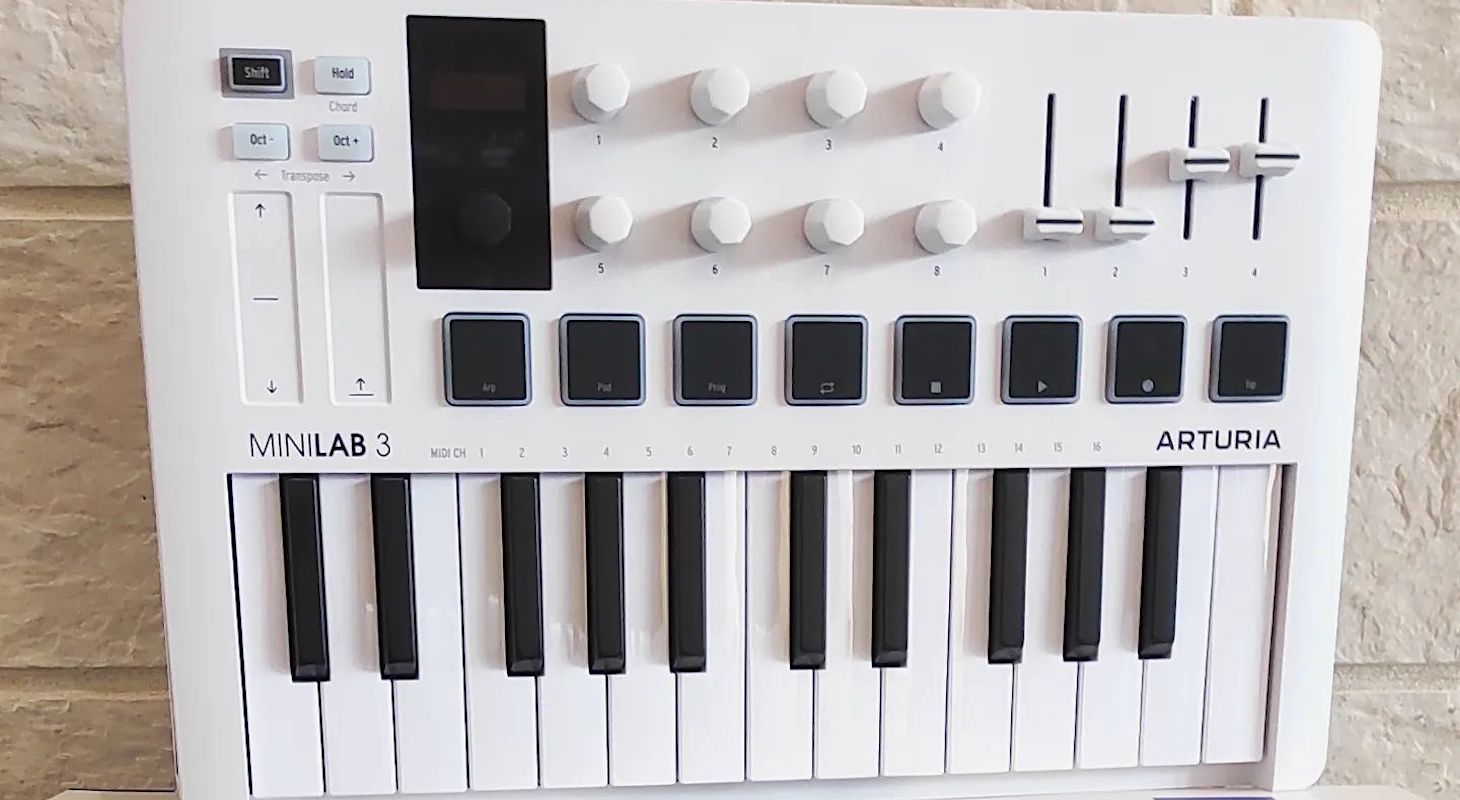
The Arturia MiniLab 3 has become my favorite travel keyboard and backpack companion ever, weighing just a little over 3 pounds. It's surprising how many features they've managed to pack into such a small yet powerful format.
As traditional studios continue to shrink each year, the rise of mobile setups will likely become the primary way producers and songwriters create albums in the future.
This trend is evident when major DAW companies like Ableton and now even Avid are integrating internet loop services like splice.com directly into their software, bringing you one step closer to having any sound you need in the cloud.
This would have seemed like an impossible dream 10 years ago when you still had to buy huge terabyte drives to carry all your sounds around. Now all you need is an internet connection, a laptop, and an excellent keyboard controller, and you're off to the races.
For those who love getting inspired in nature or traveling to different countries to write and create music, I'll break down my favorite features and why I believe this keyboard could be your perfect travel companion.
Quick Take
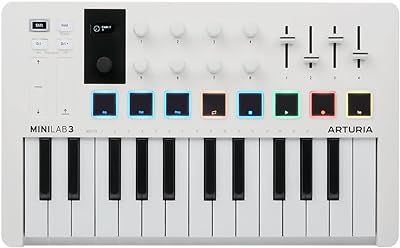
Compact, well-built, and surprisingly powerful for its size — MiniLab 3 handles travel setups, quick loops, and full productions without getting in your way. If you work on the go, it just makes sense.
Top 4 Reasons It’s a Travel Favorite
Reason #1: Faders
These days, many mini travel keyboards and controllers use simple touch strips rather than actual sliders or knobs. Arturia, however, has always gone above and beyond to ensure their layouts include everything you need in a perfectly clear and easy-to-use format — that's why I've always loved them.
Not only that, but they're constantly upgrading their models and releasing new revisions. Unlike many companies, these aren't just minor tweaks to force you to buy a new unit every couple of years. They're actual remakes with significant improvements to functionality.
One of the reasons I love faders so much is because I always mix while I produce and write. Ever since keyboard controllers started including faders, I haven't been able to properly mix "in the box" using just a trackpad or mouse. The tactile feel of adjusting reverb, delay returns, and even automating effects simply works so much better with physical sliders.
To me, producing "in the box" has always been about performance. Without that performance element, you risk sounding like the generic, lifeless AI tracks now being produced by non-musicians.
I'm not saying you need to be a professional musician who excels at their instrument, but I do believe there should be a human element to how you automate and make creative decisions in your tracks.
So I love using faders to create motion in my tracks — whether that's slowly raising pads from zero to my intended volume, or lowering the dry signal volume to create a delay feedback effect. These little tricks really make a difference when you have tactile faders to use.
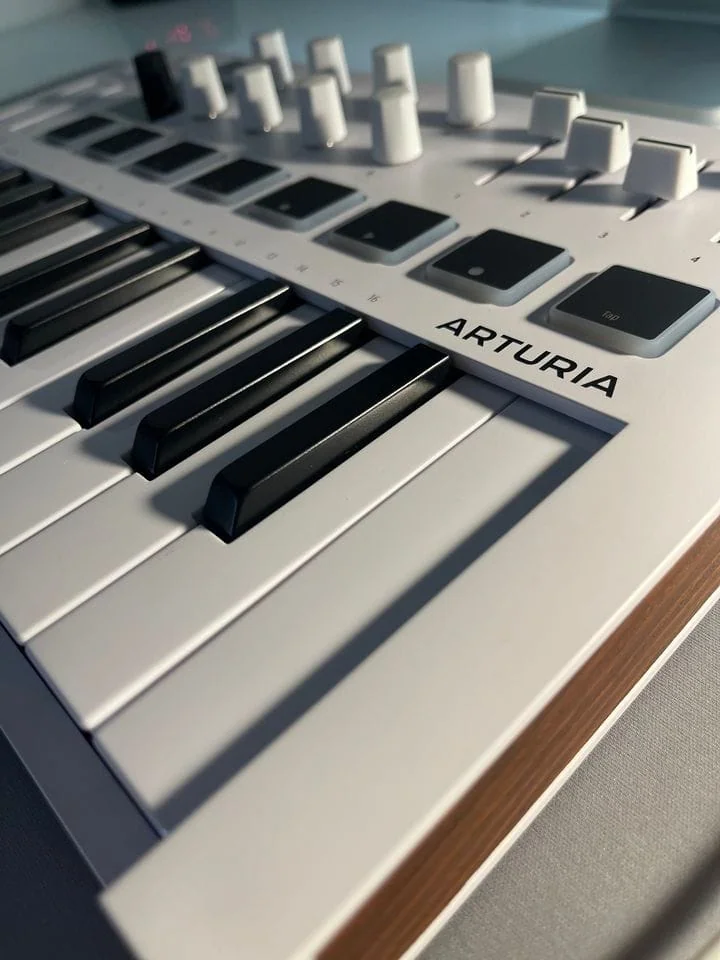
Arturia MiniLab 3 - Up Close
Reason #2: Capacitive Touch Sensors
Some cheaper MIDI controllers have touch strips that perform basic functions like the typical pitch or modulation wheel. These strips use capacitive touch technology, which means they react instantly to finger placement anywhere on the surface.
The value of whatever parameter you've programmed will jump immediately to match your finger position.
Rather than just sliding my finger up and down, I create interesting effects by tapping out rhythms — alternating between high and low positions on the strip to produce really cool results.
For example, I sometimes program the slider to open a filter at its highest position and close it at its lowest. This technique creates a side-chain-like effect similar to the "pumping" sound you hear in EDM tracks. You can produce this manually by tapping the sensor, which is incredibly effective.
This approach offers another tactile way to add human performance elements to your music.
I particularly enjoy using this as an alternative to traditional LFOs (Low Frequency Oscillators). LFOs were originally a synthesizer-only feature that created rhythmic modulations you could direct to different parts of the synth — like using an LFO on a MiniMoog to create wavy pitch movements.
Elektron advanced this concept by incorporating multiple LFOs that you can sequence into their groove boxes like the Digitone II. I use the touch strips as real-time LFOs instead.
The difference is that instead of letting the LFO's programmed rate do the work, I perform the rate myself. For instance, when using a phaser effect on vocals, rather than setting a preset LFO that rises to the top after three beats and falls to the bottom after another three beats in a continuous loop, I have fun experimenting by mapping different parameters of the effect — mix, speed, detuning — to the touch slider.
This allows me to create weird and wonderful sounds through direct manipulation.
These features are typically found only on full-fledged workstations and professional 88 or 61-key keyboards in recording studios. Finding them on a compact, portable 25-key setup is quite impressive.
Reason #3: Backlit Pads
Pads are all the rage these days because there's nothing more fun than programming drums with velocity-responsive pads. I've said many times that I love MPC pads the most, but I think the most important features on these Arturia pads are: first, that they have aftertouch and respond to different pressing techniques, similar to what I explained about the touch slider.
Second is that they're backlit, unlike the Novation Launchkey pads which are completely lit up and change colors based on your programming. These are lit only around the edges, like the AKAI MPC pads.
To be honest, I prefer fully lit pads because they're easier to see in the dark, especially on a small format like this. But compared to the old non-lit pads, I'll take these any day.
They also did something very smart with this keyboard to keep it compact. Instead of including 16 pads, they put eight physical pads with two banks, so with a simple switch, you can access the second row. This might not work well if you're drumming in real time and need to see all 16 drum hits at once, but for programming or step sequencing, it works perfectly.
For example, I like to program in different layers. I'm not really a finger drummer per se, so I prefer to do the kick first, then move to another track for the snare, then the hi-hats, etc. If I were finger drumming, yes, I'd want as many pads as possible, but for doing one or two elements at a time, this is perfect.
Another thing I love about these pads is that they're pressure sensitive, which makes them awesome for synth sounds and basslines.
One of the most overlooked production tricks is playing basslines with pads instead of keys. When I explain this to new producers, interns, or students — whether on a panel at a trade show or in my studio — they look at me like I'm crazy. They ask, "You have at least 25 keys, why use pads? Aren't you a pianist? Wouldn't you prefer to play basslines on keys?"
Well, it depends. If I'm playing a bassline where I want to be expressive and complex — like a Bruno Mars-style funk bassline — then yes, I might use the keys. But I love playing simple things too.
When I'm programming hip-hop, I don't want to overplay on the keys because I am a piano player. Having just eight pads for different bass sounds forces me to think minimally, especially when triggering 808-type bass sounds. There's value in having limitations.
And of course, having lit pads is amazing because it helps when organizing different sounds by color. For example, with synth sounds, I can program different parts with color codes — a low dubstep wobble on the first four pads with purple, and a higher note lead sound with yellow. When jumping between these, I can create some crazy portamento gliding basslines.
Anyway, all these features are just to help you make more creative choices and have fun!
Reason #4: Bundled Software, Presets and DAW Integration
For those of you familiar with Arturia, you know their claim to fame is their incredible keyboard emulations. One way they add significant value to their keyboards is by bundling a nice collection of these emulations — or at least a collection of presets — with every keyboard purchase.
If you're not familiar with Arturia products, the bundled software alone is almost worth the price of the keyboard, even if you never touch the hardware. To give you an idea of the added value: they provide their Analog Lab Intro with 500 incredible analog presets and 28 instruments, plus the UVI Model D, which is actually better than their own MiniMoog emulation.
It's a sample-based library of the MiniMoog Model D created by another incredible French company called UVI.
To top off the list, they also give you Ableton Live Lite and an upright piano from Native Instruments called The Gentleman, which I really like for indie-style sounds — perfect for something like a Coldplay-type track.
So honestly, their bundled software alone is worth more than the price of this keyboard, making them incredibly generous.
But that's not why I consider this a must-have keyboard. What really sets it apart — and why I chose these as my reason number four — is how the software, preset browser, and different DAW layouts coexist within this compact keyboard.
First, it has a great little screen that provides enough information to browse through various presets without looking at your laptop. When traveling in cramped airplane seats, there's often no space for both your laptop and controller.
I frequently put my laptop to the side, on my legs, or even below me, while keeping this keyboard on the tray table. All my choices are made from the browser, and it even has transport controls, so I rarely need to look at the screen. I might just peek occasionally to ensure I'm in the right section, but when I'm generating ideas and creating loops, especially in Ableton clips, it's phenomenal.
In fact, I've become so accustomed to this workflow that I rarely look at my screen anymore, even in my main studio. Sometimes I just grab this keyboard, place it in front of my laptop, and start browsing through loops and sounds. It's become second nature — almost like my little iPad. It's very cool.
Arturia also provides various DAW scripts and user presets, so if you're collaborating with others who use different software, you can easily switch over and have your transport and many of the CC and other controllers mapped automatically. This is extremely helpful when people visit my studio without their own controller.
While I use my main controller, I can lend them this one so they can put on headphones and develop ideas while I work on the main session. This saves considerable time since I don't need to look over their shoulder wondering if they're doing things correctly — they just plug in and play.
Creative Tips
Another aspect of this instrument's layout that makes it truly stand-alone is how the touch strips, knobs, and faders are all within easy reach of each other. This compact design benefits the small-format keyboard — with a wider interface, you wouldn't be able to reach controls so quickly.
What I like doing is using knobs three and four (the top right knobs) with my index and middle fingers while simultaneously moving faders one and two with my pinky and ring finger. Meanwhile, my left hand can control the touch strips.
I essentially use this keyboard as a mini modulation hub. You can assign numerous parameters to the controls — knob three could control pitch, knob four a phaser effect, fader one the filter opening, fader two the volume, and the touch strips can handle everything from effects to distortion.
Simply press play and start automating these different parameters, experimenting with various combinations (even mistakes). You'll be surprised how it creates an environment similar to a modular system, where small adjustments significantly change the sound — often in fascinating ways.
Give it a try and see what happens!
Final Word
I'm absolutely shocked at how much value they pack into these small keyboards nowadays. Sometimes on sale, these keyboards aren't even $100. Yet they function like seven different gadgets in one, considering just how much they can do creatively.
Perhaps it's because I've been around long enough to remember how limited our controllers were just 10 years ago that I'm amazed at how cool things have become. Or maybe they really are that impressive.
Either way, if you need a one-stop solution for any form of programming on the go, you have to check out this keyboard.
Studio-in-a-Backpack
It’s crazy how much this thing does for the price — faders, touch controls, DAW integration, and solid bundled software. Great for portable sessions, but honestly, it's useful even in a proper studio.
